Why the Solenoid Cable Matters for Your E-Fence
The solenoid cable is a small but essential part of your Dogtra QL launcher. It connects the electrical signal that activates the launcher, so when it wears out or fails, your e-fence training sessions can come to a halt. Replacing it with a genuine Dogtra part helps maintain reliable performance and keeps your equipment working as intended.
If you're experiencing intermittent launching or no response from your QL launcher, the solenoid cable is a logical place to start. This guide walks you through the replacement process, using the Dogtra Solenoid Cable QL as the direct replacement part.
The Dogtra Solenoid Cable QL at a Glance
-
SOLENOID CABLE QL: The Dogtra Solenoid Cable QL is a genuine replacement part designed for use with QL launchers. Using a genuine part ensures compatibility and reliable performance for your launcher.
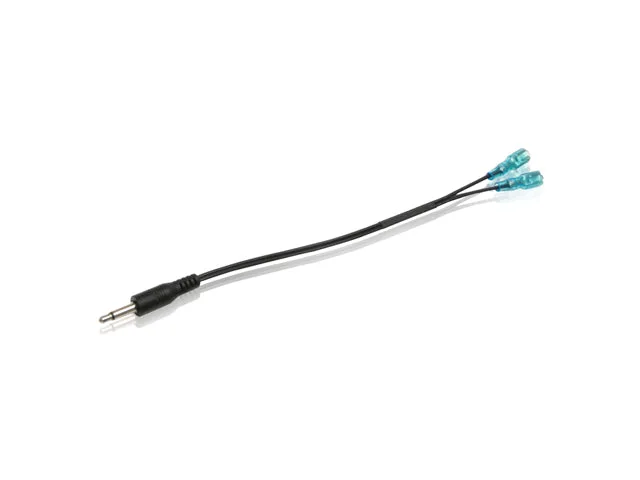
SOLENOID CABLE QL
-
SOLENOID CABLE QL: This cable serves as a direct replacement solenoid cable. You can swap it in without modifications, making the repair straightforward.
-
SOLENOID CABLE QL: Constructed as a genuine Dogtra part, it is essential for keeping your launcher in working order. A quality replacement minimizes downtime and helps avoid further issues.
How to Replace the Solenoid Cable
Before starting, make sure your QL launcher is powered off and disconnected from any power source. The following steps outline the general replacement process. For model-specific details, always refer to your launcher's manual.
- Access the solenoid cable: Open the launcher's housing to expose the solenoid cable. The cable is typically located near the launch mechanism. Consult your manual if you're unsure how to access it safely.
- Disconnect the old cable: Carefully unplug or detach the old solenoid cable from its connections. Note how it is routed so you can install the new one the same way.
- Install the new Dogtra Solenoid Cable QL: Connect the new cable to the same points, ensuring a secure fit. Route it exactly as the original to avoid pinching or interference.
- Test the launcher: Reassemble the housing and power on the launcher. Perform a test launch to confirm the new cable works correctly. If the launcher doesn't respond, double-check the connections.
What to Check If the Replacement Doesn't Solve the Problem
If your QL launcher still isn't working after replacing the solenoid cable, the issue may lie elsewhere—such as the battery, wiring, or launch mechanism. The supplied information confirms that the Dogtra Solenoid Cable QL is compatible with Dogtra QL launchers and serves as a direct replacement, but it does not cover troubleshooting other components. For persistent issues, consult your launcher's manual or contact Dogtra support for further guidance.