Quick Answer
To replace the thin stock earpads on your Steelseries Arctis Nova Pro, use the Brainwavz Earpad Adapter Ring to fit compatible Brainwavz Oval, ProStock, or SteelSeries earpads. The adapter ring clicks onto the headset and lets you attach thicker, more comfortable cushions without permanent modification.
Why Use an Adapter Ring?
The Steelseries Arctis Nova Pro, Nova Pro Omni, and Nova Elite headsets have a unique earpad mounting system that doesn't accept standard third-party earpads. The Brainwavz adapter ring bridges that gap, letting you attach a wider range of earpads while keeping the headset's original look and fit.
The main trade-off is that the adapter ring adds a small amount of thickness to the ear cups. This is usually a benefit if you find the stock pads too thin, but it can slightly change the distance between your ears and the drivers. Most users won't notice a difference in sound, but if you're sensitive to fit, it's worth considering.
Choosing the Right Earpads
The adapter ring is designed to work with Brainwavz Oval, ProStock, and SteelSeries earpads. When you buy the adapter with compatible earpads, you get an extra 50% off the adapter price, making it a budget-friendly upgrade.
If you want maximum comfort, choose plush memory foam pads. If you prefer a more neutral sound, consider pads with a thinner profile. The choice is yours—the adapter ring gives you the flexibility to swap pads whenever you want.
Step-by-Step Replacement Guide
- Remove the stock earpads: Gently pull the existing earpads away from the headset. They are usually attached with a clip or adhesive. Work slowly to avoid damaging the headset's mounting ring. Check that the mounting ring is clean and free of debris before proceeding.
- Align the adapter ring: Position the Brainwavz adapter ring over the headset's mounting ring. Make sure the adapter's tabs align with the notches on the headset. Press firmly until it clicks into place. If the ring doesn't sit flush, remove and realign it—do not force it.
- Attach the new earpads: Take your chosen Brainwavz earpads and align them with the adapter ring. Press the earpad onto the adapter, ensuring it snaps or slides on evenly all around. Run your fingers around the edge to confirm the earpad is fully seated and there are no gaps.
- Test the fit and comfort: Put on the headset and adjust the headband as needed. Check that the earpads feel comfortable and that the headset sits securely. If the earpads feel too tight or loose, remove and reattach them. If the earpads are still uncomfortable, consider trying a different pad material or thickness.
Product Facts
-
Earpads Adapter Ring For Steelseries Arctis Nova Pro Wireless, Nova Pro Omni & Nova Elite Headsets - For Use With Brainwavz Oval, ProStock & SteelSeries Earpads: This adapter ring is compatible with Steelseries Arctis Nova Pro Wireless, Arctis Nova Pro Omni, and Arctis Nova Elite headsets. It ensures a secure fit for your specific headset model, so you can confidently upgrade your earpads without worrying about compatibility.
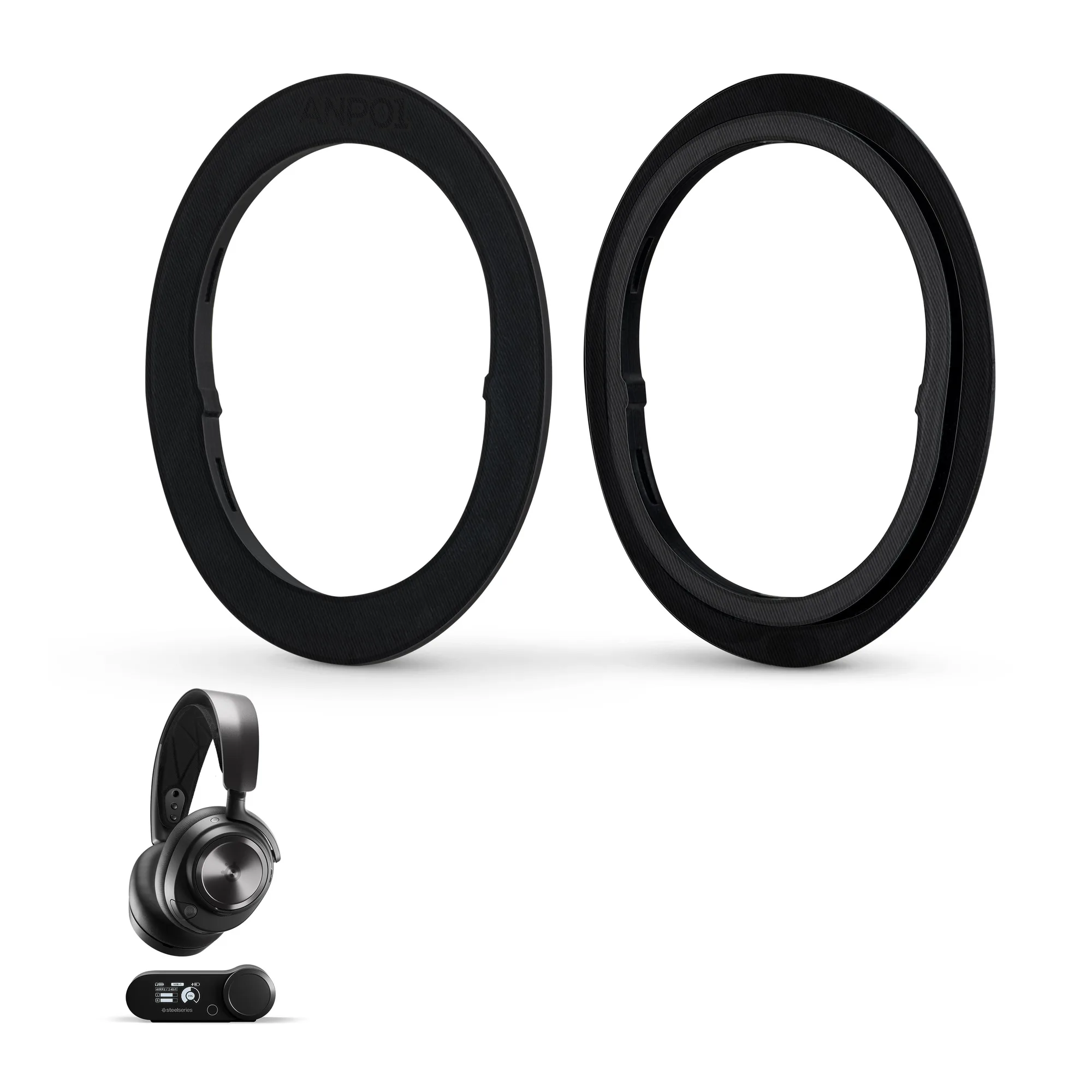
Earpads Adapter Ring For Steelseries Arctis Nova Pro Wireless, Nova Pro Omni & Nova Elite Headsets - For Use With Brainwavz Oval, ProStock & SteelSeries Earpads
-
Earpads Adapter Ring For Steelseries Arctis Nova Pro Wireless, Nova Pro Omni & Nova Elite Headsets - For Use With Brainwavz Oval, ProStock & SteelSeries Earpads: The adapter allows the use of Brainwavz Oval, ProStock, and SteelSeries earpads. This expands your earpad choices, letting you pick the material and thickness that best suits your comfort and sound preferences.