Quick answer
To replace the headband on your ABYSS AB1266, remove the old headband by unscrewing the yoke screws, slide the new headband into place, and re-tighten the screws evenly. The new leather headband from ABYSS offers better comfort and durability.
Why replace the headband?
The original headband on the ABYSS AB1266 can wear out over time, leading to discomfort and reduced support. The upgraded replacement headband features a wider profile and softer padding, which significantly improves long-listening comfort.
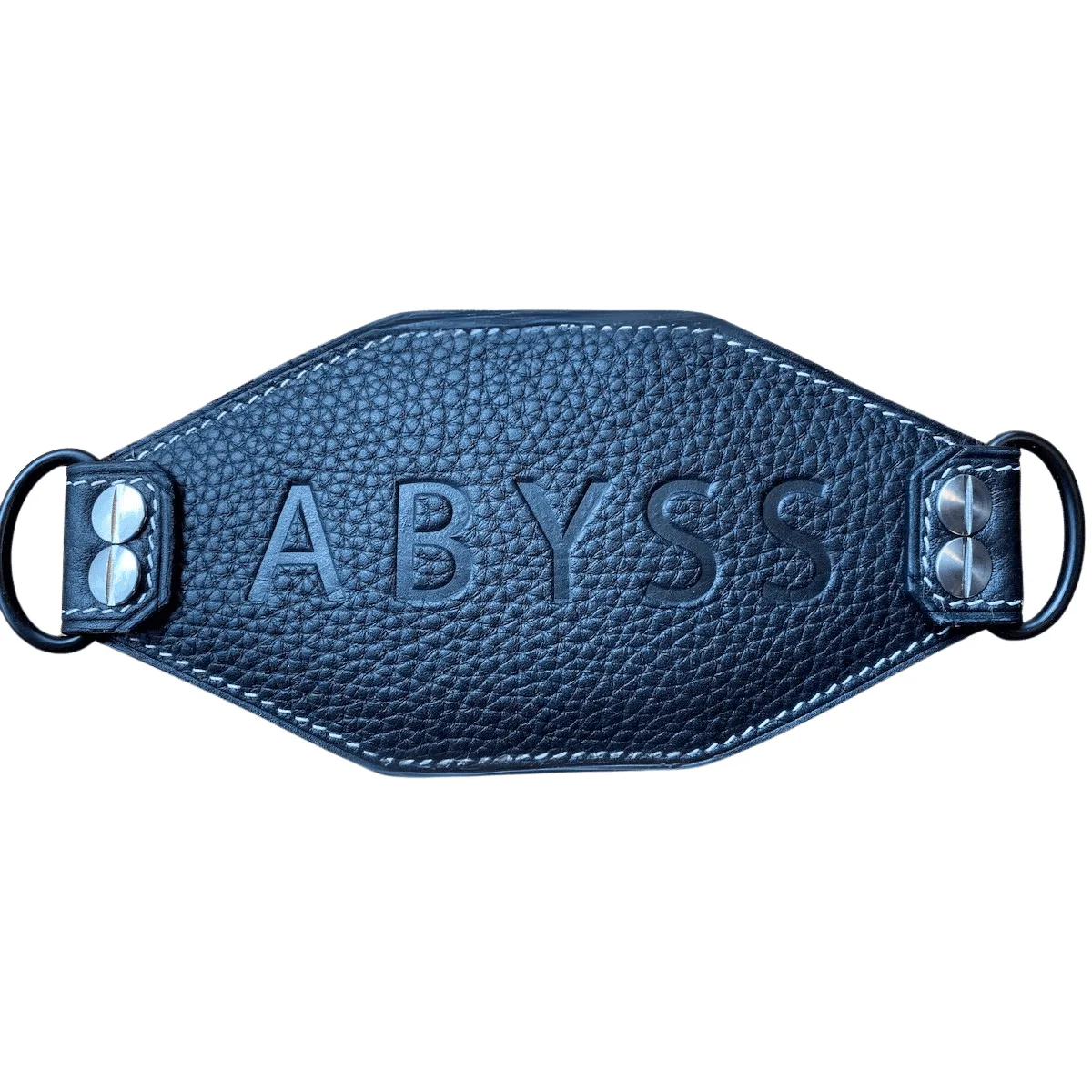
The new design uses premium French leathers and an elegant embossed ABYSS logo, adding a touch of luxury while maintaining durability. Upgrading also allows you to refresh the look of your headphones without replacing the entire unit.
Tools you'll need
You'll need a small Phillips screwdriver and a clean, soft surface to work on. The process is straightforward and doesn't require specialized tools.
Take your time and keep screws organized to avoid losing them during the process.
Step-by-step headband replacement
- Prepare your workspace: Lay your ABYSS AB1266 on a clean, soft surface. Have your Phillips screwdriver ready. Ensure good lighting to see the screws clearly. Avoid working on hard surfaces that could scratch the headphones.
- Remove the old headband: Locate the screws on the yokes (the metal arms that connect the headband to the ear cups). Use the screwdriver to carefully unscrew them. Keep the screws in a safe place. Do not force the screws; if they resist, double-check that you're using the correct size and angle.
- Detach the old headband: Once the screws are removed, gently slide the old headband out of the yoke slots. If it feels stuck, wiggle it slightly while pulling outward. Do not pull the ear cups by the cables; handle the yokes only.
- Attach the new headband: Align the new headband with the yoke slots and slide it into place. Ensure the embossed ABYSS logo faces the top and is centered. Check that the headband sits symmetrically before tightening.
- Secure the screws: Reinsert the screws and tighten them evenly. Do not overtighten, as this could strip the threads or damage the yoke. Tighten just until snug, then give a quarter turn more.
- Test the fit: Put on the headphones and adjust the headband to your head size. Ensure the pressure is even and comfortable. If the headband feels loose or lopsided, re-check the alignment and screw tightness.
Product spotlight
-
Headband for ABYSS AB1266 Upgraded Replacement: This newly designed leather headband is the perfect replacement or upgrade for any AB1266 headphone, featuring a wider profile, softer padding, and premium French leathers. The wider profile and softer padding directly improve comfort during long listening sessions, while the premium materials enhance durability and aesthetics.
Headband for ABYSS AB1266 Upgraded Replacement