Why the Wii Version of Resident Evil 4 Stands Out
Resident Evil 4 on the Nintendo Wii offers a unique control scheme that sets it apart from other versions. The game puts you in the boots of Leon S. Kennedy, a U.S. agent on a mission to rescue the president's daughter. Instead of traditional dual-stick aiming, the Wii Remote lets you point directly at enemies, making precision shots more intuitive once you get the hang of it.
This guide covers the essentials of mastering these controls, from aiming and shooting to managing your inventory under pressure. Whether you're new to the game or returning after years away, these tips will help you survive the horrors that await in rural Europe.
What You Get with This Copy
-
Resident Evil 4 - Wii Game: The game is fully tested & guaranteed to work. It's the cartridge / disc only unless otherwise specified. You receive a working, cleaned copy of the game. No manual or case is included, so you'll rely on in-game tutorials for control instructions.
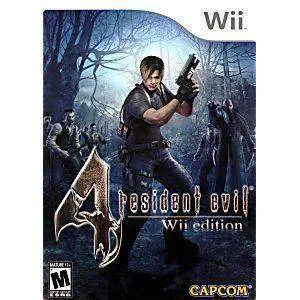
Resident Evil 4 - Wii Game
Getting Started: Basic Wii Remote Controls
Resident Evil 4 on Wii uses the Wii Remote and Nunchuk. The Remote handles aiming and shooting, while the Nunchuk's analog stick moves Leon. To aim, point the Remote at the screen—a laser sight appears. Press the B button to fire your weapon. This direct pointing makes headshots and quick enemy takedowns easier than on other consoles.
The A button performs contextual actions like opening doors, picking up items, or climbing ladders. The D-pad switches weapons or items, and the 1 and 2 buttons handle the map and inventory. The Nunchuk's C button readies your knife for close-quarters defense, and the Z button triggers a quick turn—essential for escaping tight spots. For precise turning instructions, follow the product's included manual.
Mastering Aiming and Shooting
- Use the laser sight for precision: Unlike crosshairs, the laser sight shows exactly where your bullet will land. Aim for the head or knees to stagger enemies, then run past or deliver a melee follow-up.
- Practice quick target switching: When multiple enemies approach, flick the Remote between targets rapidly. The game's auto-aim assist helps, but manual control gives you better accuracy for critical shots.
- Manage your aim sensitivity: The Wii Remote's sensitivity can feel twitchy at first. Keep your wrist steady and use small movements for fine adjustments. If you overshoot, reset your aim by pointing off-screen and re-centering.
Survival Tips for Leon's Mission
Resident Evil 4 is a survival horror game, so ammo and health are scarce. Here are some strategies to keep Leon alive:
Use the environment to your advantage. Shoot explosive barrels near groups of enemies, and use windows and doors as chokepoints. The Wii Remote's pointing makes it easy to target these objects quickly.
Conserve ammo by using the knife on downed enemies or single foes. The knife is silent and doesn't waste bullets. Also, combine herbs in your inventory to create stronger healing items—green+green, green+red, or green+green+red for full recovery.
Upgrade your weapons at the merchant when you have enough pesetas. Prioritize firepower and reload speed for your handgun and shotgun. The merchant also sells maps and treasures that can be combined for extra cash.
What the Listing Confirms
This used copy of Resident Evil 4 for Wii is fully cleaned, tested, and working. It includes the disc only, with no manual or case. The game is rated M for Mature and is NTSC (N. America) region. If you're buying, ensure your Wii console is compatible with NTSC discs. The listing does not specify whether the original case or manual is included, so expect only the game disc.