What You Need Before Starting
The Retro Core Controller for Nintendo Switch is a wired gamepad that connects directly to your Switch dock via USB. Before you begin, make sure you have your Nintendo Switch (base or OLED model) in its dock, with the dock plugged into power and your TV. The controller works only in TV Mode and requires an active USB port on the dock. It is not compatible with the Nintendo Switch 2 due to different USB protocols.
Wired Connection Setup
- Plug in the controller: Connect the USB-A end of the included 6-foot cable into an available USB port on the Nintendo Switch dock. The controller is plug-and-play, so no additional software or pairing process is needed.
- Power on your console: Turn on your Switch and ensure it is in TV Mode. The controller should be recognized immediately. If not, try a different USB port on the dock or check that the dock is properly connected to power and your TV.
- Test the connection: Press any button on the Retro Core Controller to confirm it is active. The controller does not have a separate power switch; it draws power directly from the dock.
Understanding the Wired Advantage
Because the Retro Core Controller uses a direct USB connection, there is no wireless interference, input lag, or battery dependency. This makes it a reliable choice for competitive play or long sessions where you do not want to worry about charging. The 6-foot cable gives you comfortable distance from your TV, but you are limited to the cable length.
Key Specifications
-
Retro Core Controller for Nintendo Switch™: Lag-Free Wired Connection: Direct USB plug-and-play functionality eliminates wireless interference, input latency, and battery dependency. This means zero setup hassle and consistent performance without pairing menus or battery checks.
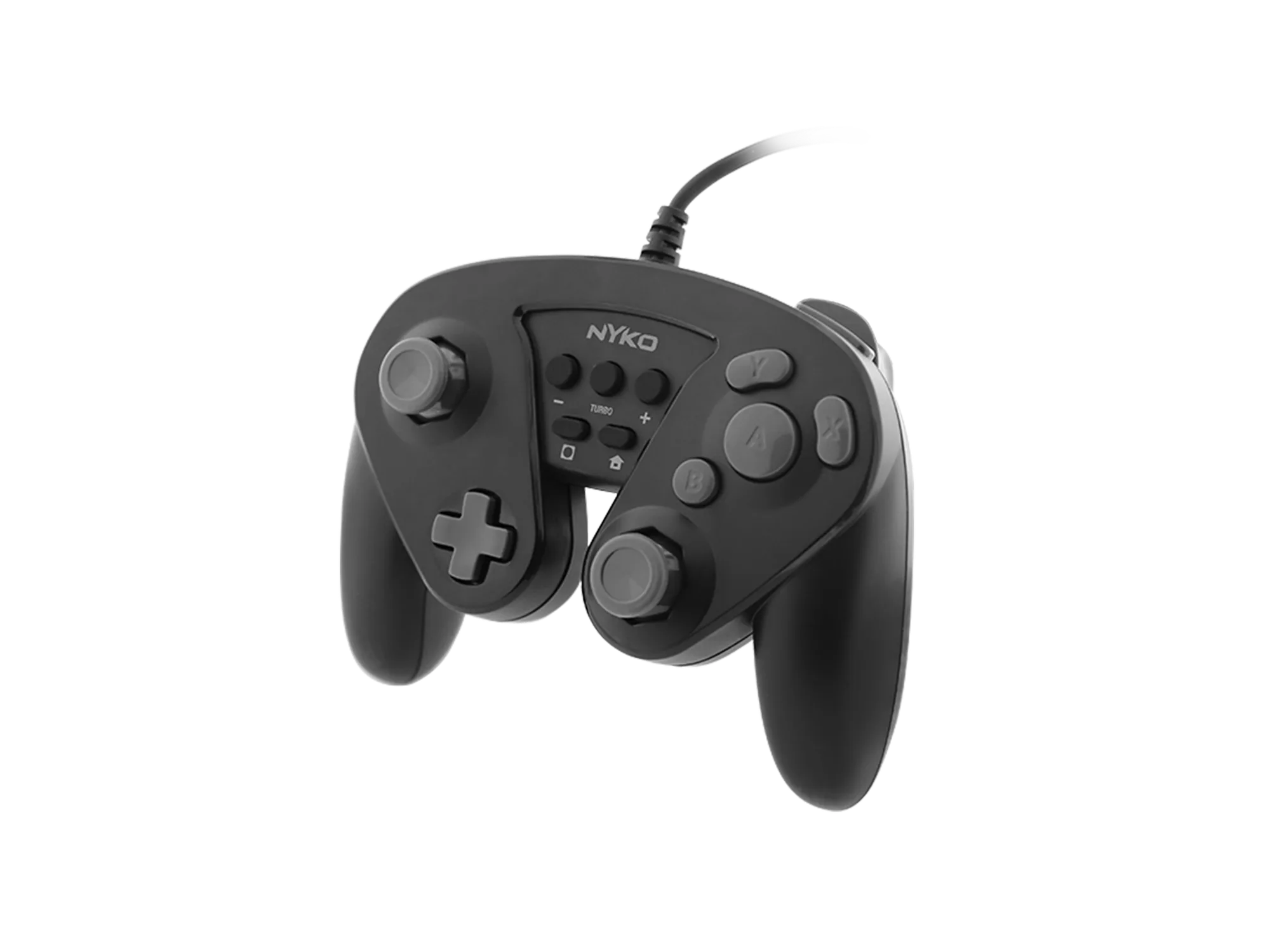
Retro Core Controller for Nintendo Switch™
-
Retro Core Controller for Nintendo Switch™: Programmable Turbo Functionality: Easily assign turbo mode to any face buttons or triggers for rapid-fire customization. Turbo mapping lets you automate repeated presses in games, giving you an edge in fast-paced titles.
-
Retro Core Controller for Nintendo Switch™: Full-Sized Retro Ergonomics: A comfortable, contoured form factor providing a more substantial, ergonomic grip than standard Joy-Cons. If you find the standard Joy-Cons too small or less comfortable for long play, this controller offers a more traditional feel.
Using Turbo Mapping
The Retro Core Controller lets you assign turbo mode to any face button or trigger. Turbo mode rapidly repeats that button press while held. This is useful for games that require quick tapping, such as racing games for acceleration or shooters for rapid fire. The feature is programmable, but the supplied information does not detail the exact button combination to enter mapping mode. Check the controller's manual or try holding the turbo button (if present) while pressing the desired button. If you cannot find the mapping instruction, consider this an undocumented feature.
Important Compatibility Notes
This controller is designed for the original Nintendo Switch and Switch OLED models only. It is not compatible with the Nintendo Switch 2 due to legacy USB protocols. It also does not work in handheld mode; you must use the dock. The controller does not support NFC (Amiibo), gyroscope, or motion controls. It does include standard dual-motor rumble for vibration feedback.