Why a dedicated charging dock for the RG353VS or RG353V?
The 3D Printed Magnetic Charging Dock for RG353VS/V Game Consoles is designed to simplify charging and double as a display stand. Instead of repeatedly plugging and unplugging a cable, you connect the dock to power and drop the console onto the magnetic connection. When charging stops, the dock keeps your handheld upright and organized on your desk.
This guide covers the practical details you need to decide if this accessory fits your setup, including what's in the box, how to use it, and the care limits you should know.
What you get and how it fits
-
3D Printed Magnetic Charging Dock for RG353VS/V Game Consoles: Suitable for Anbernic RG353VS/RG353V game consoles, with precisely positioned, suitably sized, and magnetic charging features. Confirms compatibility with both models and highlights the magnetic alignment that makes docking easy.
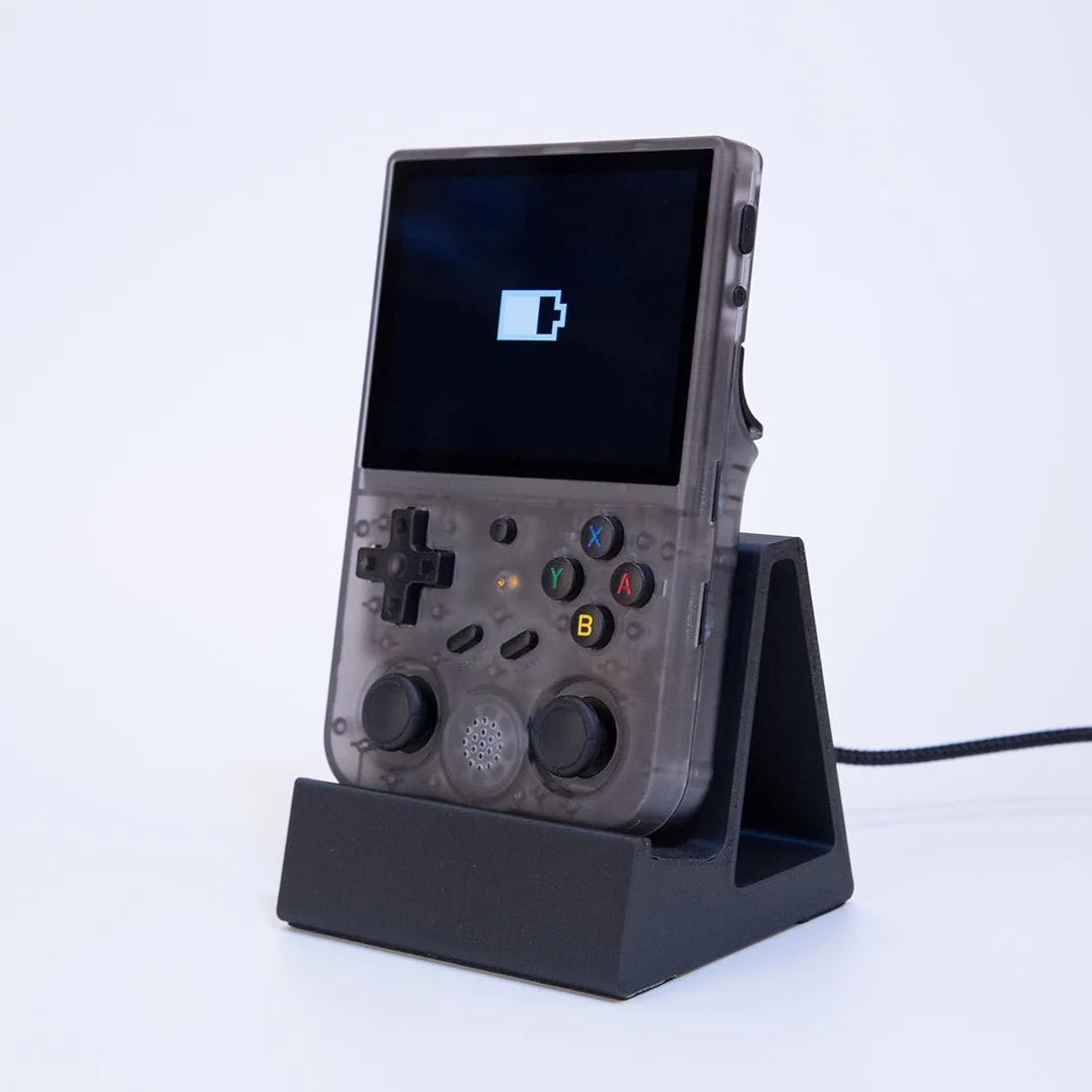
3D Printed Magnetic Charging Dock for RG353VS/V Game Consoles
-
3D Printed Magnetic Charging Dock for RG353VS/V Game Consoles: Package Content: Magnetic Charging Dock *1, Magnetic Charging Cable *1, Magnetic Charging Head *2. Shows exactly what comes in the box, so you know you have everything needed to start charging.
-
3D Printed Magnetic Charging Dock for RG353VS/V Game Consoles: Material: PLA + Sponge; Product Weight: 100g; Package Dimensions: 15 x 10 x 5cm. Gives you a sense of the dock's footprint and build, helping you plan desk space.
Setting up your RG353VS or RG353V dock
Follow these steps to get your dock ready for daily use.
- Unpack and check components: Verify you have the magnetic charging dock, magnetic charging cable, and two magnetic charging heads.
- Connect the dock to power: Use the included magnetic charging cable to connect the dock to a power source. The dock is designed to be connected to power alone, eliminating the need to constantly plug and remove charging wires.
- Attach the magnetic charging head to your console: Select one of the two magnetic charging heads and attach it to the charging port of your RG353VS or RG353V. The head stays in place, so you only need to dock the console.
- Dock your console: Place the console onto the dock. The magnetic connection aligns the charging head with the dock's contacts. When charging stops, leave the console on the dock for storage and display.
Care and handling: what the supplied information confirms
The dock is made from PLA with a sponge liner. The sponge liner lines the interior and is sealed off from heat sources exceeding 60 degrees Celsius. This means you should avoid placing the dock near open flames, heaters, or other sources of intense heat. For cleaning, the supplied information does not specify a method, so use your best judgment and avoid harsh chemicals that could damage the PLA or sponge.
Also note that this is a 3D printed accessory with a semi-matte finish. Small surface variations are normal for FDM printing and do not affect function.
Color options and price: what to weigh
The dock is available in Black and White. Both colors share the same specifications and functionality. The catalog price is USD 12.50, with a comparison price of USD 24.99. Consider which color matches your console and desk setup.
- Black: A classic choice that hides smudges and blends with most electronics.
- White: A clean, bright look that stands out on darker surfaces.
Shipping timeline and what it means for you
This product is 3D printed to order and ships in about 7-10 days. That lead time is worth planning for if you need the dock by a specific date. Once it arrives, setup takes only minutes.
What the supplied information does not confirm
The supplied information does not specify a warranty period, exact charging speed, or cleaning instructions. If these details are important to you, consider contacting the seller before purchasing. Also, the dock is designed specifically for the RG353VS and RG353V; it is not confirmed to fit other models.