Start With the Kit You Actually Have
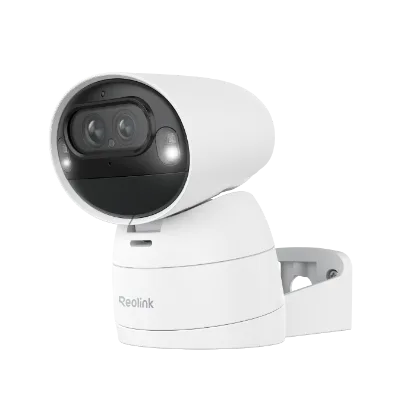
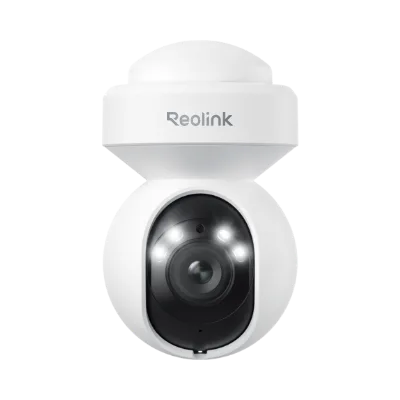
The RLK8-1200D4-A is a four-camera PoE kit, so your maintenance routine has two halves: the four outdoor cameras and the NVR that records them. Because each camera runs on Power over Ethernet, there is no separate power adapter at each camera to check. That simplifies upkeep, but it also means the Ethernet runs and the NVR itself deserve regular attention.
The kit delivers 12MP resolution and 24/7 full color imaging. Those capabilities depend on clean lenses, stable connections, and a healthy recording drive, so the checkpoints below focus on keeping all three in good shape.
A Simple Monthly Walkthrough for the Four Cameras
Work through these checkpoints in order. They cover the physical camera side first, then the recording side.
- Inspect each camera housing and lens: Look for cobwebs, dust, pollen, or water spots on the lens and housing. These are the most common causes of a blurry or hazy image, and they affect all four cameras differently depending on where each one is mounted.
- Clean gently with a soft dry cloth: Wipe the lens with a soft, dry microfiber cloth. Avoid abrasive pads and harsh solvents. For stubborn debris, a slightly damp cloth followed by a dry wipe is usually enough. Do not spray liquid directly onto the camera.
- Check each Ethernet connection: Since the RLK8-1200D4-A uses PoE, each camera depends on its network cable for both data and power. Confirm that connectors at the camera and at the NVR are fully seated and that cable runs are not pinched, kinked, or exposed to standing water.
- Review the live view for each camera: Open each of the four camera feeds and confirm the image is sharp and the full-color view is working. A single degraded feed usually points to a dirty lens or a loose cable rather than a kit-wide problem.
- Check NVR storage status: Open the NVR storage settings and confirm the hard drive is detected and recording. This is the checkpoint that protects your 24/7 full-color footage from silently stopping.
What the Kit Gives You to Maintain
-
RLK8-1200D4-A: 12MP resolution for high-definition video capture Higher resolution shows dust, smudges, and focus problems more clearly, so regular lens cleaning has a visible payoff.
RLK8-1200D4-A
-
RLK8-1200D4-A: Includes four cameras for comprehensive coverage Your maintenance checklist should cover four separate camera positions, not just one.
-
RLK8-1200D4-A: Power over Ethernet (PoE) for simplified installation Each camera draws power over its network cable, so cable and connector checks are part of routine upkeep.
-
RLK8-1200D4-A: 24/7 full color imaging for continuous color footage day and night Continuous color recording depends on a working NVR drive and clean lenses, making storage and lens checks the core of your routine.
NVR Hard Drive and Firmware: The Quiet Failure Points
The NVR hard drive is the part most likely to fail without warning, because a full or failing drive can stop recording while the live view still looks fine. Make storage checks a habit: confirm the drive is recognized, review how many days of footage you are retaining, and replace the drive if the NVR reports errors. The supplied information for the RLK8-1200D4-A does not specify a maximum drive capacity or a recommended replacement interval, so check the NVR's own storage screen for its reported status rather than assuming a fixed schedule.
Firmware updates are the other quiet maintenance item. Check the NVR's firmware update section periodically and apply updates when they are offered. The supplied information does not list specific firmware versions or update steps for this kit, so follow the update prompts shown in the NVR interface rather than a generic procedure.
Outdoor Camera Upkeep Through the Seasons
Outdoor cameras face weather, insects, and seasonal debris. Adjust your routine to the conditions around your property.
- Spring and summer: Pollen, spider webs, and insect activity are common. Clear webs around the lens and housing, and wipe pollen from the lens during your monthly check.
- Autumn: Falling leaves and debris can block a camera's view or collect around cable runs. Clear the area in front of each camera and check that cables are still secure.
- Winter: Check for condensation, ice, and snow buildup on the housing and lens. Remove snow carefully without scraping the lens, and confirm each camera still produces a clear image after a freeze.
When to Stop Troubleshooting and Escalate
Most image problems trace back to a dirty lens or a loose cable, and cleaning and reseating usually resolve them. If a camera still shows a degraded image after cleaning and checking its connection, or if the NVR stops recognizing the hard drive after a restart, stop repeating the same steps and contact Reolink support with the specific camera or drive status. The supplied information does not include a repair procedure for the RLK8-1200D4-A, so avoid opening the NVR or cameras yourself.