Start with the laptop sleeve, then build outward
The Rowledge 2 is a 23.5L convertible backpack-tote and 13 inch laptop bag. That laptop size is the anchor for everything else: slide your computer into the water-resistant sleeve first, then decide what else the day requires. Packing in that order keeps the heaviest, most fragile item against your back and stops smaller items from drifting into the laptop space.
Because the bag converts between backpack and tote carry, the layout also changes how weight sits on your shoulders. A quick test before you leave: pack the sleeve, close the bag, and try both carry modes. If the load feels unbalanced in tote mode, move heavier items toward the center rather than the outer edges.
What the Rowledge 2 record confirms
-
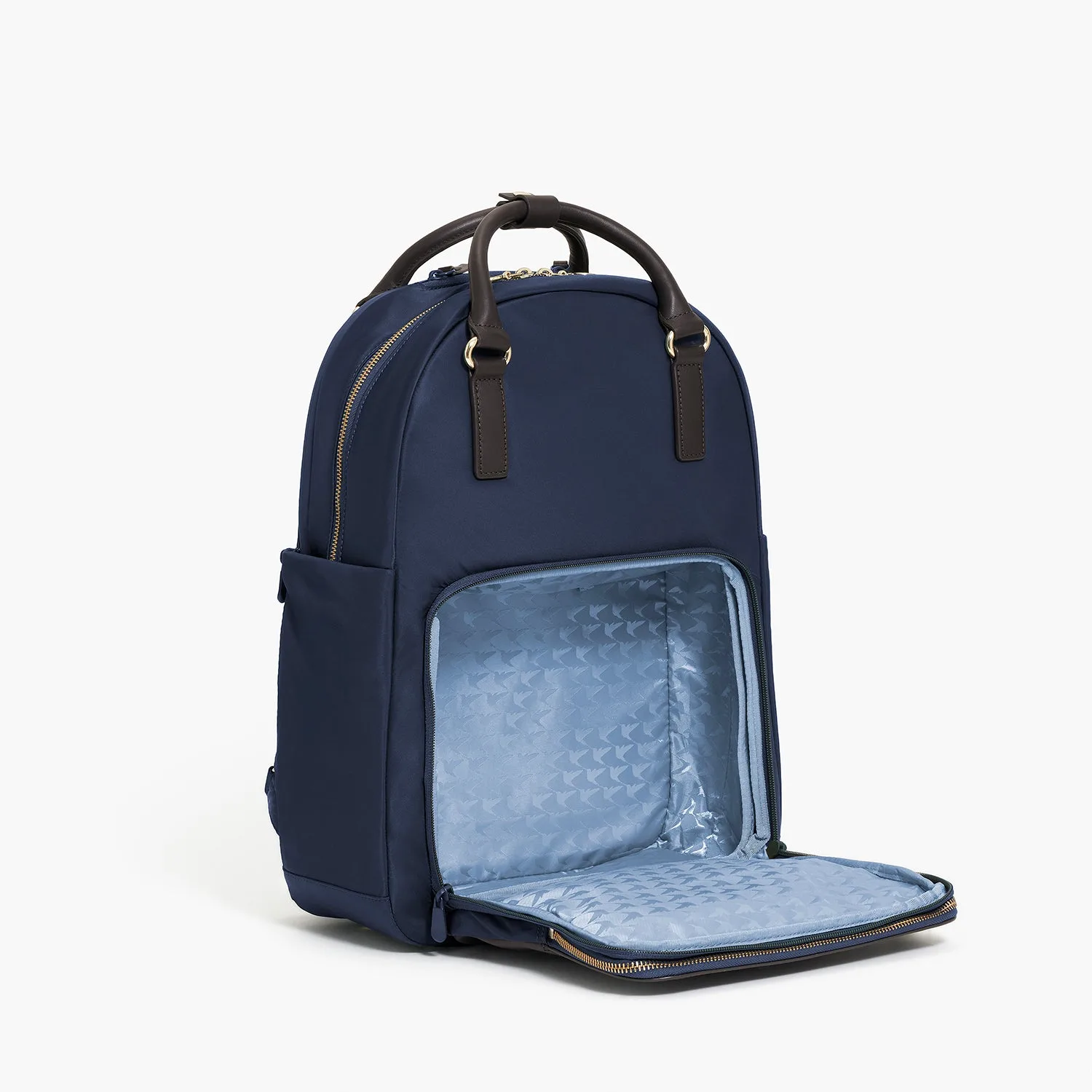
Rowledge 2 - Nylon - Black / Silver / Lavender: The Rowledge 2 is a 23.5L convertible backpack-tote and 13 inch laptop bag with a shoe compartment, water-resistant laptop sleeve, and nappa leather handles. These are the four features that determine how you divide the bag: a laptop zone, a shoe zone, a main volume, and two carry modes.
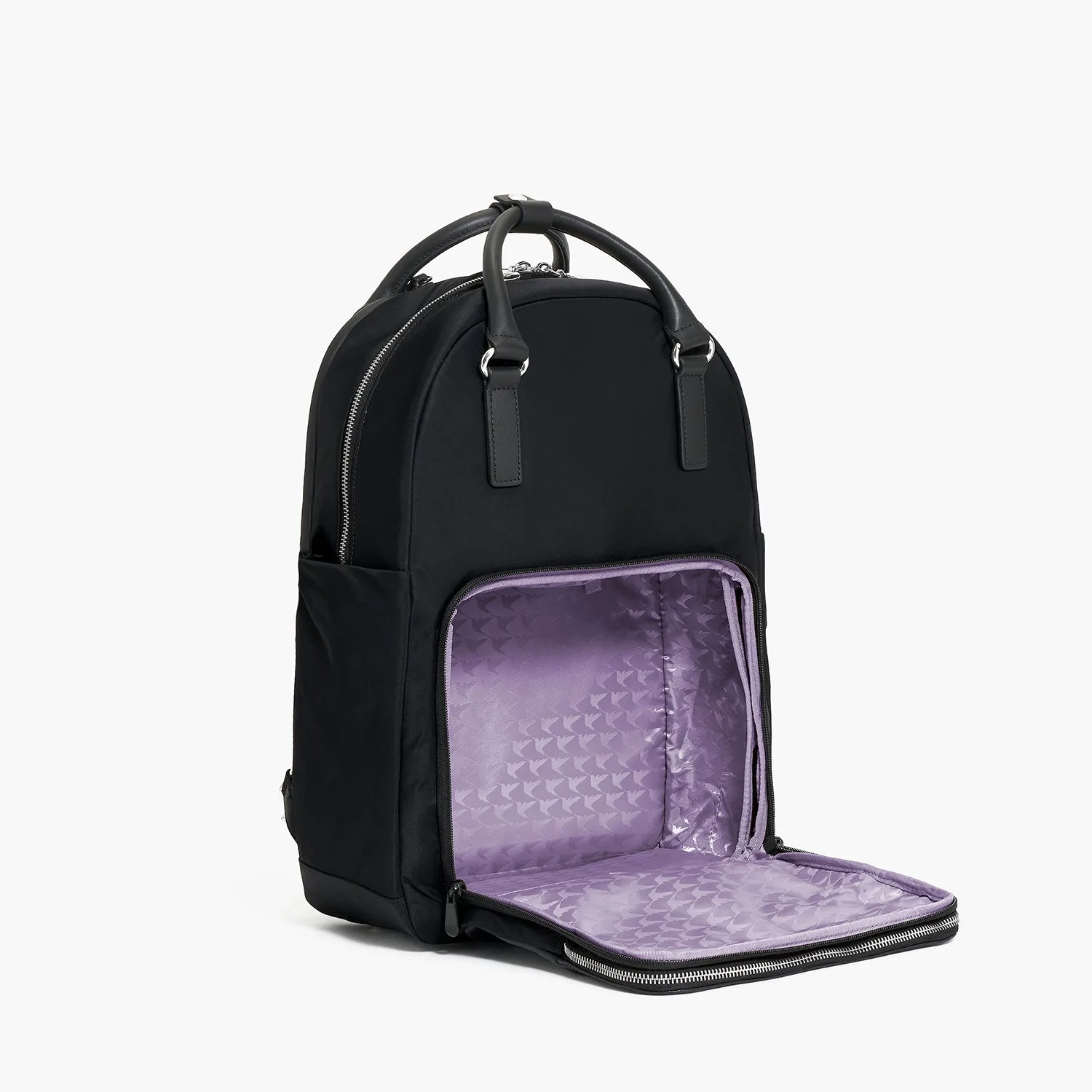
Rowledge 2 - Nylon - Black / Silver / Lavender
-
Rowledge 2 - Nylon - Black / Silver / Lavender: It is built for work, travel, and workouts, and is designed for women who need a bag that keeps up with commuting, meetings, and travel days. The intended use tells you which compartments to prioritize on a given day rather than treating every pocket as equally important.
A compartment-by-compartment packing order
The supplied product record names the shoe compartment, the water-resistant laptop sleeve, and the convertible backpack-tote format, but it does not list pocket dimensions or internal dividers. Use this order as a starting routine, then adjust once you see how your own items sit inside.
- 1. Laptop sleeve first: Place your 13 inch laptop in the water-resistant sleeve before anything else. This reserves the protected zone and prevents cables or a water bottle from pressing against the screen later.
- 2. Shoe compartment next: If you are heading to a workout or carrying a change of shoes, load the shoe compartment early. Shoes are bulky and rigid, so deciding on them first shows you how much main-compartment space remains.
- 3. Main volume for the workday: Use the 23.5L main space for the items that define your day: a notebook, a folder, a pouch of small essentials, and a light layer. Keep the heaviest items closest to your back for backpack carry.
- 4. Choose your carry mode last: Once packed, switch between backpack and tote to check balance. The nappa leather handles suit a meeting or a quick errand; the backpack mode is the better choice when the bag is fully loaded.
How the shoe compartment changes your packing plan
The shoe compartment is the feature that separates the Rowledge 2 from a straightforward laptop bag. On a gym day, it keeps shoes away from your laptop and paperwork. On a travel day, it can hold a pair of flats or sandals so you are not wearing the same shoes on the plane and at dinner.
The trade-off is volume. A 23.5L bag is generous for a commute but not unlimited, and shoes take up a meaningful share of that space. If you need to carry both a laptop and a bulky pair of shoes, plan to keep the rest of the load flat and flexible: a slim notebook, a soft pouch, and a light jacket rather than a second pair of shoes or a hard lunch container.
Packing tips that respect the convertible design
- Keep the laptop sleeve free of loose items: The sleeve is described as water-resistant, which protects against splashes, but it is still a sleeve. Cables, keys, and pens belong in a separate pouch so they do not scratch the laptop.
- Use one pouch for small essentials: A single zip pouch for chargers, pens, and cards makes the switch between backpack and tote carry faster and keeps the main compartment from becoming a loose jumble.
- Protect the nappa leather handles: The handles are nappa leather, a softer finish than coated nylon. When the bag is stored or set down, keep the handles away from rough surfaces and sharp edges.
- Match the load to the carry mode: A light load works well in tote mode for meetings. A heavy load, especially with shoes, is better carried as a backpack to distribute weight across both shoulders.
What the supplied information does not settle
The product record confirms the 23.5L capacity, the 13 inch laptop sleeve, the shoe compartment, the water-resistant laptop sleeve, and the nappa leather handles. It does not provide pocket-by-pocket dimensions, the maximum shoe size the compartment accepts, or the exact internal divider layout. Those details matter if you carry an unusually large pair of shoes or a laptop near the top of the 13 inch class.
Use the packing order above as a framework, then check the bag with your own laptop and shoes before relying on it for a trip. If your laptop is larger than the 13 inch size named in the record, treat fit as unconfirmed rather than assumed.