Quick answer
Choose the Samsung Galaxy Book Pro for its vibrant AMOLED display and Intel Evo platform efficiency, ideal for media consumption and portability. Pick the Acer Aspire 5 for stronger multi-core performance and a more budget-friendly price, suited for productivity and light gaming.
Display quality: AMOLED vs IPS
The Samsung Galaxy Book Pro features a 15.6-inch AMOLED screen, offering deep blacks, high contrast, and vivid colors that excel for photo editing, video streaming, and creative work. In contrast, the Acer Aspire 5 uses a 15.6-inch FHD IPS display, which provides consistent viewing angles and solid brightness for everyday tasks but cannot match the inky blacks of AMOLED.
If you prioritize color accuracy and immersive visuals, the AMOLED panel is a clear advantage. However, for general use like browsing, document editing, or video calls, the IPS display is more than adequate and avoids potential burn-in concerns associated with OLED technology.
Performance and processing power
The Samsung Galaxy Book Pro is powered by an 11th Gen Intel Core i5 processor and is part of the Intel Evo platform, which ensures fast wake times, long battery life, and responsive performance for everyday multitasking. The Acer Aspire 5 steps up with a 13th Gen Intel Core i7 processor and Intel Iris Xe graphics, delivering significantly higher multi-core performance for demanding applications like video editing, coding, or light gaming.
The Acer also includes 16GB LPDDR5 RAM compared to the Samsung's 8GB, making it better suited for heavy multitasking. If raw processing power is your priority, the Acer Aspire 5 is the stronger choice.
Portability and battery life
The Samsung Galaxy Book Pro is designed as an ultraportable Intel Evo laptop, emphasizing long battery life and a slim profile. Its 512GB SSD and efficient processor make it a great travel companion. The Acer Aspire 5 is also slim but focuses more on performance, with a slightly larger chassis to accommodate better cooling and a backlit keyboard.
If you need a laptop for on-the-go use, the Samsung offers better portability. For desk-centric work, the Acer's ergonomic hinge and cooling design provide comfort during extended sessions.
Trade-offs to consider
- Display priority: Samsung's AMOLED offers richer colors and deeper blacks; Acer's IPS is brighter for outdoor use and less prone to burn-in. Choose AMOLED for creative work or media; choose IPS for varied lighting conditions and longevity.
- Performance needs: Acer's Core i7 and 16GB RAM outperform Samsung's Core i5 and 8GB RAM in multi-core tasks like video editing and compiling. If you need raw power, the Acer Aspire 5 is the better value.
- Portability vs connectivity: Samsung is lighter and built for mobility; Acer includes Thunderbolt 4 and Wi-Fi 6E for faster peripherals and networking. Prioritize portability with Samsung; prioritize connectivity and future-proofing with Acer.
Product facts at a glance
-
SAMSUNG Galaxy Book Pro Windows 11 Intel Evo Platform Laptop Computer 15.6" AMOLED Screen 11th Gen Intel Core i5 Processor 8GB Memory 512GB SSD Long-Lasting Battery, Mystic Silver (factory renewed): SAMSUNG Galaxy Book Pro features a 15.6" AMOLED screen, 11th Gen Intel Core i5, 8GB memory, 512GB SSD, and Intel Evo platform certification. The AMOLED display delivers superior contrast and color for media consumption, while the Evo platform ensures long battery life and quick wake times for mobile use.
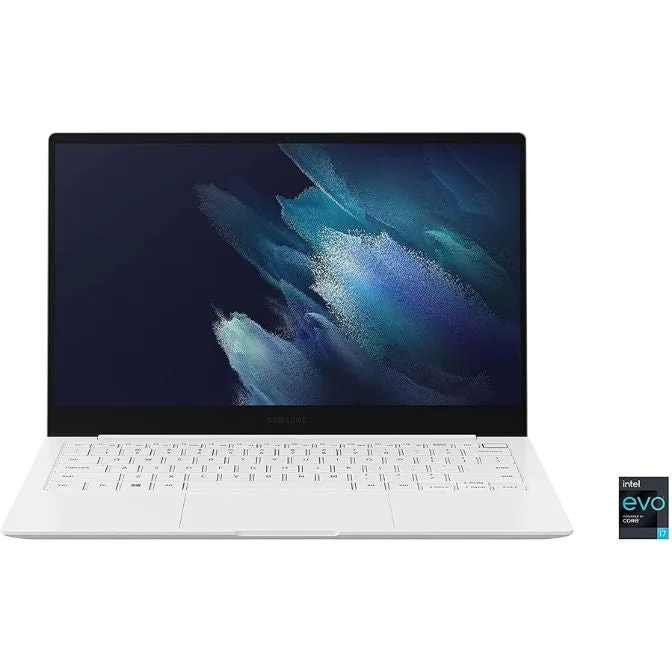
SAMSUNG Galaxy Book Pro Windows 11 Intel Evo Platform Laptop Computer 15.6" AMOLED Screen 11th Gen Intel Core i5 Processor 8GB Memory 512GB SSD Long-Lasting Battery, Mystic Silver (factory renewed)
-
Acer Aspire 5 15 Slim Laptop | 15.6" FHD (1920 x 1080) IPS |Core i7-1355U | Intel Iris Xe Graphics | 16GB LPDDR5 | 512GB Gen 4 SSD | Wi-Fi 6E | USB4/Thunderbolt 4 | Backlit KB | A515-58M-7570, Gray (factory renewed): Acer Aspire 5 includes a 15.6" FHD IPS display, 13th Gen Intel Core i7-1355U, Intel Iris Xe graphics, 16GB LPDDR5 RAM, 512GB Gen 4 SSD, Wi-Fi 6E, and USB4/Thunderbolt 4. The newer Core i7 and 16GB RAM handle heavy multitasking and productivity tasks, while Thunderbolt 4 and Wi-Fi 6E offer fast data transfer and connectivity.
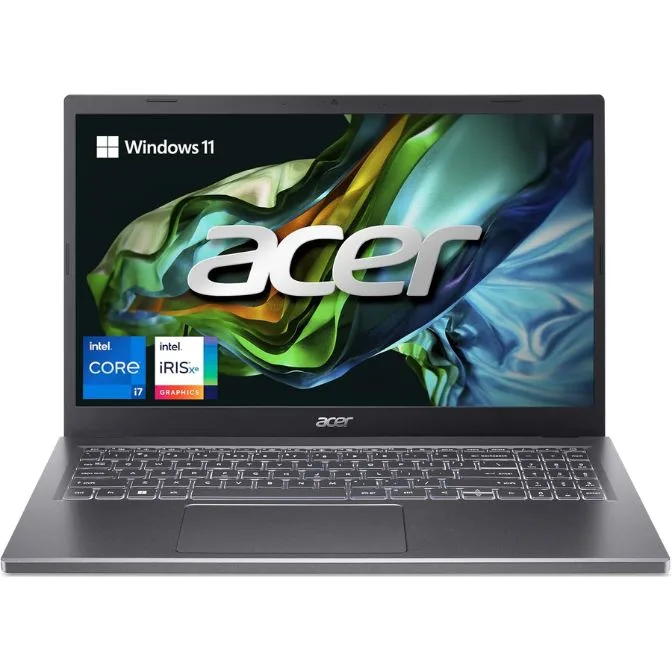
Acer Aspire 5 15 Slim Laptop | 15.6" FHD (1920 x 1080) IPS |Core i7-1355U | Intel Iris Xe Graphics | 16GB LPDDR5 | 512GB Gen 4 SSD | Wi-Fi 6E | USB4/Thunderbolt 4 | Backlit KB | A515-58M-7570, Gray (factory renewed)
Which laptop is right for you?
Best for
- Media consumers and creative users who value display quality and portability (Samsung Galaxy Book Pro)
- Students or professionals needing strong performance and connectivity on a budget (Acer Aspire 5)
Not for
- Heavy multitaskers or gamers who need top-tier GPU performance (consider a dedicated graphics laptop instead)
- Users who prefer a matte display or work in bright environments (Samsung's AMOLED may have glare)