Quick Answer
To connect a Saramonic passive XLR adapter to a Blackmagic camera, mount the adapter, plug in your XLR microphone, and set the camera's audio input to line or mic level depending on your source. Then monitor levels to avoid clipping.
Why a passive adapter makes sense
The Saramonic BMCCA01 is a two-channel XLR audio adapter designed specifically for Blackmagic Cinema Cameras. Because it is passive, it requires no battery or power supply—it simply routes the audio signal from your XLR microphone to the camera's input. This makes it a lightweight, reliable choice for run-and-gun shoots where you want to minimize setup time and avoid dead batteries.
However, passive means no built-in preamp. You'll rely on your microphone's output level and the camera's preamp gain. This works well with condenser mics that have their own power or with dynamic mics that produce a strong signal, but you may need to adjust the camera's input level carefully to get a clean recording.
Step-by-Step Setup
- Power off the camera before connecting: Turn off your Blackmagic camera to avoid any electrical spikes or noise when plugging in the adapter. Always power down before connecting any audio gear.
- Mount the adapter securely: Attach the Saramonic BMCCA01 to the camera's XLR input port or mounting point, ensuring it clicks into place and is firmly seated. A loose connection can cause intermittent audio dropouts.
- Connect your XLR microphone: Plug your XLR microphone, wireless receiver, or boom mic into one of the adapter's XLR inputs. Make sure the connector is fully inserted and locked. Check the cable for damage before connecting to avoid hum or noise.
- Set the camera's audio input level: On your Blackmagic camera, select the correct input (line or mic) based on your source. For most professional mics, choose line level, but if the signal is too low, switch to mic level and adjust gain. Start with a low gain and gradually increase to avoid clipping.
- Monitor and adjust levels: Put on headphones connected to the camera's headphone jack, speak or have your subject speak at the expected volume, and watch the audio meters. Adjust the gain so peaks hit around -12 dB, never exceeding 0 dB. If the meter hits red, lower the gain immediately to prevent distortion.
- Record a test clip and review: Record a short clip and play it back to ensure the audio is clean, free of buzz or hiss, and at an appropriate level. Always do a test recording before the actual shoot.
Product Facts
-
(B-Stock) Saramonic Passive XLR Audio Adapter for Blackmagic Cameras: The Saramonic BMCCA01 is a two-channel XLR audio adapter, specially designed for the Blackmagic Cinema Camera. It lets you connect professional XLR microphones, wireless mics, or boom mics directly to your Blackmagic camera, giving you better audio quality than the built-in mic.
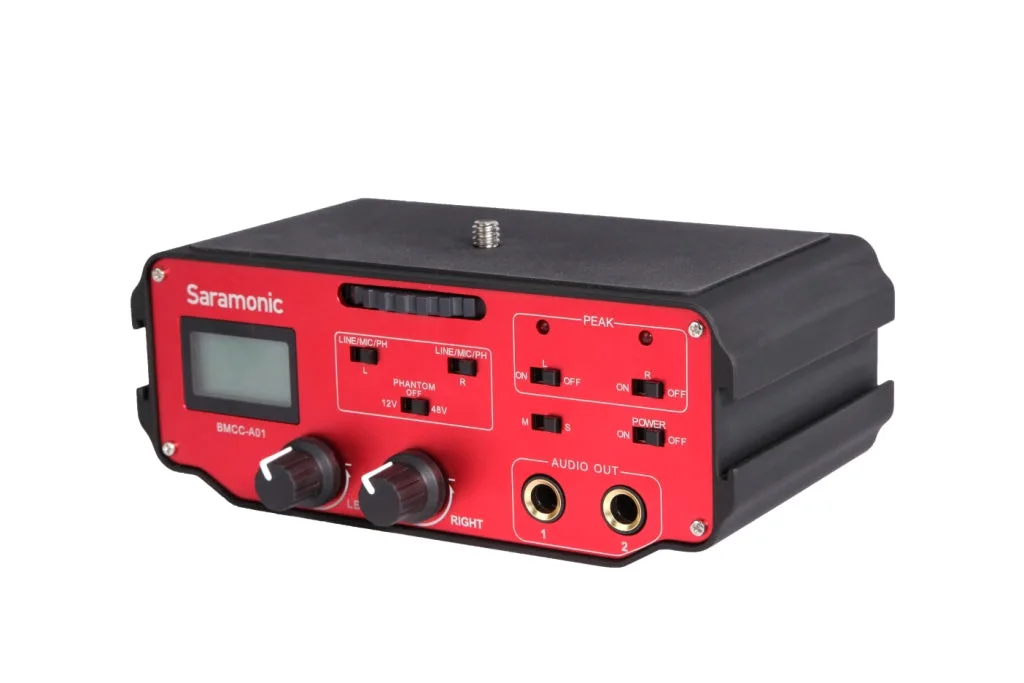
(B-Stock) Saramonic Passive XLR Audio Adapter for Blackmagic Cameras