Quick Answer
M2x8 screws are a common scale hardware size for RC crawlers, used to secure small components like shock mounts, link mounts, and body posts. This guide explains how to measure, choose, and install them without stripping threads or overtightening.
Why M2x8 Hardware Matters in RC Crawlers
In scale RC crawlers, M2x8 screws are often the go-to for lightweight, low-profile fastening. The 2mm diameter and 8mm length fit into tight spots where larger hardware would look out of proportion or interfere with suspension links. Understanding where these screws belong helps you keep builds clean and functional.
One common trade-off: M2 screws are smaller and easier to strip than M3 or larger hardware. Using the correct driver size and applying moderate torque is essential to avoid damaging the head or threads.
How to Identify M2x8 Screws
M2x8 means the screw has a 2mm thread diameter and an 8mm length measured from under the head. The head style (button head, flat head, etc.) affects the tool needed and the look. Button head screws are common for scale builds because they mimic automotive fasteners.
If you're unsure whether a screw is M2x8, measure the thread diameter with calipers and the length from the underside of the head to the tip. Compare with a known M2 screw to confirm.
Step-by-Step: Using M2x8 Hardware in Your RC Crawler
- Measure Your Application: Before grabbing M2x8 screws, measure the thickness of the parts you're fastening. The screw length should be the combined thickness plus the depth of the threaded hole or nut. For a typical shock mount or link mount, 8mm is often right, but verify with calipers. Check that the screw doesn't protrude beyond the nut or into moving parts.
- Choose the Right Head Style: Select button head for a low-profile, scale look, or flat head if you need a countersunk fit. For general scale builds, button head is common because it mimics fullsize hardware and is easier to drive. Flat head screws require a countersunk hole; using them without one can crack the part.
- Use the Correct Driver and Torque: Use a 2mm hex driver (or the correct size for the head) and apply gentle, steady torque. M2 screws strip easily, so stop as soon as the screw is snug. Overtightening can also deform plastic parts. If the driver slips, stop and check the bit size; forcing it will round out the hex.
- Apply Thread Lock Where Needed: For metal-to-metal joints that experience vibration, apply a small drop of blue thread lock. Avoid thread lock on plastic parts, as it can weaken them. If you're using nylon lock nuts, thread lock is usually unnecessary. Use thread lock sparingly—too much can run and damage nearby electronics.
- Test Fit Before Final Assembly: Assemble the parts loosely, check alignment, and ensure the screw threads engage fully without binding. Then tighten to final torque. This prevents cross-threading and ensures the screw seats properly. If the screw doesn't thread smoothly, check for debris or damaged threads; don't force it.
Product Facts
-
Scale M2x8 Hardware: The Vanquish Products Scale M2x8 Hardware package includes 20 pieces of M2x8mm hardware, styled to replicate fullsize vehicle hardware, with a maximized 2mm hex for strength. This gives you a ready supply of scale-correct screws with a stronger hex that reduces the chance of stripping during install or removal.
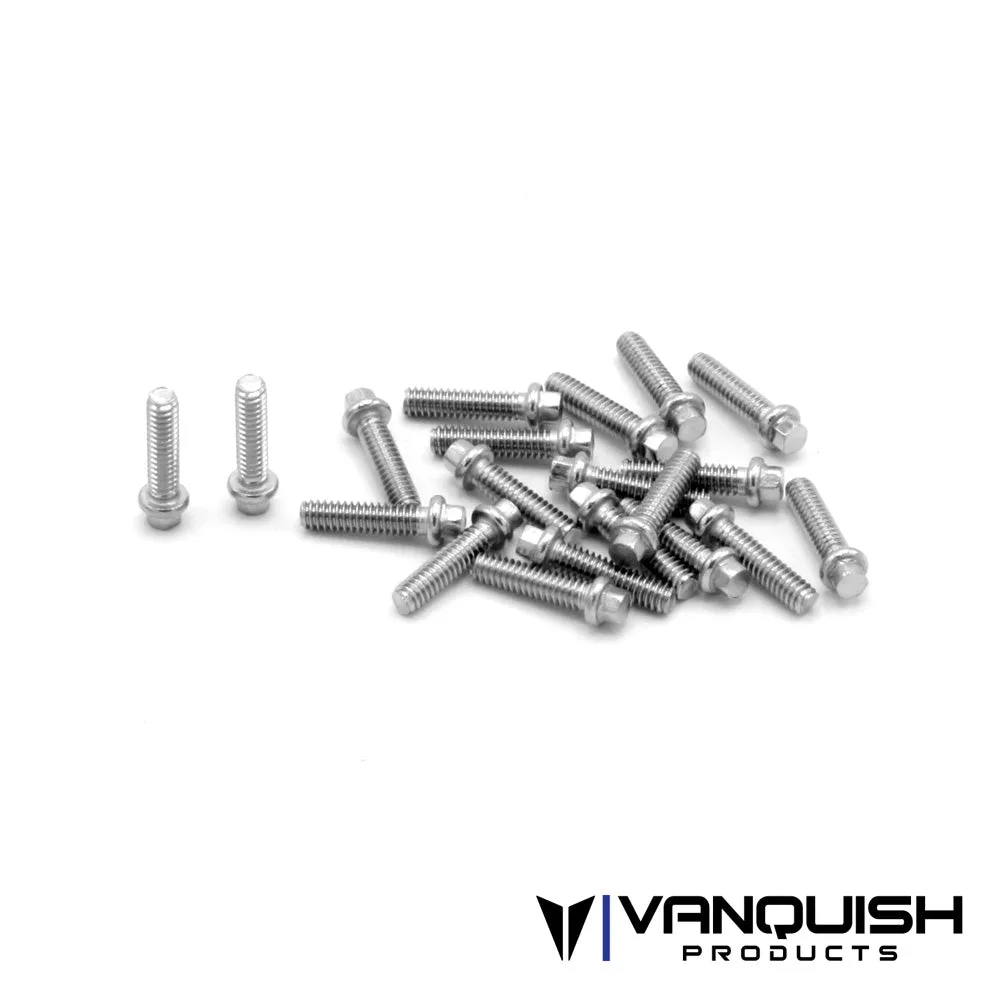
Scale M2x8 Hardware