Quick answer
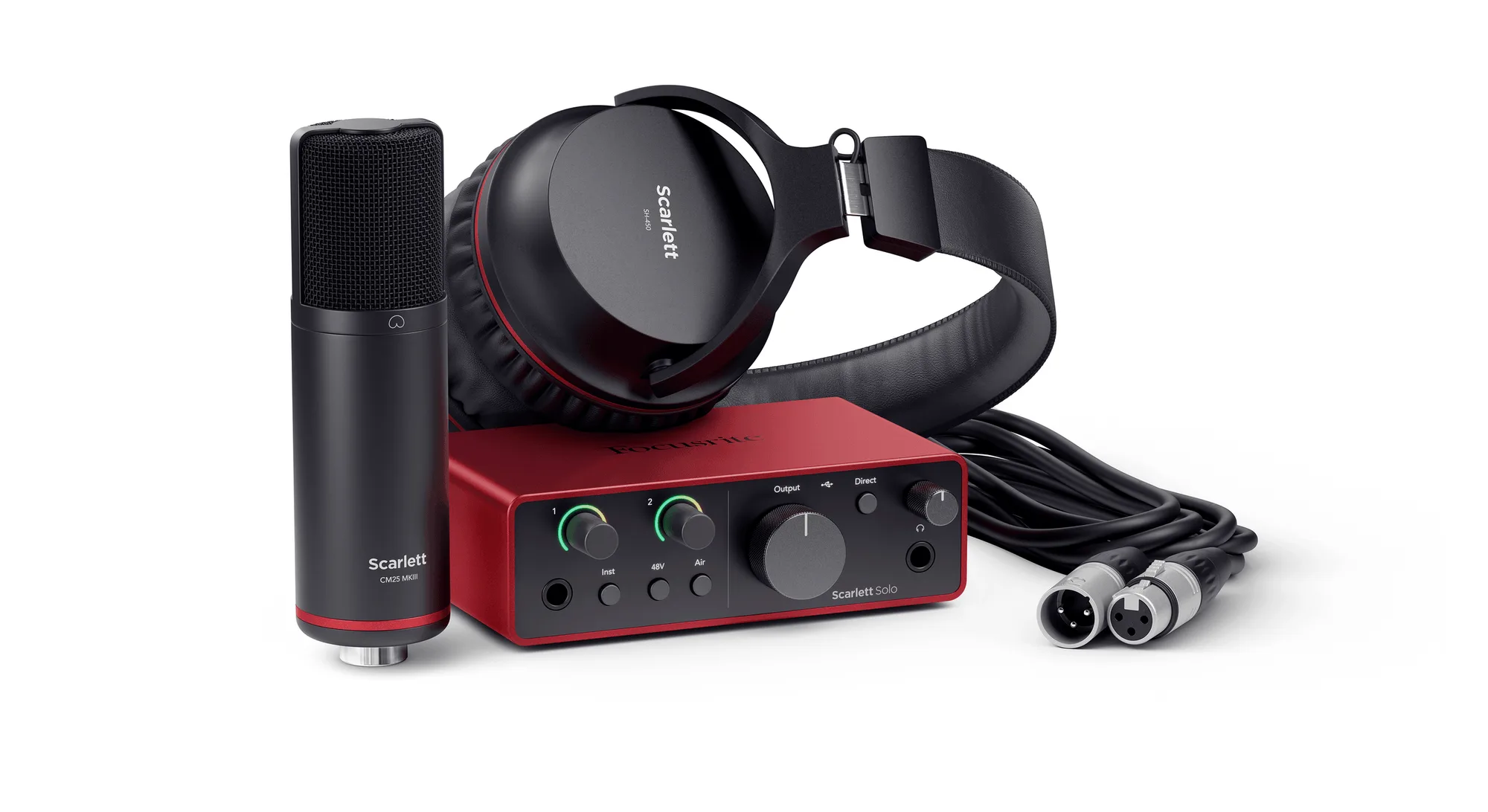
The Scarlett Solo Studio 4th Gen is a complete beginner-friendly recording kit: connect the CM25 MkIII mic to the Solo’s mic pre, plug in headphones, and you’re ready to record vocals or guitar with professional sound quality. Start with the steps below to get set up in minutes.
Why the Solo Studio kit simplifies your first recordings
The kit bundles an audio interface, a studio condenser microphone, and closed-back headphones, so you don’t have to match components or worry about compatibility. The Solo’s Hi-Z instrument input lets you plug a guitar straight in without a separate DI box, and the mic pre is designed to make the CM25 MkIII sound good with minimal tweaking. That means fewer decisions and more time recording.
When the Solo Studio might not be enough
If you need to record multiple microphones or instruments at once, the Solo’s single mic input and single instrument input will limit you. Also, the kit does not include a pop filter, mic stand, or cables beyond what’s in the box, so check what’s included if you don’t already own those accessories. For solo singer-songwriters, though, it covers the essentials.
Setup FAQ
How do I connect the CM25 MkIII microphone?
Use an XLR cable to connect the CM25 MkIII to the Scarlett Solo’s mic input. Make sure the 48V phantom power is switched on, as condenser microphones require it.
Can I plug my guitar directly into the Scarlett Solo?
Yes. Plug your guitar into the Hi-Z instrument input on the front of the Solo. The input is designed to feel like an amp, so you can record directly without a separate DI.
How do I monitor while recording?
Connect the SH-450 headphones to the Solo’s headphone output. Use the direct monitor switch to hear your input without latency, or monitor through your DAW if you prefer to hear effects.
What software do I need?
The Scarlett Solo Studio 4th Gen includes a suite of recording software, but the exact titles can vary. Check the included download card or Focusrite account for the current bundle. You can use any DAW that supports ASIO or Core Audio.
How do I set the gain for vocals?
With the CM25 MkIII connected, speak or sing at your loudest and turn the gain knob until the halo ring turns green. If it flashes red, reduce the gain to avoid clipping.
Why is there no sound from the headphones?
Check that the USB cable is securely connected, the Solo is selected as your audio device in your computer’s settings, and the headphone volume is turned up. Also, ensure the direct monitor switch is engaged if you want to hear the input.
Product facts
-
Scarlett Solo Studio 4th Gen: Scarlett Solo Studio 4th Gen includes the CM25 MkIII studio condenser mic and SH-450 headphones. You get a matched mic and monitoring solution right out of the box, so you can start recording immediately without buying extra gear.
Scarlett Solo Studio 4th Gen