Your phone's screen protector is the first line of defense against scratches, smudges, and cracks. But even the best protector can look worn if you don't care for it properly. The AF01 Crystal Clear Screen Protector, designed for the iPhone 17 series, offers excellent clarity and protection, but to keep it looking new for as long as possible, you need to adopt a few simple habits.
In this guide, we'll share practical screen protector care tips, from daily cleaning routines to avoiding common mistakes. Whether you're using the AF01 or another model, these maintenance strategies will help you maximize its lifespan and keep your display pristine.
Why Proper Screen Protector Care Matters
A screen protector is more than just a piece of glass or film; it's an investment in your phone's longevity. The AF01 Crystal Clear Screen Protector is designed to resist scratches and maintain optical clarity, but without proper care, dust, oil, and debris can accumulate, reducing its effectiveness and making your screen look dull.
Regular maintenance not only keeps your protector looking new but also ensures that touch sensitivity and clarity remain at their best. Over time, neglecting care can lead to micro-scratches that affect both aesthetics and functionality. By following a few simple steps, you can extend the life of your protector and keep your phone looking great.
- Prevent dust and dirt from scratching the protector
- Maintain oleophobic coating for smooth touch and easy cleaning
- Avoid bubbles and peeling by keeping the edges clean
Daily Cleaning Routine for Your Screen Protector
The best way to keep your AF01 screen protector looking new is to clean it regularly. Use a microfiber cloth – the one included with your protector or any soft, lint-free cloth – to wipe away fingerprints and smudges. For stubborn spots, slightly dampen the cloth with water or a screen-safe cleaning solution. Avoid using harsh chemicals, alcohol, or abrasive materials, as they can strip the oleophobic coating that repels oil and water.
Make it a habit to clean your screen at least once a day, especially if you use your phone frequently. Start by gently wiping the surface in circular motions, then use a dry part of the cloth to remove any streaks. If you notice dust particles, use a soft brush or a piece of tape to lift them off before wiping to avoid scratching the protector.
- Use a microfiber cloth for daily smudge removal
- Dampen cloth with water or a dedicated screen cleaner for deeper cleaning
- Avoid paper towels, tissues, or rough fabrics that can cause micro-scratches
Avoiding Common Mistakes That Damage Screen Protectors
Many people unknowingly damage their screen protectors by using the wrong cleaning materials or techniques. For instance, using household glass cleaners, ammonia-based products, or alcohol wipes can degrade the oleophobic coating, leading to a sticky or smudged surface. Similarly, pressing too hard while cleaning can cause the protector to lift at the edges or even crack.
Another common mistake is placing your phone face-down on hard surfaces. Even with a protector, this can cause scratches or chips. Always use a phone stand or keep your phone in a safe pocket. Additionally, avoid exposing your phone to extreme temperatures, as heat can weaken the adhesive and cause the protector to peel.
- Never use alcohol or ammonia-based cleaners
- Don't place your phone face-down on rough surfaces
- Avoid extreme heat or cold that can affect adhesive
Long-Term AF01 Maintenance: When to Replace
Even with the best care, every screen protector has a lifespan. Over time, the oleophobic coating wears off, making it harder to clean, and micro-scratches may become visible. If you notice that your AF01 protector has significant scratches, bubbles, or has lost its smooth feel, it's time to replace it. Using a damaged protector not only looks bad but can also reduce touch sensitivity and clarity.
To maximize the longevity of your AF01, consider using a compatible case that offers a raised lip around the screen, such as the A17 Frosted Case for iPhone 17 Series, which provides extra protection. Additionally, storing your phone in a dedicated pocket or pouch when not in use can prevent unnecessary wear. By staying proactive, you'll enjoy a crystal-clear display for months.
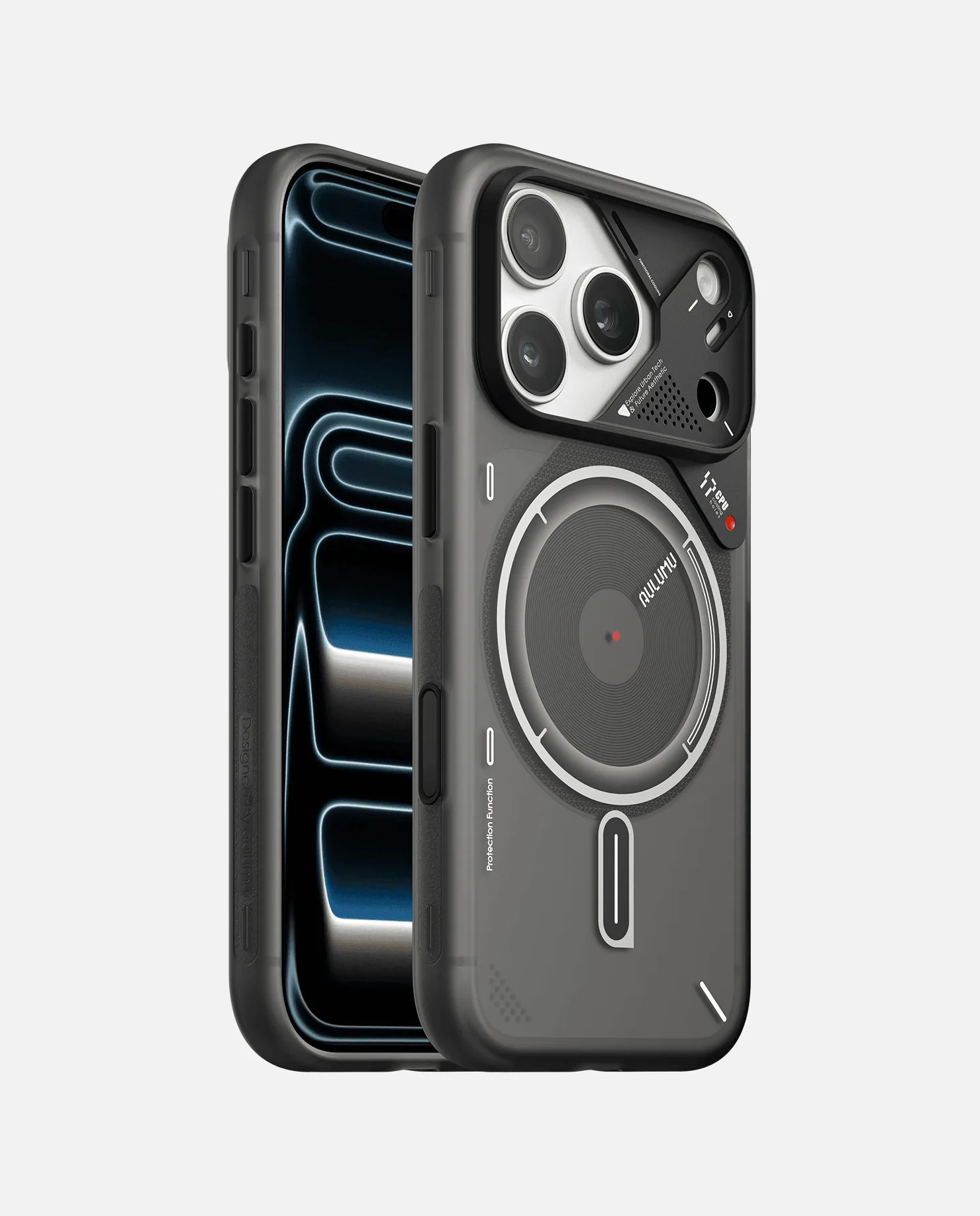
A17 Frosted Case for iPhone 17 Series
- Replace if you see deep scratches or peeling edges
- Use a protective case with a raised bezel to shield the edges
- Store your phone in a clean, dry place
Caring for your AF01 screen protector is simple and pays off in the long run. By cleaning it regularly, avoiding harsh chemicals, and protecting your phone from rough conditions, you can keep your screen looking new and enjoy a clear, responsive display. If you're due for a replacement, consider pairing the AF01 with a durable case for complete protection.