What the SHAPE FX9RH actually adds to the FX9 grip
The SHAPE Sony FX9 Remote Extension Handle (model FX9RH) is a model-specific accessory that extends the side hand grip supplied with the Sony FX9 by 2 inches. It mounts through ARRI-standard rosettes on the camera or baseplate and uses SHAPE's push-button system for angle changes and 360-degree rotation. If your handheld or shoulder-rig work feels cramped or forces your wrist into an awkward angle, this handle moves the grip point outward without changing the camera itself.
Before you order, confirm two things: your rig has an ARRI-standard rosette where you intend to mount the handle, and you want a 2-inch extension rather than a different length, side orientation, or control interface. The catalog does not list every possible rig configuration, so those two checks are the practical starting point.
Fit and interface details that decide compatibility
-
SHAPE Sony FX9 Remote Extension Handle: The SHAPE Sony FX9 Remote Extension Handle is an ARRI-rosette handle system for adjustable handheld and shoulder-rig control. The ARRI rosette is the mounting standard to verify on your camera or baseplate before buying; without a matching rosette, the handle will not attach as intended.
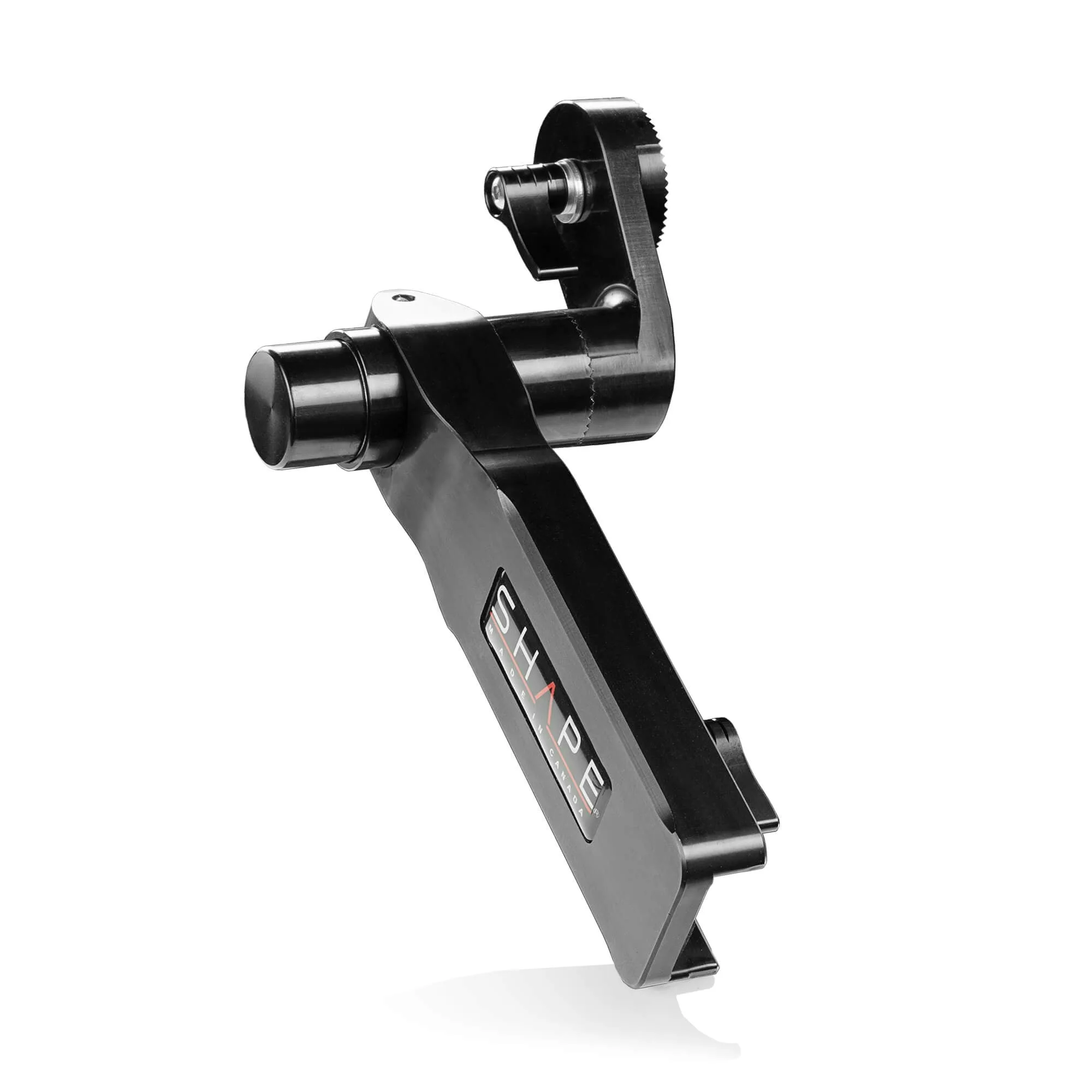
SHAPE Sony FX9 Remote Extension Handle
-
SHAPE Sony FX9 Remote Extension Handle: It offers an adjustable arm extension of 2 inches for the side hand grip provided with the Sony FX9. Two inches is the specific extension this model provides; if you need a different reach, this handle may not be the right length.
-
SHAPE Sony FX9 Remote Extension Handle: The extendable arm is equipped with a ratchet key to easily adjust the length of the arm. The ratchet key is the mechanism for setting and locking the arm length, so you can repeat a preferred position between setups.
Mounting and adjusting the handle on your FX9 rig
The supplied operating instruction is: push, adjust, release, and then lock. Use that sequence for angle and rotation changes. The catalog does not provide a torque specification, a required cable length, or step-by-step installation beyond that instruction, so treat the following as checkpoints rather than a complete manufacturer procedure.
- Confirm the rosette interface: Locate the ARRI-standard rosette on your camera or baseplate where you want the handle. The product is designed to mount on ARRI rosettes; if your rig lacks one, this handle is not the right fit.
- Attach the handle to the rosette: The catalog does not describe the attachment steps in detail. Follow the physical fit of the rosette and any instructions that come with the unit; do not force a connection that does not seat cleanly.
- Set the arm length with the ratchet key: Use the ratchet key to adjust the extendable arm. The handle adds 2 inches of extension to the FX9 side grip; set the length before you fine-tune the angle.
- Adjust angle and rotation with the push-button: Press the push-button to release the joint, rotate the handle up to 360 degrees, and release to lock it. The supplied instruction is push, adjust, release, and then lock.
- Check clearance and repeatability: Before a shoot, move through your normal handheld and shoulder positions to confirm the handle does not interfere with other rig components. The catalog does not list specific clearance dimensions, so verify physically on your own setup.
Where the FX9RH fits in a shoulder-rig workflow
On a shoulder rig, the side grip often ends up too close to the operator's body or too far forward for a comfortable wrist angle. The 2-inch extension and 360-degree rotation let you reposition the grip without swapping the whole handle system. The push-button design is intended for quick changes on set, which matters when you move between tripod, handheld, and shoulder configurations during the same day.
The trade-off is that this is a model-specific part: it is built around the Sony FX9 side grip and ARRI rosette interface. If you also run other camera bodies, check whether they use the same rosette standard and whether a 2-inch extension suits their grip position. The catalog does not confirm compatibility with cameras other than the Sony FX9, so do not assume it will transfer without checking.
What comes in the box and how to identify the model
- SHAPE Sony FX9 Remote Extension Handle: The box contains one SHAPE Sony FX9 Remote Extension Handle. The package is a single handle unit; if you need a complete handle system or additional arms, confirm what you already own before ordering.
- SHAPE Sony FX9 Remote Extension Handle: Manufacturer SKU: FX9RH. Use the SKU to distinguish this configuration from similar SHAPE handles when comparing listings or ordering from Filmgear Canada.
What to verify before you buy
The most common mismatch is assuming any ARRI-style rosette will work without checking the exact interface on your camera or baseplate. Confirm that the rosette you plan to use is ARRI-standard and that the handle's 2-inch extension places the grip where you want it. Also check whether your rig already includes a side hand grip for the Sony FX9, because this handle is designed as an extension for that grip rather than a standalone replacement.
The catalog does not specify a maximum payload, a required cable, or a list of supported camera models beyond the Sony FX9. If your setup depends on any of those details, treat them as unconfirmed and verify with the manufacturer or your dealer before ordering. For buyers in Canada, the SHAPE Sony FX9 Remote Extension Handle is available from Filmgear Canada.