Quick answer
The Signature Slim Solar+ K980 is a wireless keyboard that uses light to maintain its charge, so you rarely need to think about batteries. It suits desk work in a normally lit room, but it is not a fit for dark drawers, closets, or unlit storage.
Why light quality matters more than charging speed
Solar keyboards are designed to trickle-charge from ambient light rather than to top up quickly like a phone. That means the K980 works best when it sits on a desk that receives steady daylight or normal office lighting during your workday. A bright window is helpful, but you do not need direct sun; indirect light from a window or overhead fixtures is usually enough to keep the keyboard topped up between typing sessions.
The trade-off is that charging becomes inconsistent in dim rooms or when the keyboard is stored away from light. If your desk is in a dark corner or you regularly pack the keyboard into a bag, expect to manage charging more deliberately than you would with a USB-C keyboard.
What the K980 does not tell you about battery life
Logitech does not publish a specific battery life figure for the K980, so you should not plan around a fixed number of weeks or months. Instead, treat the solar panel as a maintenance charger: it reduces the need for battery swaps, but actual runtime depends on your lighting, typing habits, and whether backlighting is used (the supplied catalog does not list a backlight, so assume none).
This matters if you need a guaranteed runtime for travel or fieldwork. In those cases, a rechargeable keyboard with a visible battery indicator may be easier to manage.
Solar charging questions answered
How does the K980 charge without a cable?
A solar panel on the keyboard converts light into energy to maintain the internal battery. You do not plug it in; you simply keep it in a lit environment. The catalog does not specify panel placement, so follow the included quick-start guide for best positioning. Place the keyboard where light hits the top surface, not under a monitor or desk shelf.
Does it need direct sunlight?
No. Indirect daylight or normal office lighting is sufficient for maintenance charging. Direct sun can help in very dim rooms, but avoid leaving it on a hot windowsill for long periods, as heat is not good for electronics. A desk near a window with sheer curtains is ideal; a dark corner is not.
What if my desk gets no natural light?
Use a desk lamp or overhead light that stays on during your workday. If the room is only lit for a few hours, the keyboard may still charge slowly, but you may need to occasionally move it to a brighter spot. The K980 has no user-replaceable battery mentioned in the catalog, so plan around light exposure rather than battery swaps. If you work in a windowless room, check that your task lighting reaches the keyboard surface.
Will the keyboard lose charge in a drawer?
Yes. Storing it in a dark drawer or bag stops solar charging. For long storage, keep it in a lit area or accept that you may need to leave it in light for a while before heavy use. The catalog does not list a fast-charge feature, so treat recovery as gradual. Avoid leaving the keyboard in a closed drawer for weeks; give it light before a busy day.
How do I know when it needs more light?
The catalog does not list a battery indicator or low-power alert. If the keyboard stops responding, move it to a brighter location for a day and try again. Pairing issues can also cause dropouts, so rule out connectivity before assuming the battery is empty. Keep the original receiver or Bluetooth pairing instructions handy to distinguish battery from connection problems.
Is a solar keyboard good for hybrid work?
It works well if the keyboard stays on a lit desk at home or in the office. It is less convenient if you carry it between locations and use it in dim rooms or on trains. For frequent travel, a USB-C rechargeable keyboard gives you more predictable control over charging. Choose solar if your keyboard has a permanent, lit home; choose plug-in if it lives in a bag.
Product facts
-
Signature Slim Solar+ wireless keyboard K980 - Graphite - English US (QWERTY): Solar-powered design for extended battery life, reducing the need for frequent charging or battery replacements. You can leave the keyboard on your desk and let ambient light handle maintenance, which is convenient for daily office use.
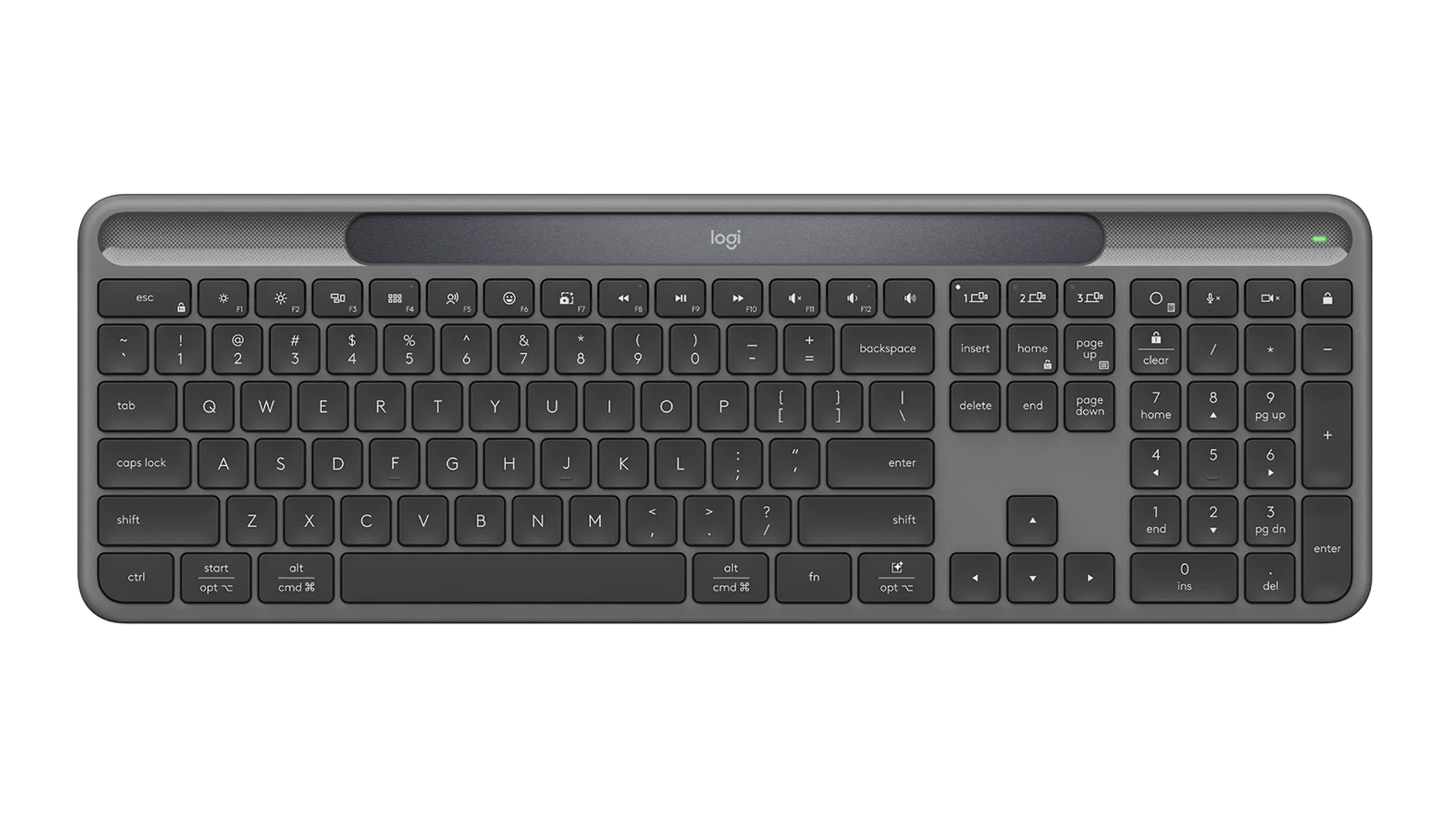
Signature Slim Solar+ wireless keyboard K980 - Graphite - English US (QWERTY)
-
Signature Slim Solar+ wireless keyboard K980 - Graphite - English US (QWERTY): Slim profile with full English US QWERTY layout and wireless connectivity. The low-profile keys and standard layout make it easy to switch from a laptop keyboard without relearning key positions.