Quick answer
A silicone grip cover is a sensible pick if you want everyday scratch and bump protection plus a softer, more secure hold on the Switch Lite. Choose one made specifically for the Lite rather than a Switch or OLED skin, and expect a little extra thickness at the back.
Where a silicone cover helps and where it does not
Silicone absorbs light knocks and adds friction so the console is less likely to slide out of your hands during long handheld sessions. The trade-off is that soft covers collect lint and can feel tacky in warm rooms, and they will not protect against a hard drop the way a rigid shell can.
If you mostly dock the console or carry it loose in a bag, a hard case may suit you better. If you play handheld for hours and want a grippier, softer feel, silicone is the more comfortable choice.
Fit is model-specific, not universal
The Switch Lite has a smaller, non-detachable body, so a cover cut for the standard Switch or OLED will not sit correctly. Look for wording that names the Lite explicitly. A correct fit wraps the corners and leaves the screen, buttons, and ports accessible without stretching the material.
Silicone covers are flexible, so a small amount of stretch is normal when installing. Persistent loose edges or blocked cutouts usually mean the cover is the wrong model, not that it needs more force.
Silicone grip cover FAQ
Does a silicone cover fit the Switch Lite?
Only if it is made for the Lite. Check the product name or description for Switch Lite specifically; standard Switch and OLED covers are shaped for a larger body and will not align with the Lite's buttons and ports. If the listing does not name the Lite, treat the fit as unconfirmed.
Will a grip cover make the Switch Lite too bulky?
A silicone skin adds only a thin layer, so it stays pocketable and still slides into most slip cases. The back grip is the main added thickness, and that is the part that improves comfort. Measure your current case's internal clearance if you plan to store the console covered.
How do I clean a Switch Lite silicone cover?
Remove the cover, wipe it with a damp cloth and a little mild soap, then rinse and dry fully before refitting. Avoid alcohol, bleach, or harsh solvents, which can degrade silicone and leave it sticky. Never refit a damp cover; trapped moisture can sit against the console.
Will the cover block buttons, ports, or the screen?
A correctly fitted Lite cover leaves the screen, sticks, buttons, and charging port exposed. If a cutout sits off-center, the cover is likely the wrong model rather than a defective unit. Test the power and volume buttons right after fitting.
Is silicone better than a hard shell for grip?
Silicone wins on softness and friction, which helps during long handheld sessions. A hard shell wins on impact resistance and stays cleaner. Neither is universally better; match it to whether comfort or drop protection matters more to you. Choose silicone for grip and light protection, hard shell for knocks and easy cleaning.
How do I install the cover without stretching it?
Start at the bottom corners, ease the cover over one side at a time, and work the top corners last. Keep the console off and avoid pulling hard on any single edge, since silicone can tear at stress points. If an edge will not sit flat, stop and check the model fit before pulling harder.
Product facts
-
Silicone Grip Cover for Nintendo Switch™ Lite: Engineered specifically for the Switch Lite with a non-slip, soft-touch matte finish and an ergonomic back grip. The Lite-specific cut avoids the misfit of universal skins, while the matte back adds hold and reduces hand strain during longer handheld play.
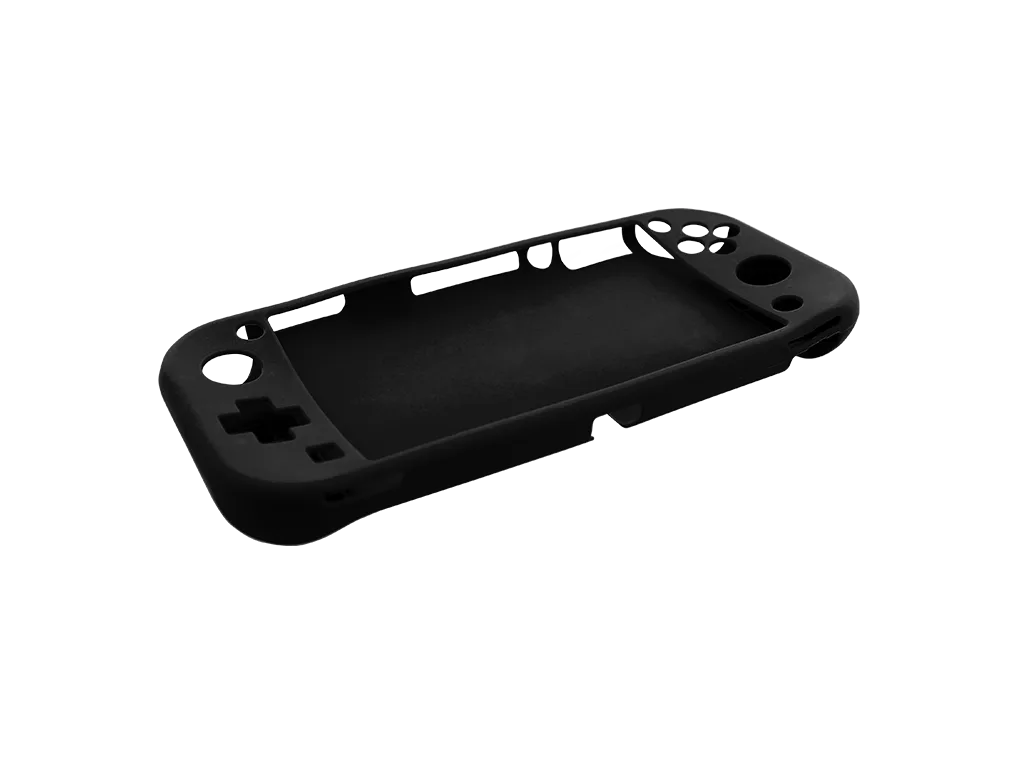
Silicone Grip Cover for Nintendo Switch™ Lite