Quick Answer
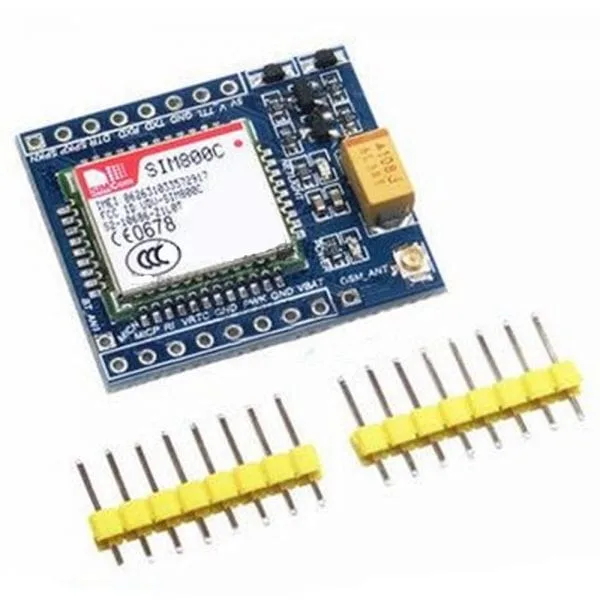
To set up the SIM800C GSM GPRS module, connect it to a 5V or 3.3V TTL serial port, use a reliable 2A power supply, and communicate via AT commands. For Arduino or STM32 projects, start with a simple loopback test before sending SMS or making calls.
What You Need Before Starting
Before wiring the SIM800C, gather a microcontroller (Arduino or STM32), a stable power source, a SIM card with GPRS enabled, and jumper wires. The module operates at 5V or 3.3V TTL levels, so check your board's logic voltage to avoid damage.
A common mistake is using a USB port for power. The SIM800C can draw up to 2A during transmission, so use an external 5V supply rated at least 2A. A separate power source for the module and the microcontroller prevents resets and brownouts.
Wiring the SIM800C to Arduino or STM32
Connect the module's TX to the microcontroller's RX (and RX to TX) via a level shifter if needed. For 3.3V boards like STM32, use a logic level converter to interface with the 5V TTL module. Ensure common ground between all devices.
The SIM800C module also includes Bluetooth and TTS capabilities. The Bluetooth pins can be used for wireless debug or data transfer, while TTS (text-to-speech) allows the module to speak text messages. These features are accessed via AT commands and require no extra wiring.
Powering the Module Correctly
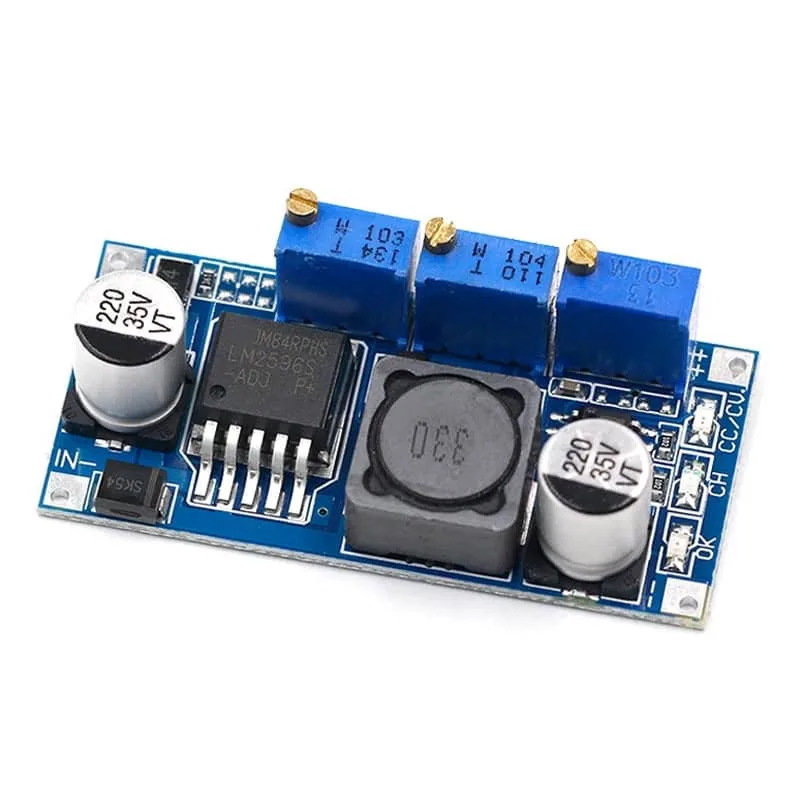
Power is the most common failure point. Use a dedicated 5V supply with at least 2A capacity. Connect the module's VCC to the supply, and GND to the common ground. If you're using a buck converter like the LM2596, set it to 5V and ensure it can deliver 2.5A continuous.
The LM2596 adjustable buck converter with CV/CC control is a good choice when you need to power the module from a higher voltage source like a 12V battery. Set the voltage to 5V and the current limit to 2A to protect the module.
Testing Communication with AT Commands
Open a serial monitor at 9600 baud and send 'AT' to check if the module responds with 'OK'. If not, check your wiring and power. The module should show a blinking LED at a rate of about 1Hz when it has registered to the network.
Once you get 'OK', test the SIM card by sending 'AT+CPIN?' to verify the PIN is accepted. Then try 'AT+CSQ' to check signal strength; a value above 10 is usable. These commands confirm that your setup is ready for SMS or GPRS.
Step-by-Step SIM800C Setup
- Connect Power: Wire the SIM800C to a 5V supply that can deliver at least 2A. If using the LM2596, set the output to 5V and the current limit to 2A. Check that the power LED is on and the module doesn't reset when sending data.
- Connect Serial Lines: Connect module TX to microcontroller RX and module RX to microcontroller TX. Use a level shifter if your board is 3.3V. Double-check that TX/RX are crossed; a common mistake is connecting TX to TX.
- Insert SIM Card: Insert a SIM card with GPRS enabled. Ensure the PIN is disabled or note the PIN for AT commands. Send 'AT+CPIN?' to verify the SIM is ready; it should return 'READY'.
- Test AT Communication: Open a serial monitor at 9600 baud and send 'AT'. The module should reply 'OK'. If no response, check power, wiring, and baud rate.
- Check Signal Strength: Send 'AT+CSQ' to get the signal quality value. A value above 10 indicates a usable connection. If the value is low, move the antenna or relocate the module.
- Send a Test SMS: Use 'AT+CMGS' to send a test message to your phone. This confirms full functionality. If the SMS fails, check the SIM balance and network registration.
Products Mentioned in This Guide
- SIM800C GSM GPRS module 5V3.3V TTL adapts STM32 C51 program with Bluetooth and TTS: SIM800C GSM GPRS module 5V/3.3V TTL adapts STM32 C51 program with Bluetooth and TTS This module is the core of your IoT project, offering GSM, GPRS, Bluetooth, and TTS in one board. It works with both Arduino and STM32, making it versatile for various applications.
- LM2596 Adjustable Buck Converter CC CV 5-35V to 1.25-30V 2.5A: Adjustable DC-DC buck converter with CV/CC control. 5-35V input, 1.25-30V output, 2.5A max. Three potentiometers for voltage, current, and charge control. 95% efficiency. Use this buck converter to power the SIM800C from a higher voltage source. Its adjustable current limit helps protect the module from overcurrent, and the 95% efficiency keeps heat low.