Quick answer
Mount the Simagic P-HPR GT to your pedal set, connect it to power and data, then configure vibration profiles in SimPro Manager or SimHub for telemetry-driven haptic feedback.
Before you start: compatibility and mounting
The P-HPR GT works with Simagic P-HPR and P-HPR Neo accessories, so check that your pedal set has the required mounting points. It is a compact module, so it fits most rigs without extra brackets, but verify clearance around your pedals to avoid interference during use.
A common oversight is not securing the module tightly enough. Loose mounting can cause inconsistent feedback or rattling. Use the provided hardware and tighten firmly, but avoid over-torquing that might strip threads.
Installation steps
- 1. Mount the module to your pedal set: Align the P-HPR GT with the mounting holes on your pedal set. Use the included screws to attach it securely. Ensure the module is parallel to the pedal face for even vibration transfer. Common mistake: Mounting it at an angle can cause uneven feedback and premature wear on the module.
- 2. Connect power and data cables: Plug the power cable into a USB port on your PC or powered hub. Connect the data cable to the same port or a separate one if required by your setup. The module auto-detects the connection. Checkpoint: If the module is not recognized, try a different USB port or cable—loose connections are a frequent issue.
- 3. Install and configure SimPro Manager or SimHub: Download the latest SimPro Manager from the Simagic website or use SimHub for advanced profiles. Open the software, select the P-HPR GT, and assign vibration profiles to specific telemetry channels (e.g., engine RPM, wheel slip). Common mistake: Skipping firmware updates—always check for updates in the software to ensure compatibility with new games.
- 4. Test and adjust vibration intensity: Run a short session in your sim racing title. Use the software sliders to adjust vibration strength per channel. Start low and increase gradually to find a realistic feel without distraction. Checkpoint: If feedback feels weak or delayed, verify that telemetry output is enabled in your sim game settings.
Product facts
-
Simagic P-HPR GT Linear Haptic Pedal Reactor – Lightweight Haptic Feedback Module: The Simagic P-HPR GT is a mid-range, compact vibration module that supports adjustable vibration profiles through SimPro Manager and SimHub, with auto-detection and firmware updates. This means you can fine-tune feedback intensity per game or driving scenario without manual recalibration, keeping your setup consistent.
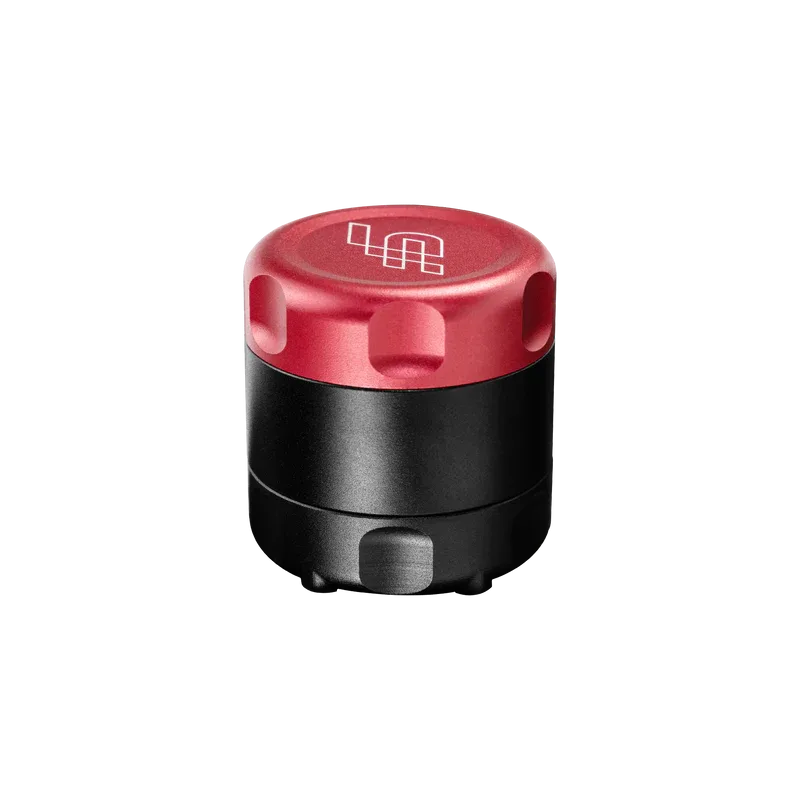
Simagic P-HPR GT Linear Haptic Pedal Reactor – Lightweight Haptic Feedback Module