Quick Answer
Attaching the Sling Strap to your CitySlicker Case for Nintendo Switch 2 takes about 30 seconds. This guide walks you through the setup, adjustment, and a few common mistakes to avoid.
Why Use a Sling Strap for Your Switch 2 Case
A sling strap keeps your Nintendo Switch 2 case hands-free while you travel, queue, or move between rooms. The CitySlicker case is already slim and protective; adding the Sling Strap turns it into a wearable carry solution without adding bulk. The strap uses 1-inch webbing and a full-grain leather tab for the cam lock, so it stays secure even when you're on the go.
What You Get in the Box
The Sling Strap for Switch 2 CitySlicker includes one adjustable strap with a cam-lock buckle and a leather pull tab. The hardware is industrial-grade, and the webbing is sturdy 1-inch nylon. No tools or additional parts are needed.
Step-by-Step Setup Guide
- 1. Locate the Strap Attachment Points: On the back of your CitySlicker case for Nintendo Switch 2, you'll find two webbing loops — one on each side near the top. These are the dedicated attachment points for the Sling Strap. Common mistake: trying to attach the strap to the zipper pull or side D-rings. Only the webbing loops are designed to hold the strap securely.
- 2. Thread the Strap Through the Loop: Take the cam-lock end of the Sling Strap and pass it through one of the webbing loops from back to front. Pull enough slack so the buckle sits flat against the loop. Checkpoint: Make sure the strap isn't twisted before you close the buckle. A twisted strap can cause uneven wear and discomfort.
- 3. Close the Cam Lock: Fold the strap back over the loop and press the cam-lock buckle closed. You should hear a firm click. The leather tab makes this step easy — pull it to open later. Common mistake: not pressing the buckle fully closed. If the strap slips when you tug it gently, reopen and press harder until it clicks.
- 4. Repeat on the Other Side: Thread the loose end of the strap through the second webbing loop, then close the cam lock the same way. Both sides should feel equally secure. Checkpoint: After attaching both sides, give the case a gentle shake. If either buckle rattles or shifts, recheck the connection.
- 5. Adjust the Length: The Sling Strap is adjustable without taking it off. Slide the adjuster buckle to shorten or lengthen the strap until the case sits at your preferred height — typically hip or lower rib level for a crossbody carry. Common mistake: setting the strap too short. A sling that rides under your armpit restricts arm movement and feels awkward. Aim for a relaxed fit that lets the case hang naturally.
Product Details
-
Sling Strap for Switch 2 CitySlicker: Made from sturdy 1-inch webbing and industrial-grade hardware, with a full-grain leather tab for easy cam-lock operation. The wide webbing distributes weight comfortably, and the leather tab gives you a reliable grip when opening or closing the buckle.
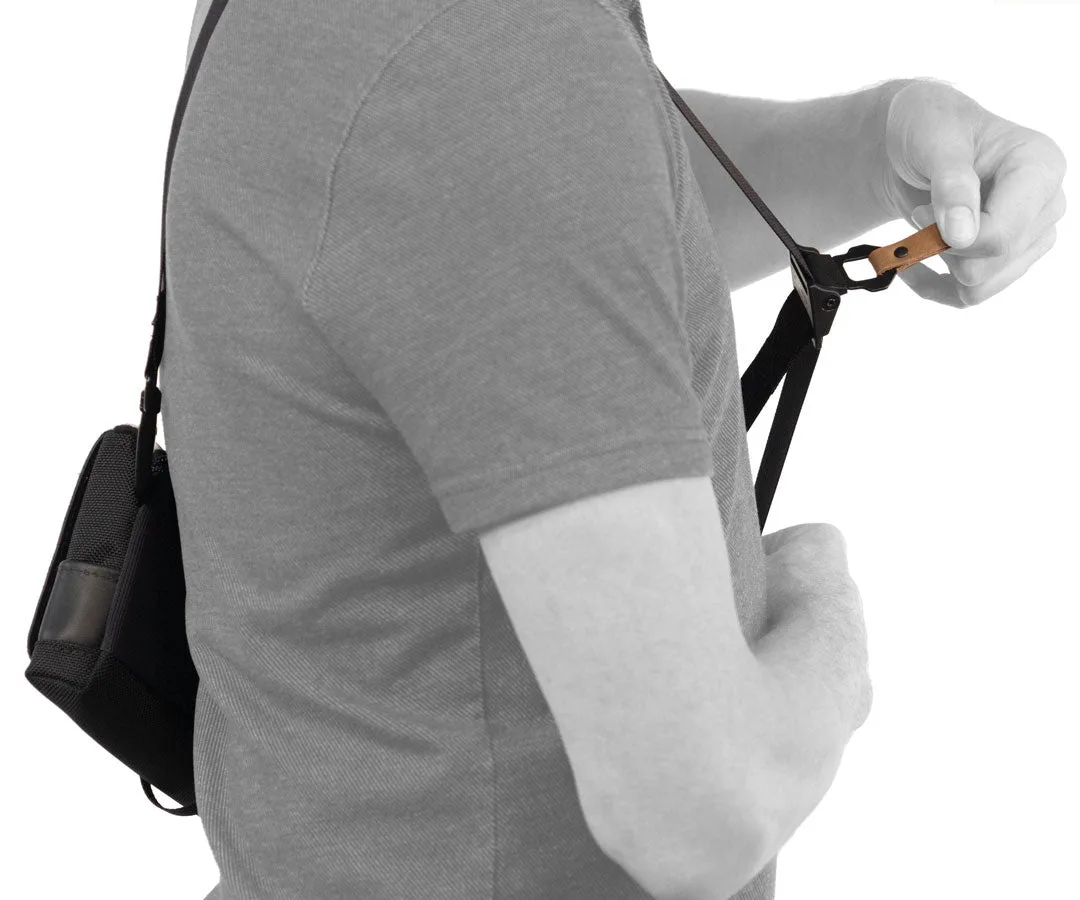
Sling Strap for Switch 2 CitySlicker