Start with the problem you can see
Waffle problems usually show up in one of three ways: the waffle sticks to the plates, it browns unevenly, or batter spills over the edges. Before you change anything, identify which of these is actually happening. The Smart Waffle 2 Slice is designed to reduce guesswork, but it still helps to match the symptom to the right adjustment.
The guidance below focuses on what you can control—batter consistency, amount, and the browning setting—and explains where the Smart Waffle 2 Slice provides a built-in solution.
Why waffles stick to the waffle iron
Sticking is often linked to batter consistency or insufficient fat in the recipe, but the waffle maker itself can also play a role if the plates are not properly preheated or if batter is left sitting too long before cooking. The Smart Waffle 2 Slice does not require you to guess when the plates are ready; its design is intended to simplify the process so you can focus on the batter.
If sticking persists, check that you are using a recipe with enough fat and that you are not overmixing the batter, which can develop gluten and cause a sticky texture. Always follow your waffle maker’s care instructions for cleaning and seasoning the plates.
Uneven browning: settings and batter distribution
Uneven browning can come from uneven batter spread or from a browning setting that is too high or too low for your recipe. The Smart Waffle 2 Slice lets you choose your waffle style, from light to dark, so you can adjust the browning level to suit your preferences. If one side browns faster, try rotating the waffle halfway through cooking if your model allows it, or check that the batter is spread evenly across the plates.
Keep in mind that sugar content in the batter affects browning; a recipe with more sugar will brown faster. Use the browning setting as a starting point and adjust based on the recipe you are using.
How the Smart Waffle 2 Slice helps with browning control
-
the Smart Waffle™ 2 Slice: Choose your waffle style, from light to dark. This setting lets you adjust the browning level to match your recipe and preference, reducing the chance of under- or over-browned waffles.
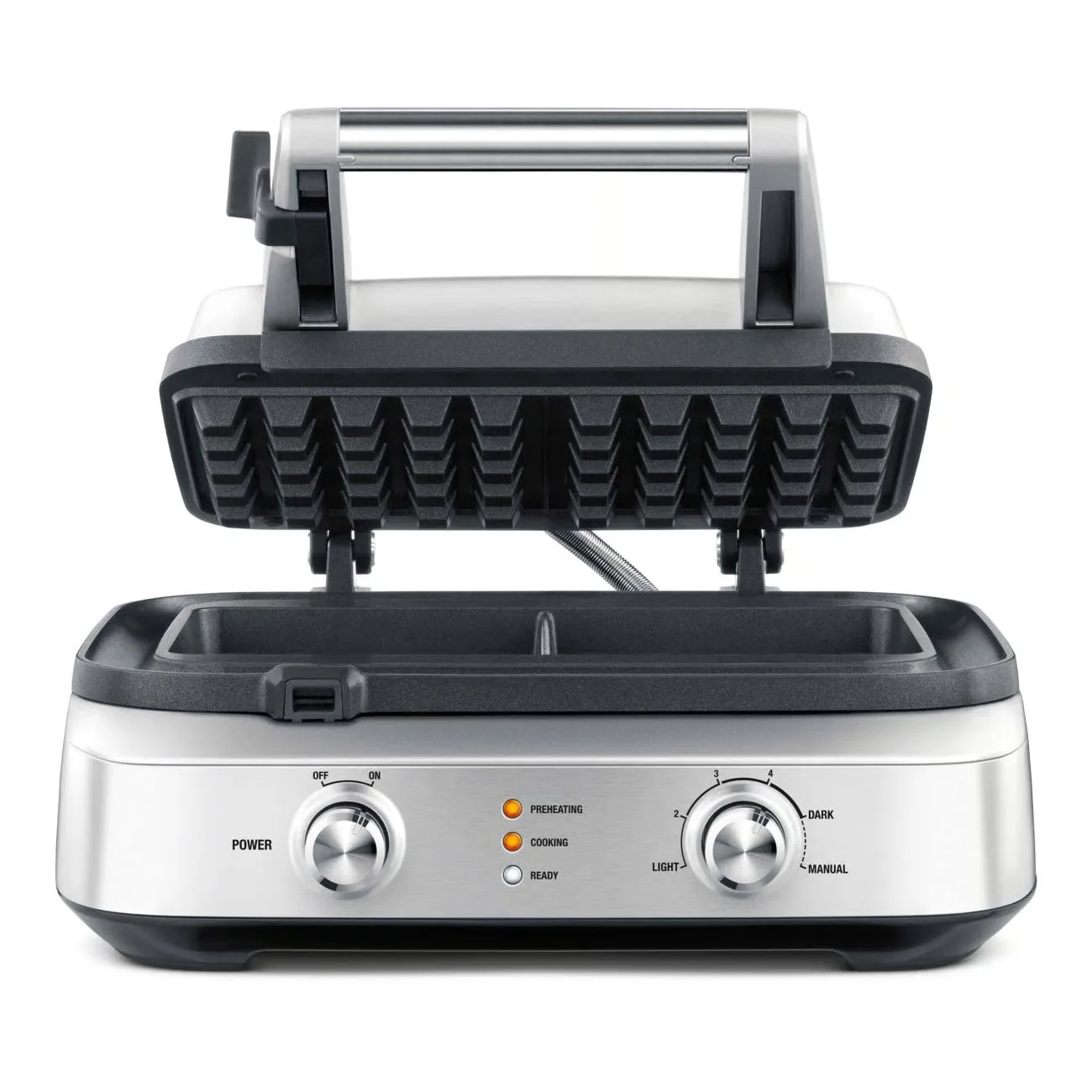
the Smart Waffle™ 2 Slice
Batter overflow: amount and the wrap-around moat
Overflow happens when you pour too much batter into the waffle iron. The Smart Waffle 2 Slice includes a wrap-around moat that catches any overflow and cooks it, so you do not have to deal with a messy countertop. This feature is designed to contain excess batter, but you should still avoid overfilling the plates to ensure even cooking.
As a general rule, use the amount of batter recommended in your recipe or start with a smaller amount and adjust. The moat provides a safety net, but it is not a license to fill the iron to the brim.
Overflow management built into the Smart Waffle 2 Slice
- the Smart Waffle™ 2 Slice: Any overflow will get caught and cooked in the wrap around moat. No mess. This feature directly addresses the overflow problem by containing excess batter, making cleanup easier and reducing waste.
Why are my waffles soggy?
Soggy waffles are usually the result of undercooking or too much liquid in the batter. The Smart Waffle 2 Slice’s browning control can help you cook the waffle longer if needed, but the primary fix is to ensure your batter is not too thin and that you cook until the waffle is crisp and golden. If you are using a recipe with a lot of fruit or syrup, consider reducing the liquid or cooking a bit longer.
Note that the supplied information for the Smart Waffle 2 Slice does not include specific cooking times or temperature settings, so you should rely on your recipe and visual cues—such as the waffle releasing easily and being golden brown—rather than a fixed time.
Putting it together: a troubleshooting routine
When you encounter a problem, work through these steps in order: first, check your batter consistency and ingredients; second, adjust the browning setting on the Smart Waffle 2 Slice to a lighter or darker level; third, reduce the amount of batter if you see overflow, trusting the moat to catch small spills. If sticking occurs, verify that the plates are clean and that your recipe includes enough fat. By addressing one variable at a time, you can isolate the cause and enjoy consistent waffles.