What kind of game you are playing
Smurf: Rescue in Gargamel's Castle is a side-scrolling platformer for the ColecoVision. You control a Smurf who must travel through a forest and into Gargamel's castle to rescue Smurfette. The game is built around precise jumps, timing, and learning the layout of each screen. It is not a twitch shooter; it rewards patience and repeat attempts.
The cartridge is NTSC format for North America, so it matches standard North American ColecoVision consoles. If you are buying a used copy, the listing should confirm the platform and region, and a working guarantee matters more than cosmetic condition.
How to approach the first screens
The opening sections teach the core skills you will reuse later. Treat them as practice rather than a race.
- Learn the jump arc before you need it: Jump over gaps and obstacles on the early forest screens to get a feel for how long the Smurf stays airborne. The same timing carries into tighter platform sections.
- Watch enemy movement patterns: Enemies and hazards follow predictable paths. Pause at the edge of a screen and observe one full cycle before moving through.
- Use screen edges as safe planning points: When you scroll to a new screen, stop and identify the next platform or gap before committing to a jump.
- Expect to repeat sections: This is a trial-and-error platformer. Losing a life is normal; the goal is to memorize the layout one screen at a time.
Getting through the castle section
The castle is where the game tightens up. Platforms are narrower and hazards are less forgiving, so the skills from the forest need to be more precise. Move in short bursts rather than holding a direction, and jump only when you have a clear landing spot. If a screen feels impossible, back off and watch the pattern again instead of rushing.
There is no confirmed save or continue feature in the supplied product information, so plan for longer sessions only if you are comfortable replaying from the start. That is a limitation of the evidence, not a statement about the game's design.
Practical tips that carry across the whole game
- Keep your controller inputs deliberate: ColecoVision controllers can feel stiff. Press firmly and avoid half-inputs that cause missed jumps.
- Test the cartridge before a long session: A used cartridge should boot reliably. If it does not, stop and use the seller's return policy rather than cleaning or reseating it repeatedly.
- Play on the original hardware if possible: The game was designed for the ColecoVision controller layout. Emulation or adapters may change the feel of jumps.
What the listing confirms
-
Smurf: Rescue in Gargamel's Castle - Colecovision Game: Smurf: Rescue in Gargamel's Castle ColecoVision Game, used, NTSC (North America), UPC 079200340698. Confirms the platform and region so you can check it against your console before buying.
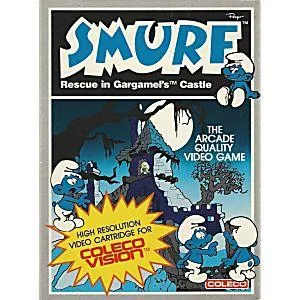
Smurf: Rescue in Gargamel's Castle - Colecovision Game
-
Smurf: Rescue in Gargamel's Castle - Colecovision Game: Guaranteed to work and backed by Lukie Games 90 day no questions asked returns policy. A working guarantee reduces the risk of a used cartridge that will not boot, which matters more than box condition for play.
When the game is not clicking
If you have repeated the same screen many times, change one variable at a time: jump earlier, jump later, or wait for a different enemy position. The game gives you enough room to experiment on early screens, so use them to build muscle memory. If the cartridge itself is unreliable, the return policy is the first thing to use, not a repair attempt.