Quick answer
Mount the Sony ECM-B10 directly on your camera’s MI shoe, choose the narrowest pickup pattern that still covers your subject, and set the camera’s input level so normal speech peaks around -12 dB to -6 dB. Then lock the cable-free connection and monitor with headphones before you record.
Why the MI shoe changes your setup
The ECM-B10 is a wireless shotgun microphone in the sense that it draws power and sends audio through Sony’s Multi Interface (MI) shoe, so you do not need a separate audio cable to the camera. That removes a common failure point, but it also means the mic only works as intended on a Sony body with an MI shoe. On other cameras you would need a different connection method, which this model does not provide in the supplied specifications.
Because the mic is powered by the shoe, battery management is one less thing to worry about, but you still need to confirm that the camera recognizes the mic before you rely on it. The MI shoe also carries the digital audio signal, so a poor physical fit or dirt in the shoe can cause intermittent audio that looks like a mic fault.
Pickup pattern and placement trade-offs
A shotgun microphone is directional, but directionality is not a substitute for getting close. The ECM-B10’s pattern options let you widen or narrow the pickup, and the right choice depends on whether you are filming one person or a small group. A narrow pattern rejects more off-axis sound but demands more precise aim; a wider pattern is more forgiving but picks up more room.
Placement matters more than any menu setting. Mounting the mic on the camera puts it at a distance from the speaker, so it will always sound more distant than a lavalier or a boom just out of frame. For vlogging microphone setup, the camera-mounted position is usually acceptable because the speaker is close to the lens. For interviews at several meters, the ECM-B10 on the shoe will pick up more room and require higher gain, which raises the noise floor.
Setup steps for cleaner dialogue
- Seat the mic firmly on the MI shoe: Slide the ECM-B10 onto the camera’s MI shoe until it clicks or the locking ring is tight, then gently tug it to confirm it is seated. Common mistake: leaving it loose so the contacts intermittently disconnect and the camera drops the audio input mid-take. Check the shoe for dust or grit before mounting; a dirty shoe can cause the same symptom as a faulty mic.
- Choose the pickup pattern before you frame the shot: Start with the narrowest pattern for a single speaker and widen it only if your subject moves across the frame or you need to cover two people. Common mistake: leaving a wide pattern on for a single talking head and wondering why the room sounds louder than the voice. Match the pattern to the number of speakers, not to how the mic looks on camera.
- Aim the mic at the mouth, not at the chest: Tilt the capsule toward the speaker’s mouth while keeping it out of the top of the frame. Common mistake: pointing it straight ahead so it picks up the back of the room and the speaker’s voice arrives off-axis. If you can see the mic’s front grille in the viewfinder, you can usually see where it is aimed.
- Set the camera’s audio level manually: Turn off automatic gain, ask the speaker to talk at performance volume, and raise the record level until normal speech peaks around -12 dB to -6 dB. Common mistake: letting auto gain pump the level up during pauses and amplify room noise. Leave headroom for laughter or a louder line; digital clipping cannot be fixed later.
- Monitor with headphones and record a test clip: Plug headphones into the camera, record 20 seconds of normal speech, and play it back before the real take. Common mistake: trusting the level meter alone, which cannot tell you about wind rumble, clothing rustle, or a loose shoe connection. If you hear hiss, move the mic closer or reduce the distance rather than adding gain in post.
Product facts
-
Sony ECM-B10 Wireless Shotgun Microphone: In stock with a 1-year warranty and free UK delivery. You can plan a shoot around it without a long lead time, and the warranty covers the microphone itself rather than the camera body.
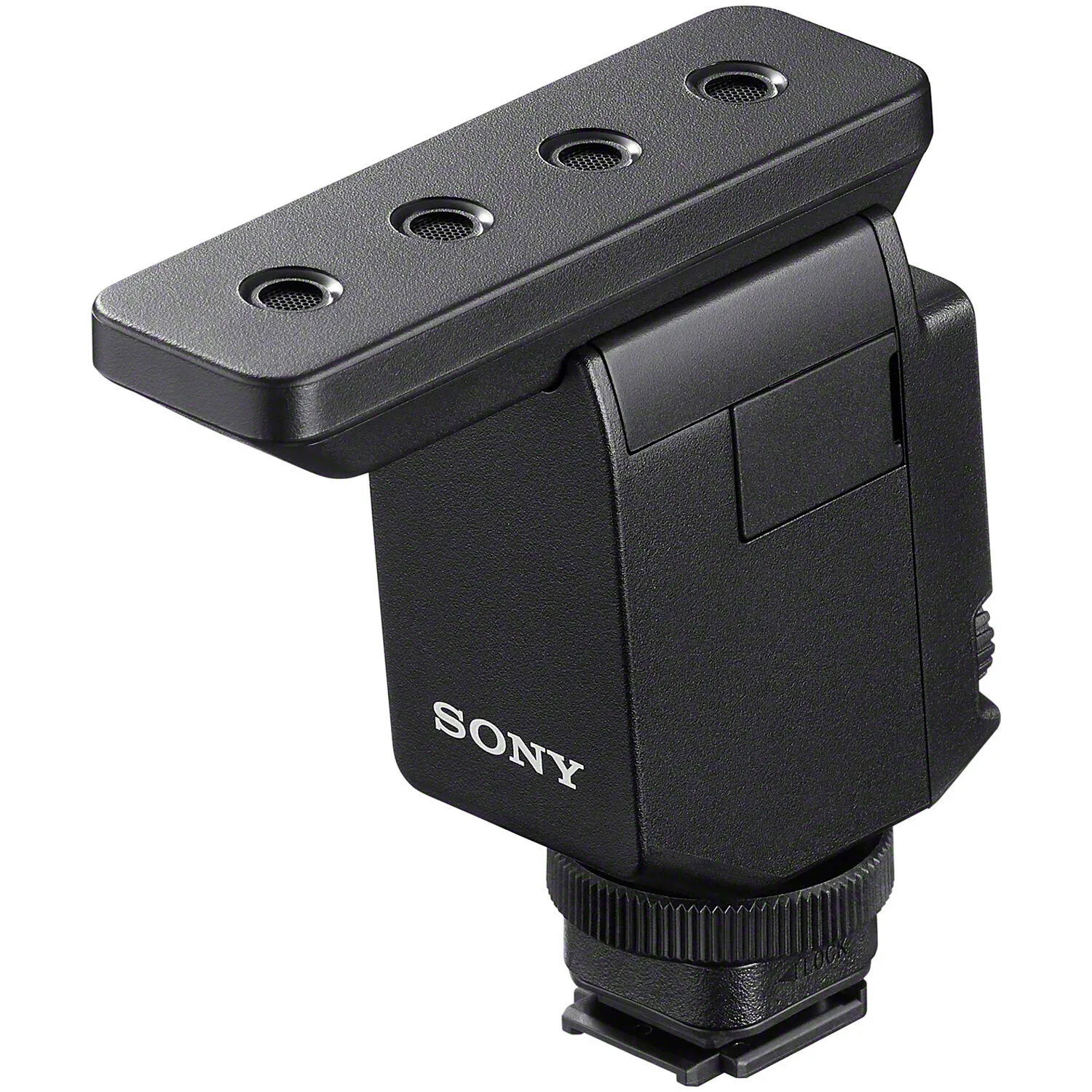
Sony ECM-B10 Wireless Shotgun Microphone