Quick answer
If you have a Gen2 Rivian R1T or R1S and want to replace the factory carabiner with a solid aluminum surround, the Soonish EV Key Fob Surround is a direct-fit upgrade. Install it by separating the original carabiner, seating the fob into the surround, and securing the assembly with the supplied hardware.
Check your key fob generation before you start
The Soonish EV surround is made specifically for key fobs that came with the Gen2 R1T and R1S. Gen1 fobs use a different shape, so this part will not fit them. If you are unsure which generation you have, compare your fob to the product listing photos or check your vehicle's model year documentation. Installing on the wrong generation risks a loose fit or damage to the fob.
What the aluminum surround changes — and what it doesn't
This is a cosmetic and tactile upgrade, not a functional remote. The CNC'd aluminum body replaces the plastic carabiner and adds a standard key ring, so you can attach any carabiner or strap you prefer. It does not add buttons, extend range, or change how the fob communicates with your Rivian. Expect a more solid feel in hand and a cleaner look, but no change in vehicle behavior.
Installation steps
- Remove the original carabiner: Detach the factory carabiner from your key fob by unscrewing or unclipping it as shown in the product instructions. Keep the fob and any small screws in a tray so they don't get lost. Work over a soft surface — dropped screws are hard to find.
- Seat the fob into the surround: Align the fob's button side with the corresponding cutout in the aluminum surround and press it in evenly. Do not force it; if it resists, check that you have the Gen2 fob and that the orientation is correct. A fob that won't seat easily is usually the wrong generation or upside down.
- Secure the assembly: Fasten the surround using the supplied screws or hardware, tightening until snug. Do not overtighten, as aluminum threads can strip. Confirm the fob is held firmly with no rattling. Snug, not torqued — stop as soon as the parts meet.
- Attach your key ring or carabiner: Thread your preferred key ring or carabiner through the integrated loop on the surround. Give it a gentle tug to confirm it is fully seated before hanging keys. Test the attachment point before you rely on it.
- Test button access and range: Press each button to confirm they actuate freely through the surround, then lock and unlock your Rivian from a normal distance. If any button feels stiff, loosen the hardware slightly and recheck. Buttons should click without resistance; if not, the fob is not seated correctly.
Product facts
-
Soonish EV Key Fob Surround for Gen2 Rivian R1T & R1S: CNC'd aluminum replacement for the Gen2 R1T and R1S key fob carabiner. The metal construction gives a more durable, solid feel than the original plastic clip.
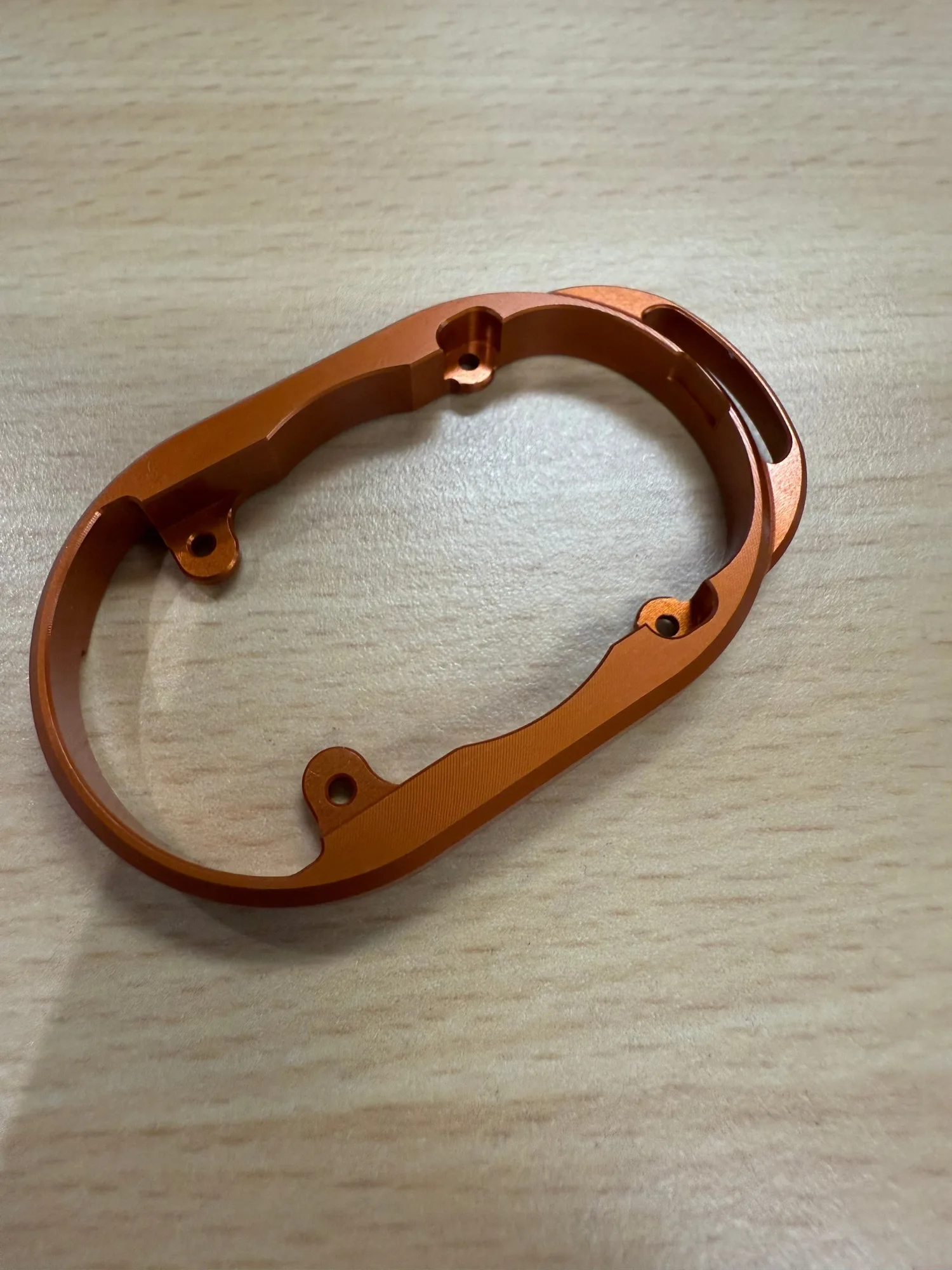
Soonish EV Key Fob Surround for Gen2 Rivian R1T & R1S
-
Soonish EV Key Fob Surround for Gen2 Rivian R1T & R1S: Adds a basic key ring for attaching your own carabiner. You can use the clip or strap you already like instead of the factory carabiner.