Quick Answer
Mount the Spider X V3 holster to your belt or backpack strap, then attach the Screw In QD Pin V3 to your camera's tripod socket for a secure, quick-release carry system.
Why the Screw In QD Pin Matters
The Screw In QD Pin V3 replaces a standard tripod screw and provides a dedicated quick-release attachment point. It keeps the camera stable in the holster while allowing one-handed detachment when you need to shoot fast.
Belt vs. Backpack Mounting
The Spider X V3 clips onto belts up to 2 inches wide or can be used with a Spider Backpack Adapter (sold separately). Belt mounting centers the weight on your hip; backpack mounting shifts it to your shoulder strap. Choose based on your primary carry method.
Step-by-Step Setup
- Attach the QD Pin to Your Camera: Screw the QD Pin V3 into your camera's tripod socket until hand-tight. Do not over-tighten; it only needs to be snug. Check that the pin is fully seated but not stripped.
- Mount the Holster to Your Belt or Strap: Slide the Spider X V3 holster onto your belt or backpack strap. Ensure the belt is flat inside the clip and the holster sits upright. A twisted belt can cause the holster to tilt and drop the camera.
- Insert the Camera into the Holster: Align the QD pin with the holster's receiver and push down until you hear a click. Gently tug to confirm it's locked. If there is no click, the pin may not be fully seated—remove and try again.
- Practice the Quick Draw Motion: With the camera holstered, press the release button on the holster and lift the camera straight up. Repeat until the motion feels smooth. Avoid twisting the camera during removal; it can cause the pin to bind.
Product Facts
-
Spider X V3 & Screw In QD Pin V3: The Spider X V3 & Screw In QD Pin V3 holsters clip onto a belt or backpack adapter for hands-free camera access. This lets you keep your camera ready without neck strain, and the QD pin enables rapid detachment when a shot appears.
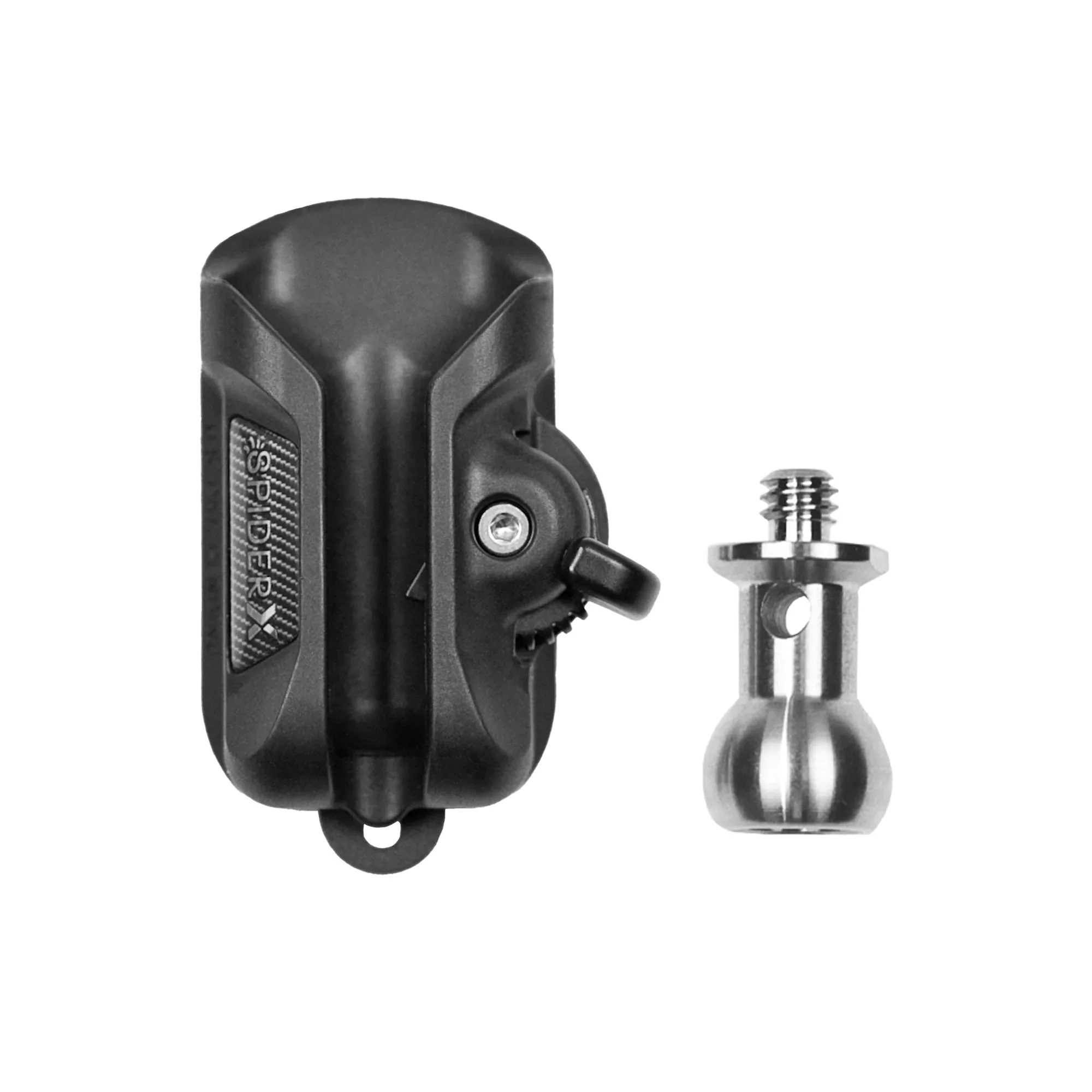
Spider X V3 & Screw In QD Pin V3