Why a Screen Shield Matters for Your SportDiver Ultra
The SportDiver Ultra housing lets you use your smartphone underwater, but the housing's display window is exposed to scratches, salt residue, and fingerprints. The Screen Shield for SportDiver Ultra is a waterproof screen protector specifically designed for this housing. Its nano coating repels water and keeps the screen clear, so you can frame shots and review images without distraction.
This guide covers what the Screen Shield is, how to install it, and how to care for it—using only the supplied information.
Screen Shield for SportDiver Ultra at a Glance
-
Screen Shield for SportDiver Ultra: The Screen Shield is compatible with the SportDiver Ultra housing and fits displays up to 7.1″ / 180 mm diagonally. This confirms the shield is made for your housing size, ensuring full coverage without trimming.
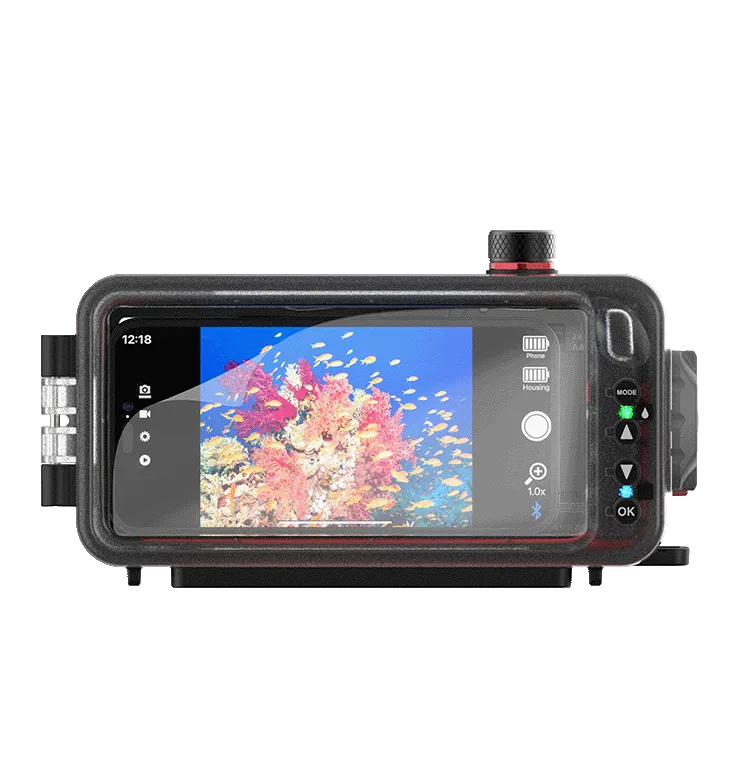
Screen Shield for SportDiver Ultra
-
Screen Shield for SportDiver Ultra: The protective nano coating repels water, resists fingerprints, and protects against scratches. These features directly address the main wear points an underwater housing display faces during use and transport.
How to Install the Screen Shield
The supplied information does not include step-by-step installation instructions for the Screen Shield. However, based on the product's purpose and typical screen protector application, here are general guidelines that align with the product's design. Always refer to any instructions included with your product for the most accurate process.
- Prepare the work area: Clean your hands and work on a dust-free surface. Good lighting helps you see dust particles.
- Clean the housing display: Use a microfiber cloth to remove dust, oils, or moisture from the SportDiver Ultra display. Any residue can cause bubbles or poor adhesion.
- Align the shield: Peel the backing from the Screen Shield. Hold it by the edges and align it with the housing display. The shield is sized for a 7.1″ / 180 mm diagonal, so it should match the screen area without overhang.
- Apply and press: Gently place the shield onto the display. Use a soft card or your finger to press from the center outward, pushing air bubbles to the edges.
- Check for bubbles: If small bubbles remain, lift the nearest corner of the shield slightly and re-apply. Avoid touching the adhesive side.
Care After Installation
Once installed, the Screen Shield's nano coating helps keep the display clear during dives. Rinse the housing with fresh water after saltwater use and gently dry the shield with a soft cloth. Avoid abrasive cleaners or scrubbing, which could damage the coating. The supplied information does not specify a replacement interval, so inspect the shield regularly for scratches or peeling and replace it when it no longer protects the display.