Start with the light you actually have
The Spotter Headlamp 200 Lumens is a weather-resistant, rechargeable headlamp built for hiking, camping, and low-light work. Before you plan a night trail or a camp setup, it helps to know exactly what the supplied information confirms: 200 lumens of brightness, energy-efficient LED lights, an adjustable head strap, a hand sensor for on/off control, and a rechargeable lithium battery with a USB charging cord included.
One detail in the supplied record needs a careful read. The product name and description say 200 lumens, while a separate features list says 150 lumens. Treat 200 lumens as the headline figure and check the packaging or manual if you need the exact mode-by-mode output. The same features list names four lighting modes: High, Medium, Low, and Red. The supplied information does not give runtime figures for each mode, so plan your first night out as a test run rather than assuming a specific burn time.
Spotter Headlamp 200 Lumens at a glance
-
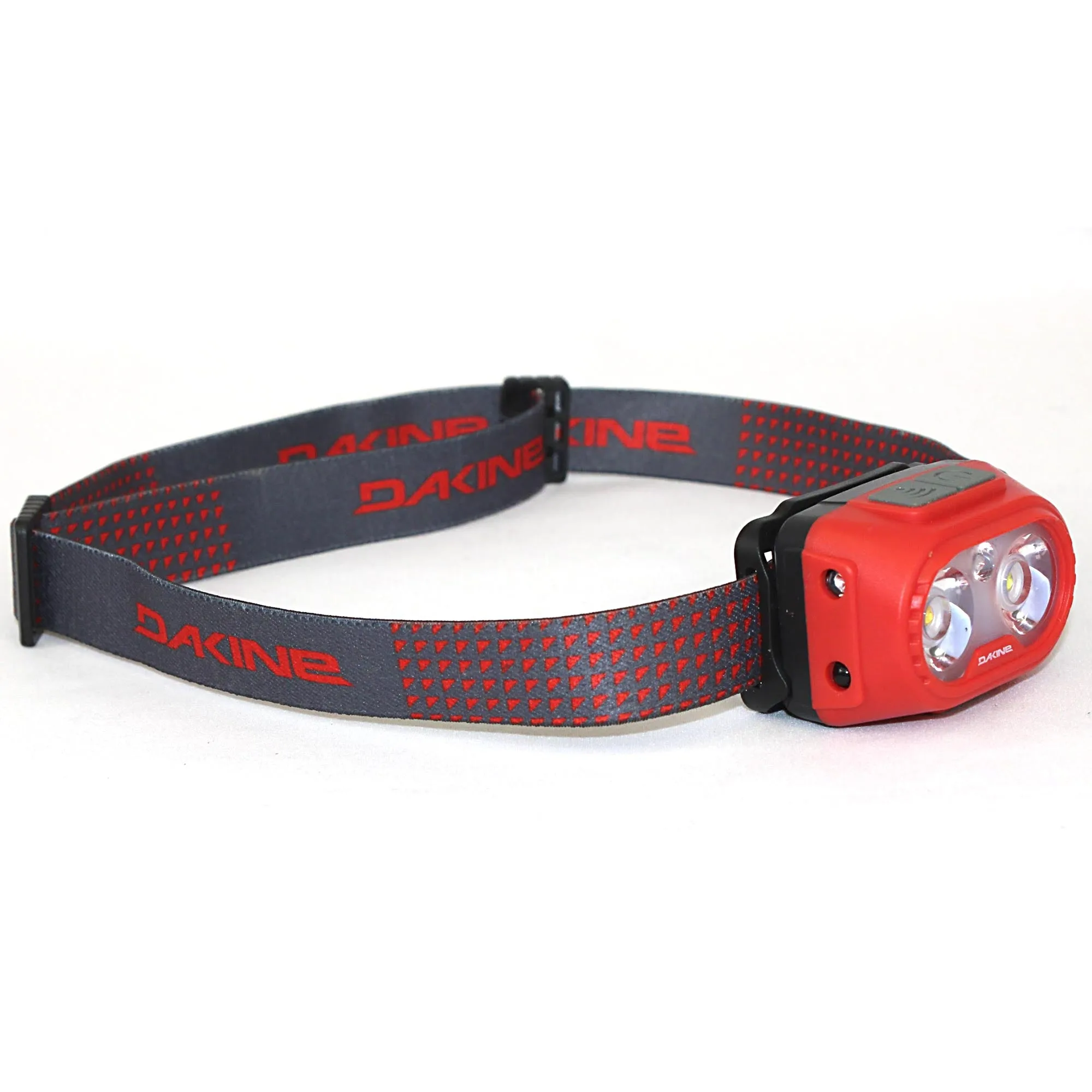
Spotter Headlamp 200 Lumens - Castlerock: 200 lumens of brightness with energy-efficient LED lights This is the main light output to plan your night hiking and camp tasks around.
Spotter Headlamp 200 Lumens - Castlerock
-
Spotter Headlamp 200 Lumens - Castlerock: Four lighting modes: High, Medium, Low, and Red Mode choice is your main control for balancing visibility and battery use.
-
Spotter Headlamp 200 Lumens - Castlerock: Hand sensor turns the headlamp on and off with a wave Useful when your hands are full or dirty at camp.
-
Spotter Headlamp 200 Lumens - Castlerock: Rechargeable lithium battery and USB charging cord included You can recharge instead of hunting for disposable batteries.
-
Spotter Headlamp 200 Lumens - Castlerock: Adjustable head strap for a comfortable, secure fit A stable fit keeps the beam pointed where you need it on the trail.
Set up the headlamp before you leave camp
A few minutes of setup at the trailhead or campsite prevents fumbling in the dark. The steps below use only the features confirmed in the supplied product record.
- Charge the battery: Connect the included USB charging cord to the rechargeable lithium battery. The supplied information does not specify charging time or a charge indicator, so charge before your trip and consider a power bank for longer outings.
- Adjust the head strap: Loosen or tighten the adjustable strap until the headlamp sits comfortably and securely. A snug fit keeps the light from bouncing when you walk.
- Test the hand sensor: With the headlamp on your head, wave your hand in front of the sensor to turn it on and off. Practice this before you need it with full hands.
- Cycle through the four modes: Confirm High, Medium, Low, and Red work as expected. Red light is useful around camp when you want to preserve night vision, while High gives you the brightest option for route finding.
Match the beam mode to the job
The Spotter gives you four modes, but the supplied information does not specify beam distance, runtime, or water-resistance rating. Use these general assignments as a starting point and adjust based on conditions.
- High: Best for night hiking when you need the most light to read trail features. Use it sparingly to conserve battery, since runtime is not confirmed.
- Medium: A balance for walking on familiar trails or setting up camp when you do not need maximum brightness.
- Low: Good for close tasks like cooking, reading, or organizing gear inside a tent without blinding others.
- Red: Use around camp to preserve night vision and reduce glare for others. The supplied information does not confirm a red flashing mode, so do not rely on it for emergency signaling.
Use the hand sensor without breaking your stride
The hand sensor is the Spotter's standout feature for hands-free camp lighting. When your hands are full or dirty, a wave turns the light on or off without touching the button. The supplied information describes this as a simple wave of your hand, but it does not specify the sensor's range or whether it works through gloves. Test it with your typical gloves before a cold-weather trip.
One practical caution: the sensor responds to motion, so be deliberate with your wave to avoid accidental activation. Keep the sensor area clear of obstructions like a hat brim or hood.
Night trail and camp setup tips
For night hiking, wear the headlamp over a thin beanie or headband if the strap feels loose, but make sure the sensor remains unobstructed. Angle the light slightly downward to illuminate the trail a few steps ahead without blinding approaching hikers.
At camp, use the Red mode to move around without disturbing others, and switch to Low or Medium for tasks inside your tent. The weather-resistant construction means light rain or splashes should not be an issue, but the supplied information does not provide an IP rating, so avoid submerging the headlamp or leaving it out in heavy rain.
Keep the USB charging cord with your camp kit. Since the battery is rechargeable, a dead headlamp means a dead light until you can recharge. A small power bank adds insurance for multi-night trips.
Fit and color notes
The Spotter Headlamp 200 Lumens comes in Castlerock and One Size. The adjustable strap is designed to fit a range of head sizes, but the supplied information does not list a specific circumference range. If you are between sizes or plan to wear it over a helmet, check the fit before your trip. The Castlerock color is a neutral gray that suits most gear kits.
What the supplied information does not settle
The supplied record leaves several details open: exact runtime per mode, charging time, water-resistance rating, beam distance, weight, and whether the hand sensor works through gloves. The 150-lumen figure in the features list also conflicts with the 200-lumen product name. For critical trips, verify these details on the packaging or with the manufacturer before you rely on the headlamp for safety. The Spotter is a capable, affordable option for casual night hiking and camp use, but treat the missing specifications as a reason to test it on a short outing first.