Quick answer
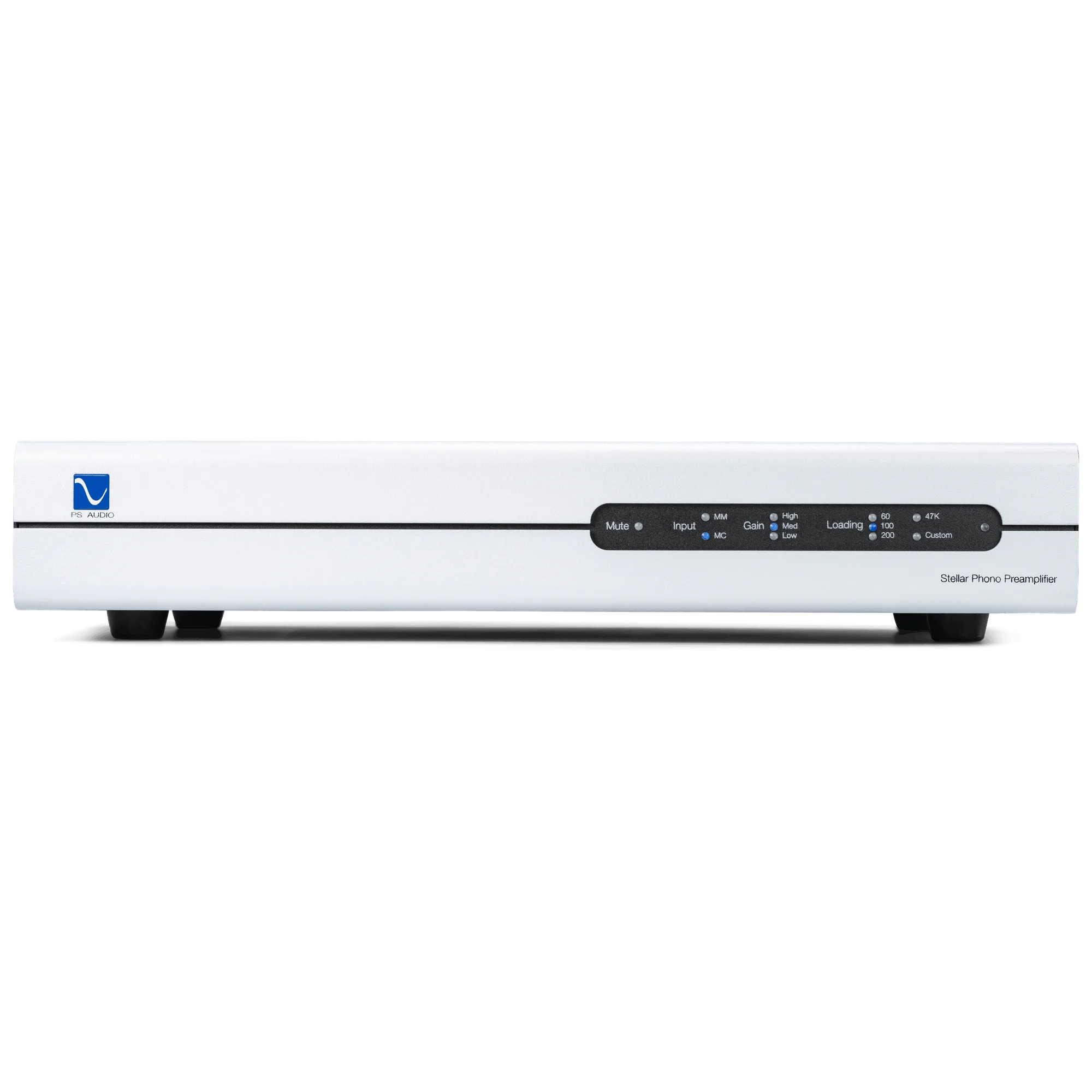
Set up your Stellar Phono Preamplifier by first matching its gain and loading to your cartridge type, then connect it between your turntable and preamp or integrated amplifier. Start with the manufacturer's recommended settings for your cartridge, and adjust only if you hear distortion or thin sound. The Stellar's all-analog design rewards careful setup with quieter backgrounds and more dynamic vinyl playback.
Step 1: Identify your cartridge type and specifications
Before you connect anything, confirm whether your turntable uses a moving magnet (MM) or moving coil (MC) cartridge. This determines the baseline gain and loading you'll need. Check your cartridge's manual or the manufacturer's website for its output voltage and recommended load impedance. If you can't find these specs, start with the most common settings: 40 dB gain for MM and 60 dB for MC, with 47k ohms loading for MM and 100 ohms for MC. These are safe starting points, but your cartridge's actual requirements may differ.
Step 2: Set gain and loading on the Stellar Phono
The Stellar Phono Preamplifier offers adjustable gain and loading to suit a wide range of cartridges. Use the rear-panel controls or the front-panel menu (depending on your unit's revision) to set gain first. For MM cartridges, 40–46 dB is typical; for MC, 55–65 dB is common. Then set loading: 47k ohms for most MM, and 100–1000 ohms for MC. If you're unsure, begin with the manufacturer's recommendation. A common mistake is setting gain too high, which can cause overload and distortion on loud passages. Start lower and increase only if needed.
Step 3: Connect the Stellar Phono to your system
With the power off, connect your turntable's RCA cables to the Stellar Phono's inputs. If your turntable has a separate ground wire, attach it to the ground terminal on the Stellar. Then connect the Stellar's outputs to a line-level input on your preamplifier or integrated amplifier—not the phono input. Using the phono input would double the RIAA equalization and cause distorted, bass-heavy sound. Keep cables short and away from power cords to minimize hum. Once connected, power on the Stellar and your system, and lower the volume before playing a record.
Step 4: Fine-tune loading for moving coil cartridges
Moving coil cartridges are more sensitive to loading than moving magnet designs. If your MC cartridge sounds bright or thin, try lowering the load impedance (e.g., from 1000 ohms to 100 ohms). If it sounds dull or rolled off, try a higher value. Make one change at a time and listen to a familiar record. The Stellar Phono's loading options let you dial in the tonal balance without swapping equipment. For MM cartridges, 47k ohms is almost always correct, but some prefer slightly lower values to tame brightness.
Step 5: Troubleshoot common issues
If you hear hum, check that the turntable ground wire is securely attached and that the Stellar is not sitting directly on top of a power amplifier or other noisy component. If you hear distortion, reduce gain by 6 dB and retest. If the sound is too quiet, increase gain gradually. Channel imbalance or mono sound often indicates a loose cable or a worn stylus. Always power down before changing connections. For persistent issues, consult your dealer or PS Audio support.
Step-by-step setup checklist
- Identify cartridge type and specs: Determine if your cartridge is moving magnet or moving coil, and find its output voltage and recommended load impedance from the manufacturer. Checkpoint: Write down the specs before making any connections.
- Set initial gain and loading: Start with 40 dB gain and 47k ohms for MM, or 60 dB gain and 100 ohms for MC. Adjust only if you hear distortion or thin sound. Mistake to avoid: Setting gain too high, which causes overload distortion.
- Connect turntable and output: Plug turntable RCAs into the Stellar Phono inputs, attach the ground wire, and connect outputs to a line-level input on your preamp or integrated amp. Never use the phono input. Checkpoint: Ensure all connections are secure and the ground wire is attached.
- Fine-tune loading for MC cartridges: If your MC cartridge sounds bright, lower the load impedance; if dull, raise it. Make one change at a time and listen to a familiar record. Verdict: Trust your ears—small adjustments can yield significant improvements.
- Troubleshoot hum, distortion, or low output: Check ground connections, reduce gain if distorting, increase if too quiet, and inspect cables for damage. Power down before changing anything. Next step: If issues persist, contact your dealer or PS Audio support.
Product facts
- Stellar Phono Preamplifier: Our finest phono preamplifier in the company's 45-year history. All analog from input to output, this stunning addition to the Stellar line will bring new life to your vinyl in ways you never dreamt possible. The all-analog design means no digital processing in the signal path, preserving the purity of your vinyl playback. The 45-year heritage suggests refined circuit design and reliability.
- The Audiophile's Guide: The Loudspeaker (book only): This is the long-awaited follow-up work to Paul's first book, The Audiophile's Guide: The Stereo. In this, The Loudspeaker, we delve deeper into getting the most from our stereo systems. The companion SACD is a treasure worth owning. Recorded in pure DSD256, The Audiophile's Guide: The Loudspeaker is filled with tracks that will bring magic to your system. This book provides additional guidance on optimizing your stereo system, which complements phono setup by helping you get the most from your entire vinyl playback chain.