Quick Start
Begin by wiping the notebook surface clean, then lay out your stickers before pressing. Work on a flat surface, smooth out bubbles, and let the adhesive set for a durable finish.
Customizing a notebook with stickers is a low‑cost way to showcase your personality while protecting the cover. Annuzza Art offers a range of waterproof, die‑cut stickers that stay bright even after daily handling.
This guide walks you through selecting the right stickers, preparing the notebook, and applying each piece without bubbles or misalignment, so you can enjoy a polished look that lasts.
Choose Stickers That Fit Your Notebook
Measure the available space on your notebook cover and consider the sticker dimensions. Annuzza Art’s stickers range from 1.6" × 2.0" to 2" × 1.7", making them ideal for both subtle accents and larger focal points. Think about a theme—animals, geometric shapes, or a mix—to create visual harmony.
When picking designs, balance color intensity with the notebook’s base shade. Darker covers pair well with bright, saturated stickers, while light covers can showcase pastel or detailed illustrations without overwhelming the page.
- Tip: Order a few extra stickers in case of placement errors.
Prepare the Notebook Surface
Use a lint‑free cloth slightly dampened with water or a mild soap solution to wipe the cover. Remove any dust, oils, or residue that could prevent the adhesive from bonding fully. Allow the surface to dry completely before proceeding.
If the notebook has a textured or glossy finish, test a small corner with a sticker to ensure it adheres without peeling. This checkpoint saves you from having to re‑apply stickers later.
- Common mistake: Skipping the cleaning step often leads to bubbles and premature peeling.
Apply Stickers Without Bubbles
Lay out the stickers on the notebook without removing the backing to visualize the final arrangement. Once satisfied, peel the backing gently, starting at a corner, and press the sticker onto the cover. Use a credit card or a soft squeegee to smooth the surface from the center outward, pushing out air bubbles.
If a bubble appears, lift the sticker slowly and re‑apply, or use a pin to puncture the bubble and smooth the adhesive. Let the stickers set for at least an hour before handling the notebook heavily.
- Checkpoint: Verify that the sticker edges are fully adhered; any lifting edges should be pressed down again.
Step‑by‑Step Checklist
- Step 1: Clean the Notebook: Wipe the cover with a lint‑free cloth and let it dry completely. Mistake to avoid: Skipping this step can cause stickers to peel later.
- Step 2: Plan Your Layout: Arrange stickers on the surface without removing backing to confirm spacing and balance. Checkpoint: Ensure no overlapping edges before committing.
- Step 3: Apply and Smooth: Peel backing, press sticker onto the notebook, and use a card to smooth out bubbles. Common error: Pressing too hard before the adhesive contacts the surface can trap air bubbles.
Featured Annuzza Art Stickers
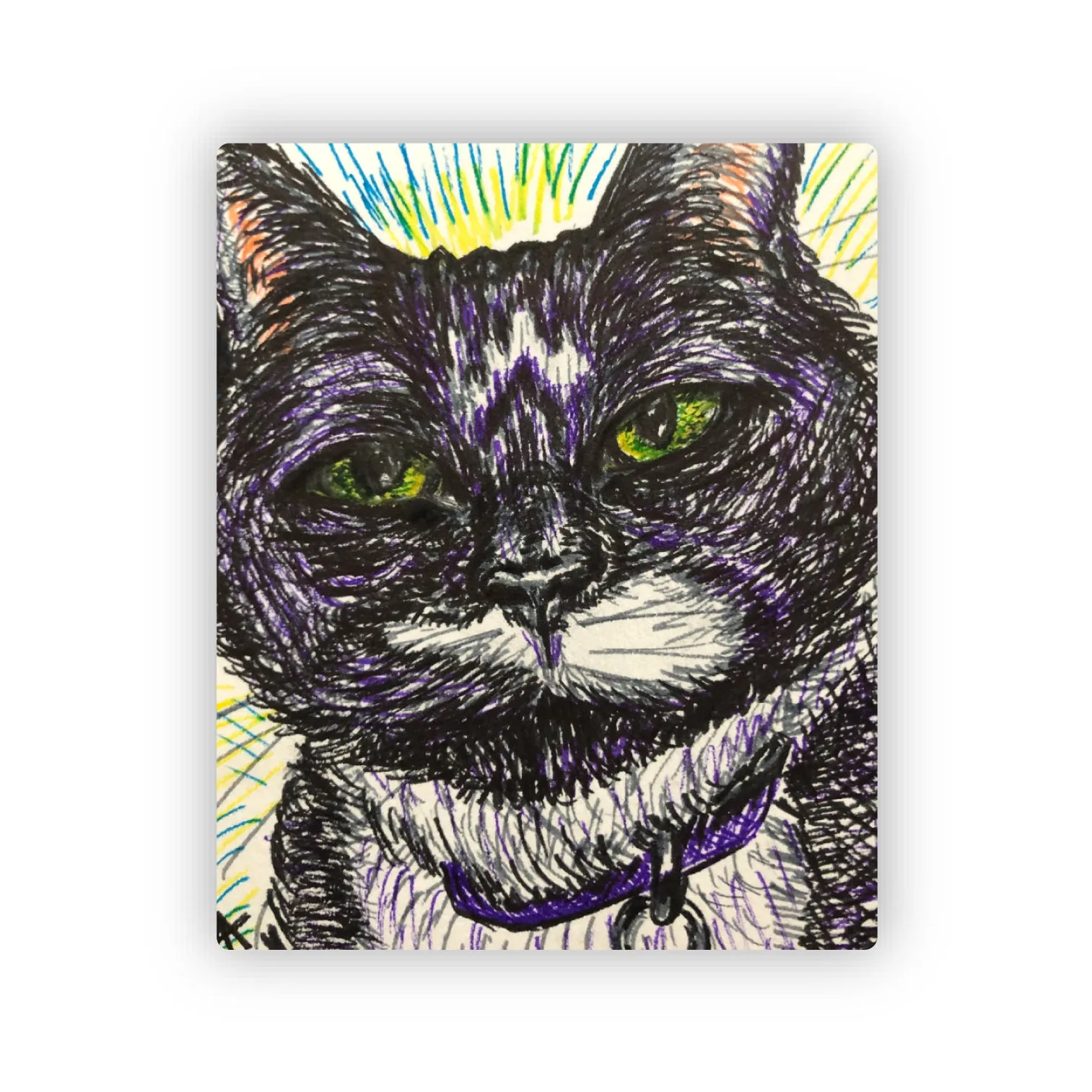
- Venus Cat Sticker: 1.6" x 2.0" Die Cut Waterproof Sticker – a reproduction of a 2019 marker drawing. The compact size fits neatly into notebook corners, and waterproof material keeps the design vibrant despite spills.
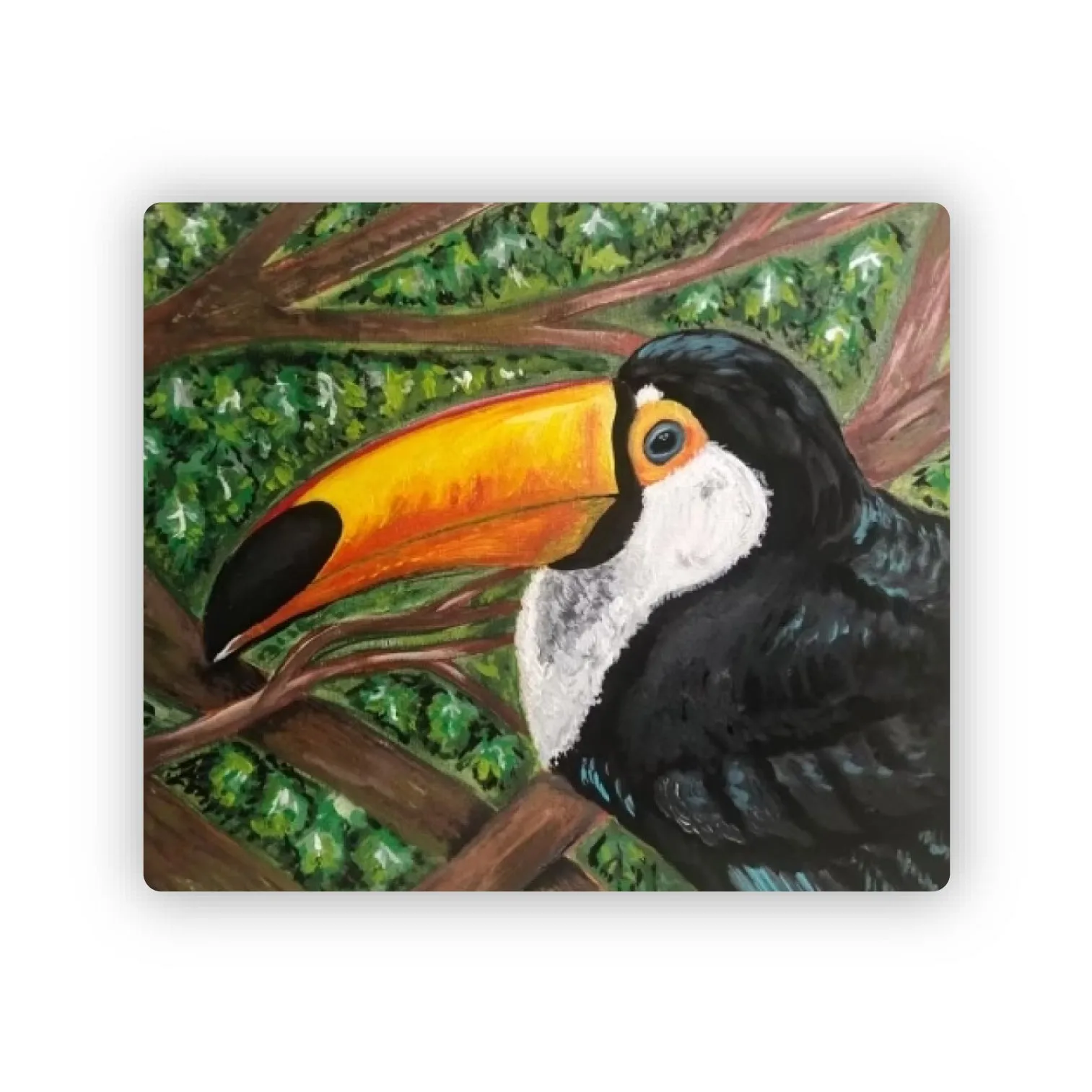
- Toucan Sticker: 2" x 1.7" Die Cut Waterproof Sticker – from a 2020 acrylic painting. Slightly larger dimensions make it ideal for a central focal point, and the acrylic‑derived colors stay bright over time.
With a clean surface, thoughtful design choices, and careful application, your notebook becomes a vibrant showcase of Annuzza Art stickers that will stand up to daily use and inspire creativity.