What the Memory Board Controller Does in Your Stride 4s+
The memory board controller (LCB) is an electronic component inside your Echelon Stride 4s+ (22) treadmill. It manages essential communication between the console and the drive system, storing settings and controlling responses to user input. When this board malfunctions, you may notice erratic display behavior, unresponsive controls, or error codes that prevent normal operation.
Replacing the LCB restores those electronic functions without replacing the entire control board or console assembly. The Stride 4s+ (22) Memory Board Controller (LCB) is the genuine replacement part designed for this purpose.
Identifying the Correct Replacement Part
-
Stride 4s+ ( 22 ) Memory Board Controller ( LCB ): The Stride 4s+ (22) Memory Board Controller (LCB) is a replacement controller board designed for compatible Echelon Stride equipment. This confirms the part is intended for your model, not a generic or cross-compatible board. Using the correct LCB avoids compatibility issues and potential damage.
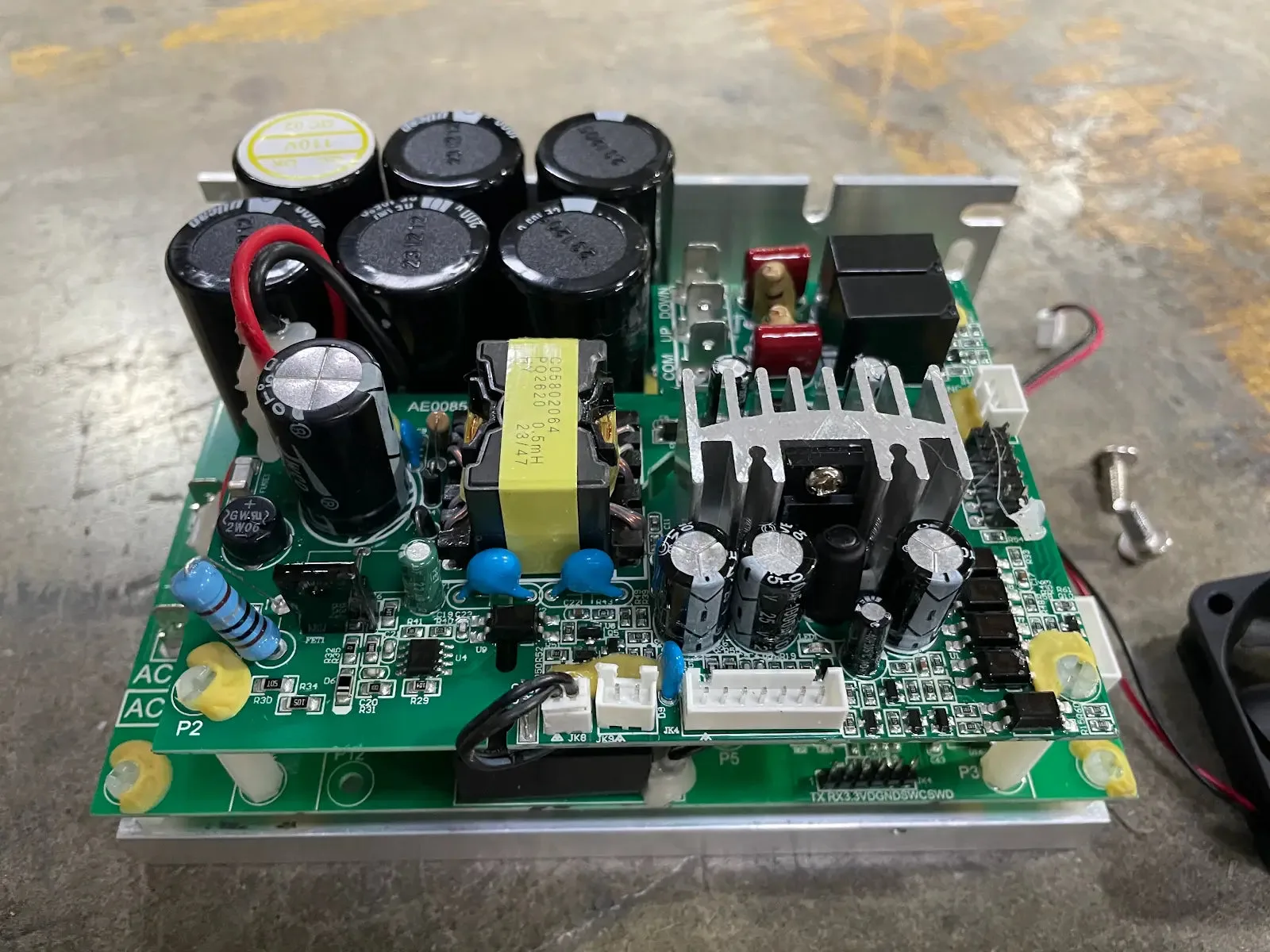
Stride 4s+ ( 22 ) Memory Board Controller ( LCB )
-
Stride 4s+ ( 22 ) Memory Board Controller ( LCB ): Compatible with Echelon Stride 4s+ (22) models Only the Stride 4s+ (22) is listed as compatible. If you own a different Stride variant, confirm model support before purchasing.
-
Stride 4s+ ( 22 ) Memory Board Controller ( LCB ): This component, identified by SKU DM1315, serves as the memory board controller for your machine, helping to manage essential electronic functions. SKU DM1315 helps you verify you have the right board during installation and when ordering a replacement.
Installation Steps
The following steps describe the general process based on the part's purpose and typical treadmill controller board replacement. Always refer to your machine's service manual for model-specific instructions, torque values, and safety precautions.
- 1. Power down and unplug the treadmill: Disconnect the power cord from the wall outlet. This prevents accidental electrical shock or damage to the electronics during the swap.
- 2. Access the controller area: Remove the console or motor hood cover according to your Stride 4s+ (22) service guide. The LCB is typically mounted on a bracket near the main control board. Take note of cable routing before disconnecting anything.
- 3. Disconnect the old board: Unplug all ribbon cables and wire harnesses from the existing memory board controller. Label or photograph the connections to simplify reconnection.
- 4. Remove the faulty LCB: Unscrew the mounting screws and lift the old board away. Keep the screws for the replacement.
- 5. Install the new Stride 4s+ (22) Memory Board Controller (LCB): Position the new board (SKU DM1315) in the same orientation, secure it with the original screws, and reconnect each cable to its matching port. Ensure connectors are fully seated.
- 6. Test before reassembly: Plug the treadmill back in and power it on. Verify that the console responds normally, settings hold, and no error codes appear. If everything works, replace the cover and secure all panels.
What the Catalog Does and Does Not Tell You
The supplied information confirms the Stride 4s+ (22) Memory Board Controller (LCB) is compatible with Echelon Stride 4s+ (22) models and that it manages essential electronic functions. It does not include wiring diagrams, torque specifications, or step-by-step disassembly instructions for your specific treadmill revision.
If your machine is still under warranty, contact Echelon support before replacing the board yourself. For out-of-warranty units, the manufacturer's service manual for your Stride 4s+ (22) is the authoritative resource for detailed disassembly and cable routing.