Quick Answer
The Quad Lock Stroller Kit works with any iPhone 17 Pro that has a Quad Lock case or Universal Adaptor, giving you a secure, hands-free mount on your stroller handlebar.
Why a Stroller Mount Makes Sense
Pushing a stroller while juggling your phone is awkward and risky. A dedicated mount keeps your iPhone 17 Pro within easy view for checking maps, playing white noise, or taking quick calls without stopping.
The Quad Lock Stroller Kit uses the same dual-stage lock found on car and bike mounts, so your phone stays put even on bumpy sidewalks. The strap mount wraps around most stroller handlebars in seconds.
What You Need Before Starting
Your iPhone 17 Pro needs a Quad Lock Case or a Universal Adaptor attached to your existing case. The Stroller Kit includes the Quick Release Strap Mount and a secure phone holder – no extra parts required.
Check that your stroller handlebar is between 1.5 and 2.5 inches in diameter. The strap fits most standard strollers, but very thick or oddly shaped bars may need a different mounting solution.
How to Mount Your iPhone 17 Pro on a Stroller
- Attach the Strap Mount to the Handlebar: Wrap the strap around the stroller handlebar, thread the loose end through the buckle, and pull tight. Center the mount so your phone will sit balanced. Tighten until the mount doesn't slide when you push or pull. Common mistake: leaving the strap too loose. The mount should not rotate on the bar when you twist it.
- Lock the Phone Holder onto the Strap Mount: Align the grooves on the back of the phone holder with the mount, press firmly, and twist 90 degrees clockwise until you hear a click. The dual-stage lock is now engaged. Checkpoint: Tug gently on the holder to confirm it's locked. If it wobbles, twist a bit more until it seats fully.
- Attach Your iPhone 17 Pro: Snap your Quad Lock case or Universal Adaptor onto the phone holder by pressing the phone against the mount and twisting clockwise. The phone should sit flush with no gap. Common mistake: not twisting fully. The phone may detach if you only press it on. Always twist until you feel the lock engage.
- Adjust the Viewing Angle: The strap mount allows 360-degree rotation. Tilt the phone to your preferred angle – portrait for calls, landscape for video or maps. Tighten the thumb screw on the back of the holder to lock the angle. Checkpoint: After tightening, try to rotate the phone by hand. If it moves, tighten the screw a little more.
- Test Before Walking: Give the phone a gentle shake and push the stroller a few feet indoors. Listen for rattles and check that the phone stays put. Re-tighten the strap or thumb screw if needed. A quick test saves you from a dropped phone on your first real walk. Make it a habit.
Product Facts
-
Stroller Kits - iPhone: The Quad Lock Stroller Kit uses a patented dual-stage lock to keep your iPhone secure on the pram or stroller for hands-free access while walking. You can trust your phone won't bounce off mid-walk, even on uneven paths or when your toddler decides to rock the stroller.
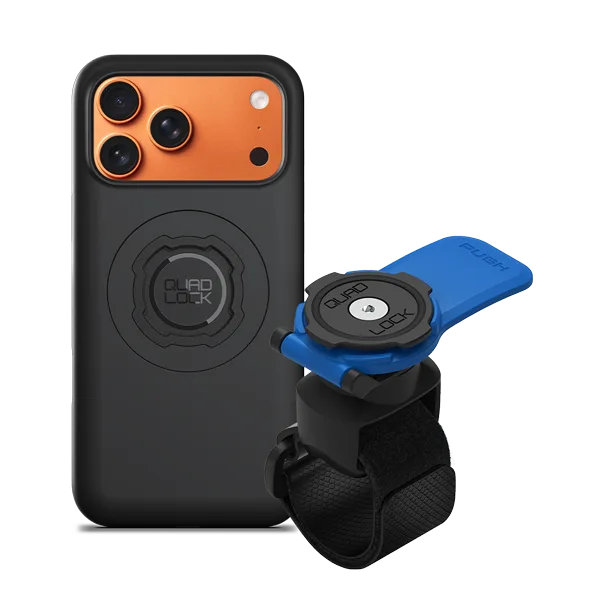
Stroller Kits - iPhone