Quick answer
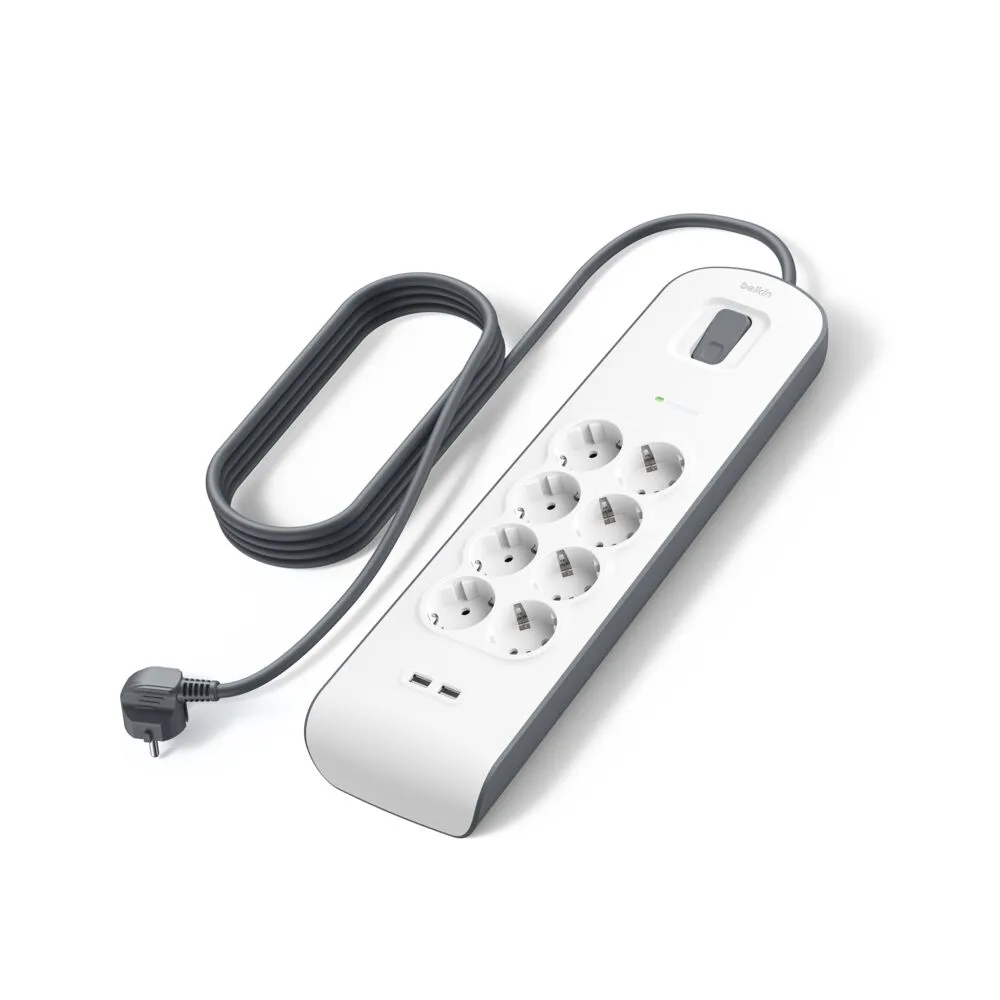
Place a surge protector power strip on a dry, ventilated, hard surface near a wall outlet, plug it directly into the wall, and keep its cord out of walkways. Before adding devices, check the strip's total wattage rating and avoid daisy-chaining. Use the right-angle plug on the Belkin 6-Outlet Power Strip to fit behind furniture, and reserve high-draw appliances for wall outlets.
Choose a location that stays dry and ventilated
Surge protectors need airflow to dissipate heat, so avoid placing them inside closed cabinets, under rugs, or behind curtains. Keep them at least a few inches from walls and furniture. A hard, dry surface such as a desk, shelf, or floor near a wall outlet works best. Never place a power strip in a bathroom, kitchen sink area, or anywhere it could contact water.
Route the cord without creating a trip hazard
Run the cord along a wall or behind furniture rather than across open floor. Use cord clips or cable ties to secure it, but leave some slack at the plug. The 5-foot cord on the Belkin 6-Outlet Power Strip gives flexibility for placement, but longer runs increase the chance of damage. Check the cord periodically for cuts or fraying, and replace the strip if the cord is damaged.
Plug directly into a wall outlet and avoid daisy-chaining
A surge protector should plug straight into a wall receptacle, not into another power strip or extension cord. Daisy-chaining strips can overload the first strip and reduce surge protection. If the wall outlet is loose or warm, stop using it and consult an electrician. The right-angle plug on the Belkin 6-Outlet Power Strip helps the strip sit flush in tight spaces behind furniture.
Check the load before you plug everything in
Add up the wattage of the devices you plan to connect and compare it with the strip's rating. Most home electronics draw modest power, but heaters, hair dryers, and space heaters can exceed a strip's capacity. If you need USB charging, a surge protector with USB-C and USB-A ports can reduce the number of wall adapters. Spread high-draw devices across different wall outlets instead of one strip.
Step-by-step safe placement
- Pick a dry, ventilated spot near a wall outlet: Set the strip on a hard surface with airflow, away from water and heat sources. Keep it off carpets and out of closed cabinets. Checkpoint: the strip should feel cool and have clear space around it.
- Plug the strip directly into the wall: Use a wall receptacle, not another strip or extension cord. Ensure the plug fits snugly and the outlet is not loose. Mistake to avoid: daisy-chaining strips, which can overload the circuit.
- Route the cord safely: Run the cord along a wall or behind furniture, secure it with clips, and avoid pinching it under furniture legs. Checkpoint: the cord should not cross walkways or feel warm.
- Add devices gradually and check the load: Plug in one device at a time and compare total wattage with the strip's rating. Keep high-draw appliances on separate wall outlets. Mistake to avoid: plugging a space heater into a power strip.
- Test and maintain regularly: After setup, check that the strip's surge protection indicator (if present) is lit. Periodically inspect for damage and replace if needed. Next step: label high-draw plugs and review your setup every few months.
Product facts to guide your setup
- 6-Outlet Power Strip: 6 outlets to power multiple devices at once; 5-foot cord for flexible placement; right-angle plug helps fit in tight spaces. The right-angle plug and 5-foot cord make it easier to place the strip behind furniture or in tight spots without stressing the cord.
- Surge Protector with USB-C and USB-A Ports (4 Outlet with 1 USB-C & 1 USB-A): 4 AC outlets, 1 USB-C port, and 1 USB-A port; delivers up to 18W of power. The built-in USB ports can charge phones and tablets without extra adapters, reducing clutter and outlet strain.