What the Switch 10 Core can power
What devices can the Switch 10 Core charge?
The Switch 10 Core is built for small USB-powered gear. The record lists a smartphone boost of 60–100%, 1–2 POV camera recharges, 1–2 headlamp recharges, and a 25% tablet boost. It also powers Goal Zero's USB-powered Fan and Flashlight tools, which are included in the kit.
Can it charge a laptop?
No. The USB output is 5V at up to 1.5A (7.5W max), which is phone-and-accessory territory, not laptop territory. For laptops you need a larger power station or a dedicated laptop charging kit.
How many times can it recharge a phone?
The record gives a 60–100% boost for a smartphone. That is roughly one partial-to-full top-up, not multiple full charges. Treat it as a safety net for a day hike or an evening out, not a weekend power supply.
Switch 10 Core specs that shape daily use
-
Switch 10 Core Solar Kit: 2,600mAh battery with 1.5A USB output Sets the ceiling on what you can charge and how fast; small devices only.
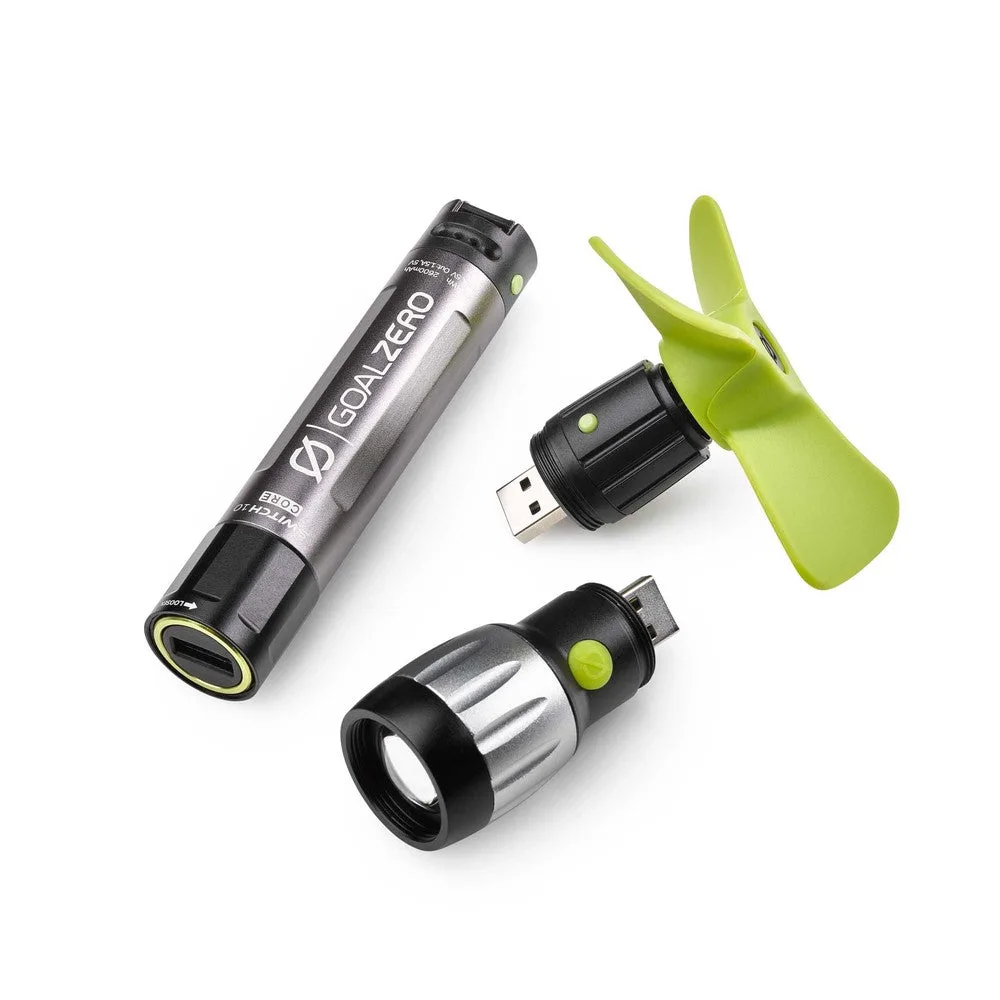
Switch 10 Core Solar Kit
-
Switch 10 Core Solar Kit: Weight: 4 oz (113 g); Dimensions: 4.5 x 1 x 1 in (11.4 x 2.5 x 2.5 cm) Pocket-sized and light enough to carry without noticing, so it fits a pack or jacket pocket.
-
Switch 10 Core Solar Kit: Cell Capacity: 11.1Wh (3.7V, 3000mAh) The capacity figure that determines runtime; compare it to your phone battery to estimate a boost.
-
Switch 10 Core Solar Kit: Operating usage temp.: 32-140 F (0-40 C) Charging outside this range is not supported by the record, so avoid leaving it in a hot car or freezing tent.
How to set up the Switch 10 Core Solar Kit
The kit arrives with the Switch 10 Core, the Nomad 7 Plus solar panel, a removable kickstand/zippered pouch, a micro USB charging cable, a fan tool, and a flashlight tool. Setup is mostly about choosing your charging source and giving the panel a clear view of the sun.
- Charge the Switch 10 Core before you leave: From a USB source, the record says about 3 hours to full. Do this at home so the battery is ready when you arrive.
- Attach the Nomad 7 Plus panel: Connect the panel to the Switch 10 Core's USB input. The panel's junction box and solar intensity indicator show current sun conditions so you can judge whether charging is worthwhile.
- Aim the panel and use the kickstand: The detachable kickstand props the panel at an angle and provides a vented pocket for temperature regulation. Adjust it as the sun moves.
- Watch the four LED indicators: These LEDs show current solar conditions and give you an idea of how well your gear will charge. If they are dim, reposition the panel or wait for better light.
- Connect your device: Plug your phone, camera, or headlamp into the USB output. The built-in charging tip means no extra cable to lose, and the auto-restart feature reconnects your device if a cloud interrupts charging.
Charging times and solar realities
How long does the solar panel take to charge the Switch 10 Core?
The record gives two figures: about 4 hours from the Nomad 7 Plus panel, and 2.5–5 hours for the Nomad 7 Plus depending on conditions. Sun angle, clouds, and shade all affect this, so treat it as a range, not a promise.
Can I charge it from a wall outlet?
Yes. The kit includes a micro USB charging cable, and the record says a USB source takes about 3 hours. That is faster and more predictable than solar.
What happens if a cloud passes over while charging?
The Nomad 7 Plus has an auto-restart feature that distinguishes a fully charged device from one that disconnected because of environmental causes like lack of sunlight or shadow. When the sun returns, it automatically reconnects the charging device.
Does the solar panel work in rain or snow?
The record describes weatherproof layering that sloughs rain and snow, but it does not provide a formal weatherproof rating. Treat that as general durability, not a guarantee for submersion or heavy storms.
Everyday care and compatibility
How should I store the battery between trips?
Keep it plugged in, or charge every 3–6 months. That is the shelf-life guidance in the record; ignoring it risks a dead battery when you need it.
Is the Switch 10 Core chainable with other power banks?
No. The record explicitly lists chainable: no. Plan to charge it on its own, not daisy-chained to another battery.
What tools are included, and do they need separate power?
The kit includes a fan tool and a flashlight tool. Both are designed to run from the Switch 10 Core, so you do not need separate batteries for them.
What does the warranty cover?
The record lists a 12-month warranty. It does not detail what is excluded, so check the warranty terms with the seller before relying on it for a long trip.
Who this small solar kit suits
The Switch 10 Core Solar Kit makes sense if you want a pocketable backup for a phone, camera, or headlamp on day hikes, camping trips, or emergency kits. It is light, simple, and solar-ready out of the box. It is not the right pick if you need to run a laptop, a CPAP, or a campsite of devices; for that, look at a larger portable power station. Think of it as a phone charger, flashlight, and fan that happens to fit in your hand.