Quick answer
To install the Tele Vue Questar Adapter (AQE-0005), screw it directly into your Questar 3.5's rear port, then attach any 1.25" Tele Vue eyepiece. This unlocks a wider magnification range and better contrast without modifying the telescope.
Why use the Tele Vue Questar Adapter?
The Questar 3.5 is a classic telescope with a unique eyepiece system that limits your eyepiece options. The Tele Vue Questar Adapter changes that by letting you use any 1.25" Tele Vue eyepiece—Plossls, Naglers, Delos, Panoptics, Ethos, and DeLites. You get quick-change capability and a larger magnification range, all while preserving the Questar's optical quality.
What you'll need
You'll need the Tele Vue Questar Adapter (AQE-0005) and one or more 1.25" Tele Vue eyepieces. No tools are required—the adapter screws directly onto the Questar's rear port. Make sure your Questar is stable on its mount before starting.
Installation steps
- Remove the existing Questar eyepiece or dust cap: Unscrew the stock eyepiece or dust cap from the rear port of your Questar 3.5. Set it aside in a safe place. Common mistake: Forgetting to remove the internal thread protector—check that the port is fully open before proceeding.
- Screw the Tele Vue Questar Adapter onto the rear port: Align the adapter's threads with the Questar's rear port and hand-tighten until snug. Do not overtighten—finger-tight is sufficient. Common mistake: Cross-threading the adapter, which can damage the threads. Start slowly and ensure it goes on straight. Check that the adapter is seated flush against the port without gaps.
- Attach your Tele Vue eyepiece: Insert any 1.25" Tele Vue eyepiece (e.g., a 9mm Nagler or 13mm Delos) into the adapter's barrel and tighten the thumbscrew. Common mistake: Not fully seating the eyepiece, which can cause it to slip. Push it in until the barrel stops, then secure the screw. Test the eyepiece by gently tugging on it—if it moves, tighten the thumbscrew a bit more.
- Focus and enjoy: Use the Questar's focus knob to bring your target into sharp view. Start with a low-power eyepiece for easier focusing. Common mistake: Forcing the focus knob if the image doesn't appear—make sure the adapter and eyepiece are fully threaded and seated. If the image is blurry, recheck the adapter's tightness and try a different eyepiece to rule out a compatibility issue.
Product facts
-
Tele Vue Questar Adapter - 1.25" - AQE-0005: The adapter connects any Tele Vue 1.25" barrel eyepiece to a Questar 3.5 telescope. This means you can use premium eyepieces like Naglers or Delos for sharper, wider views instead of the stock Questar eyepiece.
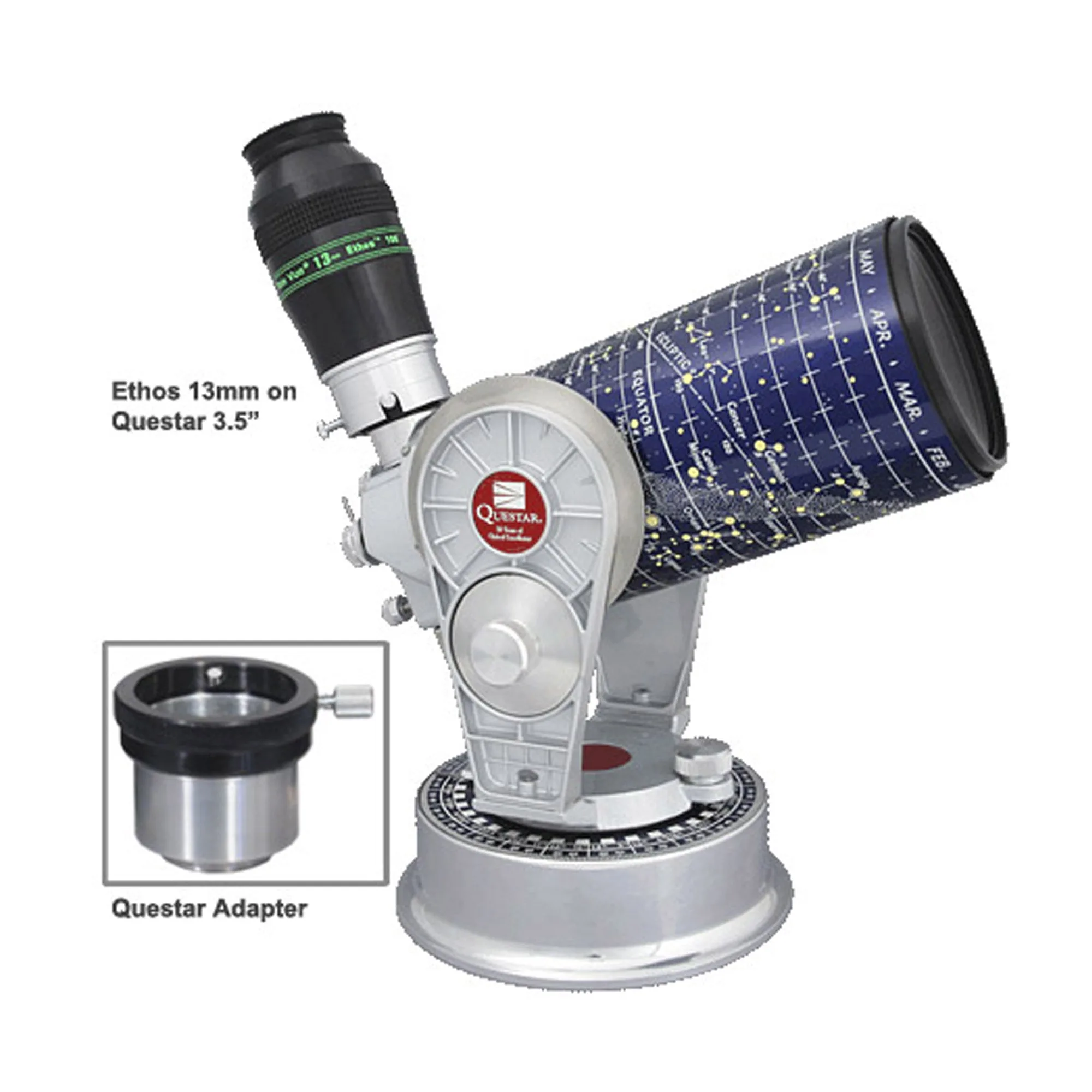
Tele Vue Questar Adapter - 1.25" - AQE-0005