Getting started with the Telephoto 6x on iPhone 13 Pro Max
Do I need a special app to use the Telephoto 6x Lens?
Yes. The lens requires the free SANDMARC Camera App. The native iPhone camera app will not engage the lens optics correctly, so install the app before your first shoot.
Is the Telephoto 6x Lens compatible with the iPhone 13 Pro Max's built-in telephoto camera?
No. The lens is not compatible with the Telephoto camera. Use it with the main sensor instead; that combination gives you up to 12x zoom.
What is included with the lens?
You get the Telephoto 6x Lens, the world's thinnest lens case mount, and a getting started guide. The mount is designed to work with SANDMARC iPhone Cases and Gear.
How the 6x magnification and focus wheel work together
The Telephoto 6x Lens provides 6x optical magnification on its own, and when paired with the iPhone 13 Pro Max's main sensor you can reach up to 12x zoom. That reach is ideal for distant subjects like wildlife or architectural details, but it also magnifies handshake. The adjustable focus wheel gives you manual precision focus control, so you can fine-tune sharpness rather than relying on autofocus alone.
Because the lens is manual focus, you'll need to turn the wheel slowly while watching the screen. For the highest level of sharpness, SANDMARC recommends using a tripod. This is especially important at longer distances or in low light, where even slight movement blurs the image.
Key specs that affect long-range shooting
-
Telephoto 6x Lens Edition - iPhone 13 Pro Max: 6x optical magnification; up to 12x on the main sensor. This tells you the baseline reach and the maximum zoom you can expect when using the correct camera.
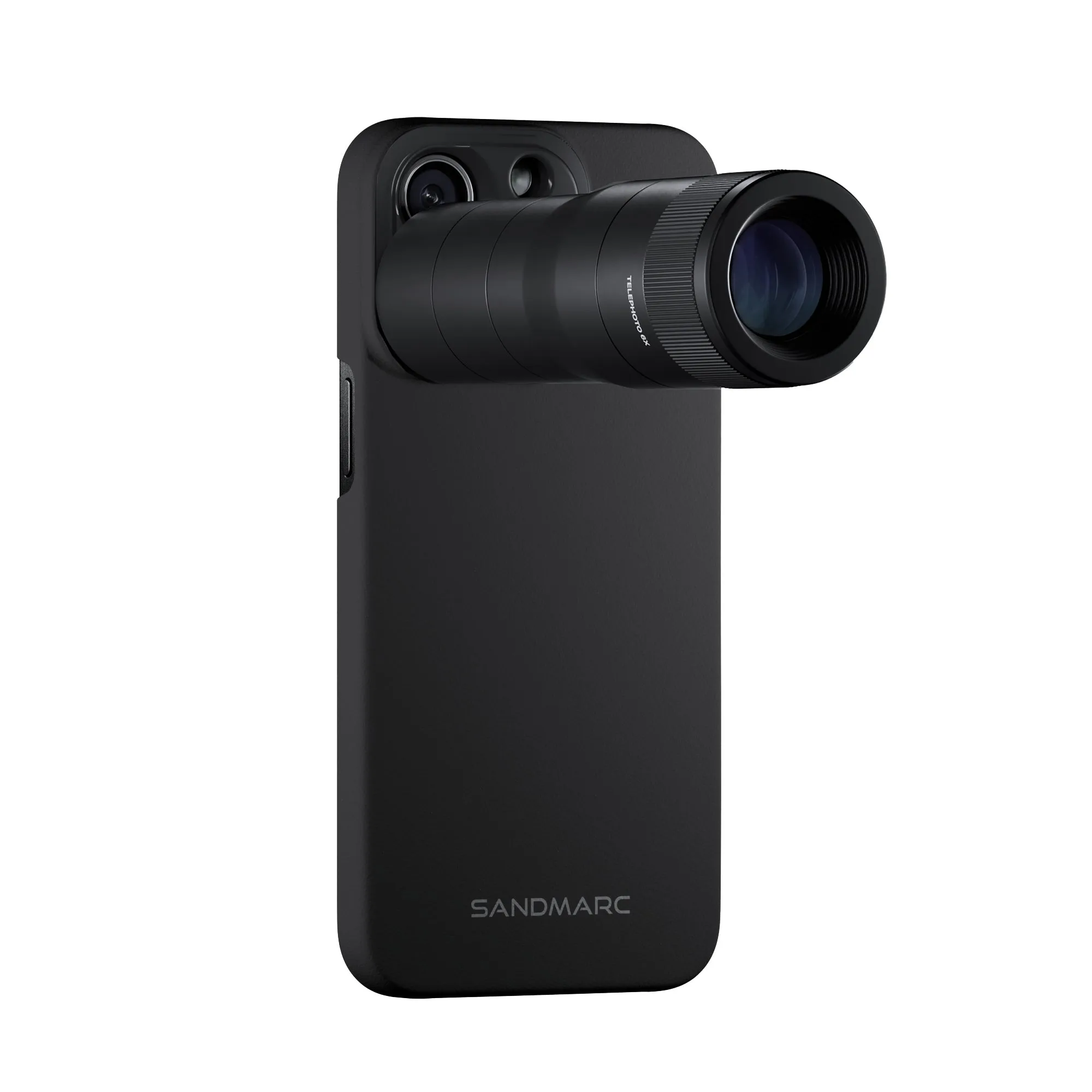
Telephoto 6x Lens Edition - iPhone 13 Pro Max
-
Telephoto 6x Lens Edition - iPhone 13 Pro Max: Adjustable focus wheel for manual precision focus control. Manual focus lets you lock onto distant subjects that autofocus might struggle to isolate.
-
Telephoto 6x Lens Edition - iPhone 13 Pro Max: Multi-coated glass for maximum light transmission. Better light transmission helps preserve detail and contrast when shooting distant scenes, especially in challenging light.
Stability and sharpness questions
How can I keep my iPhone 13 Pro Max steady for zoomed-in shots?
Use a tripod whenever possible—SANDMARC explicitly recommends one for the highest sharpness. If you're handholding, brace your elbows against your body, use both hands, and consider the built-in stabilization of the iPhone. The 6x magnification amplifies every movement, so stability is critical.
Why are my distant subjects blurry even when I focus carefully?
At 6x or 12x, atmospheric haze, heat shimmer, and camera shake can all reduce clarity. Make sure you're using the main sensor (not the Telephoto camera), the SANDMARC Camera App, and a tripod. Also clean the lens glass with a microfiber cloth before shooting—smudges scatter light and soften details.
Can I use the Telephoto 6x Lens for low-light close-ups?
Yes, the lens is described as suitable for low-light close-ups. However, in dim conditions, the longer focal length and manual focus make a tripod even more important. Keep the focus wheel adjusted slowly and consider using a stable surface.
Compatibility, mounting, and care
What cases work with the included lens mount?
The lens mount is compatible with SANDMARC iPhone Cases and Gear. If you use a different case, the mount may not attach securely, so check compatibility before relying on it for a shoot.
How should I clean and store the lens?
Use a microfiber cloth to wipe the glass. Avoid harsh chemicals. When not in use, keep the lens in a protective pouch or case to prevent scratches. The supplied information does not specify a particular cleaning solution, so stick to dry microfiber.
Does the lens work with the iPhone 13 Pro Max's built-in telephoto camera?
No, it is not compatible with the Telephoto camera. Always attach it over the main sensor for correct operation.