Quick answer
You do not need a Tesla screen protector for the car to function — the touchscreen is designed to work without one. But if you want an extra layer against scratches, glare, or fingerprints, a protector is a reasonable, low-risk add-on. It is optional protection, not a required upgrade.
Few Tesla topics get more debate than the screen protector. Some owners treat it as a must-have, while others call it an unnecessary film that dulls the display. The truth sits in the middle, and it depends on how you use your car.
This article sorts the common claims into what holds up and what does not, using only what we can verify from the products and facts in front of us. No invented drop tests, no made-up scratch data.
The myth: 'Your Tesla screen will scratch if you don't protect it'
This is the most common claim, and it is overstated. Tesla touchscreens are built to handle everyday finger swipes, taps, and cleaning. Normal use does not guarantee scratches, and many owners go years without a protector and without visible damage.
That said, a protector does add a sacrificial layer. If you frequently toss keys, rings, or charging cables near the display, or you park where debris can land on the screen, a film can absorb that contact instead of the glass. It is cheap insurance, not a requirement.
- Judge your own habits: keys and rings near the screen raise the case for a protector.
- A protector is replaceable; the factory screen is not something you want to scratch.
The myth: 'A screen protector ruins touch response and clarity'
A poorly fitted or thick protector can dull touch feedback and add glare. A well-made one, installed cleanly, usually preserves both. The difference is in the film and the install, not the concept itself.
If you have never installed a screen protector, expect a learning curve. Dust under the film and misaligned edges are the two most common complaints, and both are avoidable with a clean workspace and a steady hand.
- Install in a low-dust room and use the included alignment tools if provided.
- If you see bubbles after install, most films allow you to lift and re-lay them once.
The myth: 'Every Tesla owner needs one'
This is where the myth breaks down. Screen protectors are not universal requirements. If you are careful with the cabin, rarely carry loose metal near the console, and prefer the factory glass feel, skipping a protector is perfectly reasonable.
The decision comes down to your tolerance for risk and your preferences around glare and fingerprints. There is no single right answer for every driver, and no product can promise a scratch-free screen forever.
- Choose protection if you want peace of mind or you share the car with less careful passengers.
- Skip it if you value the bare-glass feel and accept the small risk of cosmetic wear.
What a protector actually does well
A screen protector's real strengths are modest but genuine: it can reduce glare in bright sun, cut down fingerprint smudges, and provide a removable layer that takes wear instead of the display. Those are practical, everyday benefits.
It does not make the screen indestructible, and it will not fix a cracked display. Think of it as a wear item, like a phone case — useful, replaceable, and optional.
- Matte films tend to reduce glare and fingerprints more than clear films.
- Clear films usually preserve the original look and color better.
How to decide in under a minute
Ask three questions: Do you often have keys, rings, or tools near the screen? Does glare or smudging bother you? Do you mind the feel of a film? If you answered yes to the first two and no to the third, a protector is a sensible buy.
If you answered the opposite, save the money and keep the factory glass. Either choice is defensible, and neither makes you a better or worse Tesla owner.
- Yes to keys near the screen + yes to glare bothers you = protector worth considering.
- No to both + you like the bare screen = skip it with confidence.
Verdicts on the most common Tesla screen protector claims
- Claim: 'You need a protector or the screen will scratch': Normal use does not guarantee scratches, and many owners go years without one. A protector adds a sacrificial layer for high-contact habits, but it is not required. Verdict: Overstated. Buy for your habits, not out of fear.
- Claim: 'Protectors ruin touch and clarity': A poorly fitted or thick film can dull touch and add glare. A cleanly installed, well-made film usually preserves both. Verdict: Depends on the film and the install, not the concept.
- Claim: 'Every Tesla owner needs one': Careful owners who prefer the factory glass feel can skip a protector without harm. It is optional protection, not a required upgrade. Verdict: False. It is a preference and risk-tolerance call.
- Claim: 'A protector makes the screen indestructible': A film can take wear and reduce glare or fingerprints, but it will not stop a cracked display or fix existing damage. Verdict: False. Treat it as a wear item, not armor.
Products that support the practical side of this decision
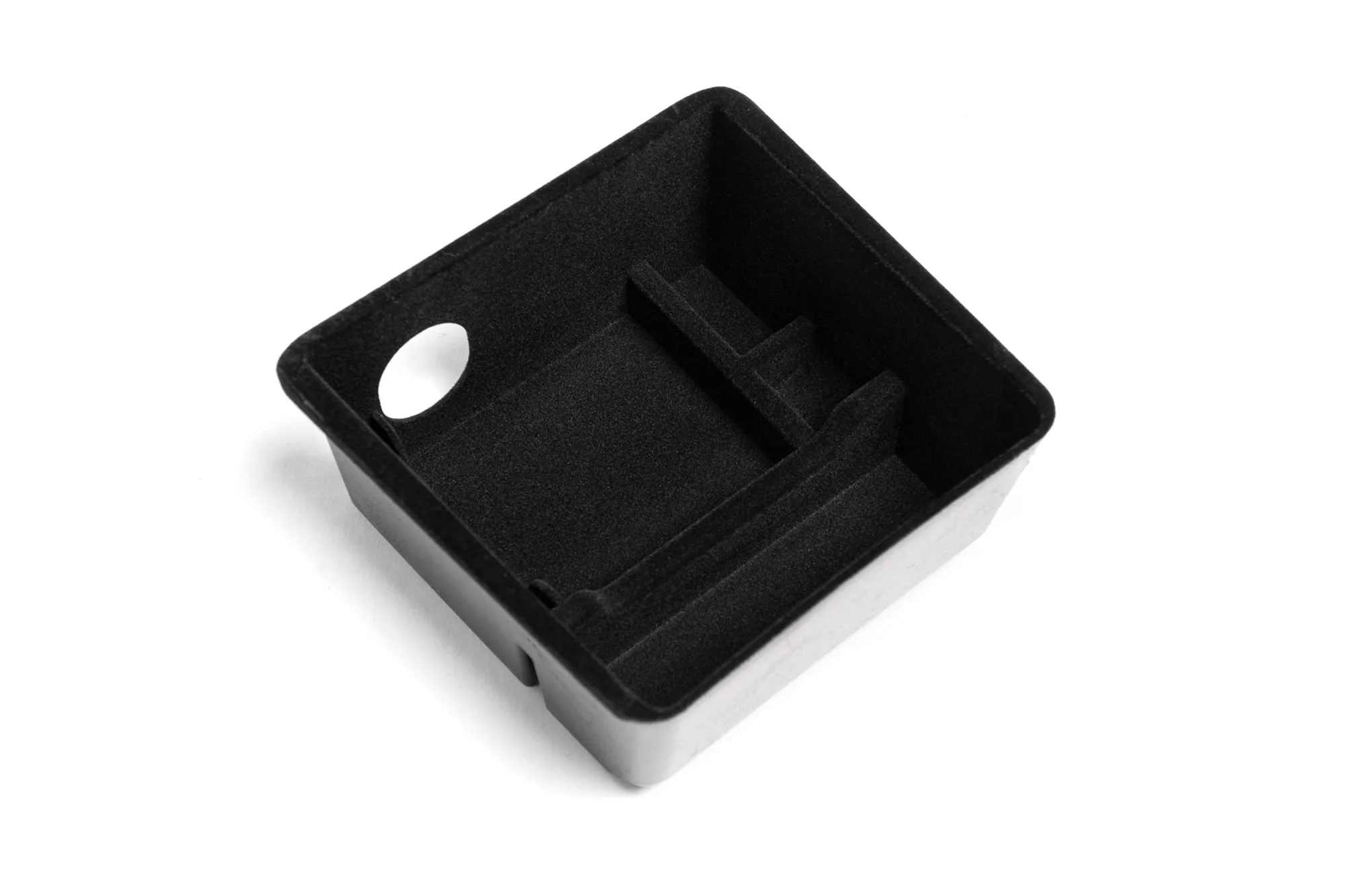
- Armrest Storage Organizer for Tesla Model 3 and Model Y: Compartmentalized so small items can be accessed easily, with a cutout for the 12V port, and installs or removes in seconds. Keeping loose items organized in the console reduces the chance of keys or metal objects sliding around near the screen — one of the few real-world reasons a protector becomes useful.
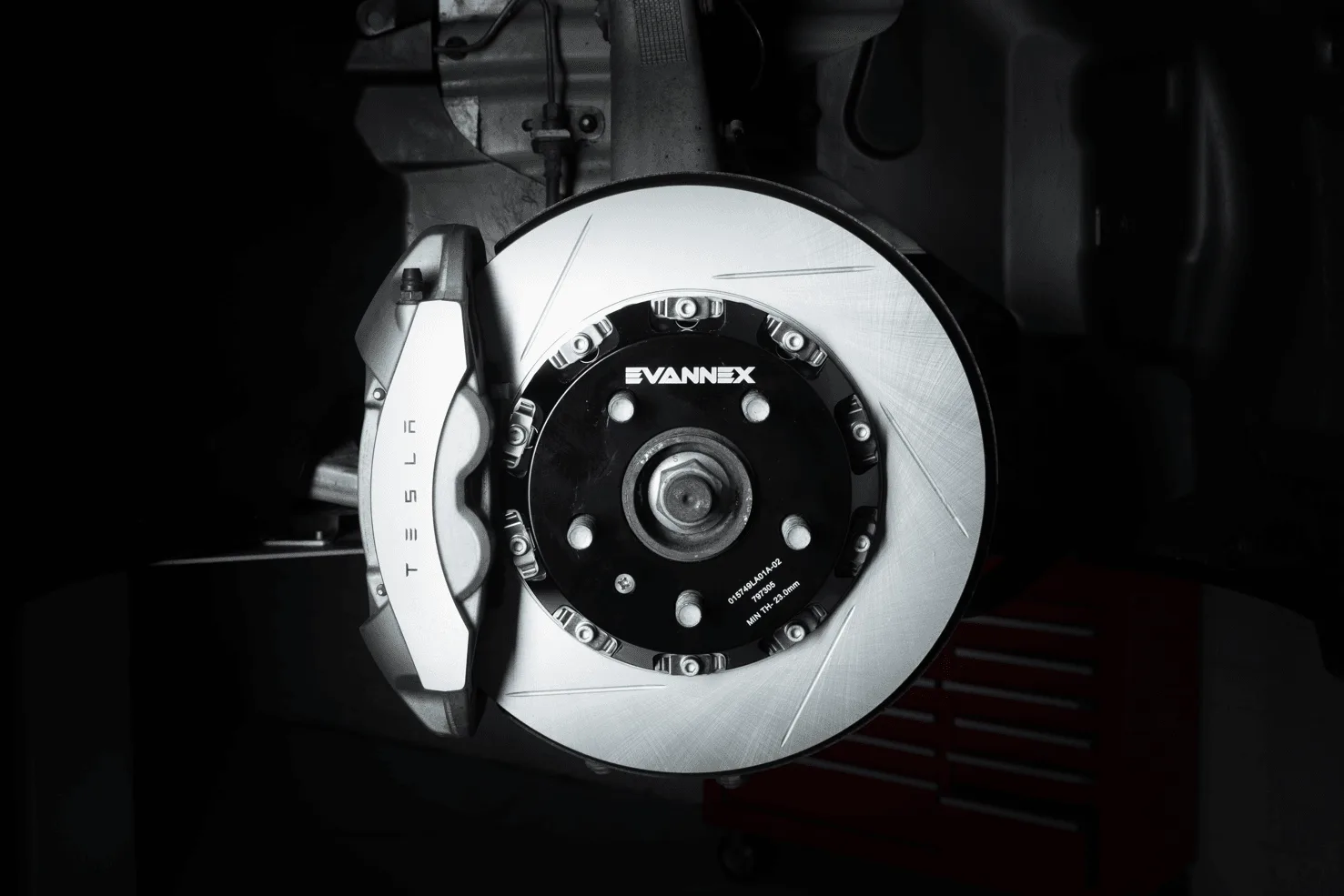
- EVANNEX 2 Piece Front and Rear Rotor Set for Tesla Model 3: Engineered 2-piece full-floating rotors that reduce weight, heat, and warping; fits Model 3 June 2017–Dec 2023 and 2024+, but not Performance Model 3. A reminder that the most impactful Tesla upgrades are usually mechanical, not cosmetic. If your budget is limited, prioritize parts that change how the car drives over a screen film.
A Tesla screen protector is optional, not essential. Buy one if you want a replaceable layer against scratches, glare, or fingerprints, and skip it if you prefer the bare screen. Either way, spend your upgrade budget where it changes the driving experience first.