Quick answer
If your attachment hub feels loose or an accessory wobbles, first check that the thumb screw is present and fully hand-tightened. If it is missing, stripped, or will not stay tight, replace it with the genuine KitchenAid thumb screw designed for your tilt head model—such as the KSM6573-specific screw—rather than forcing a mismatched part.
Why the thumb screw matters more than it looks
The thumb screw is the small but critical fastener that secures the attachment hub cover and helps hold accessories in place. A loose or missing screw can let the hub cover rattle, allow attachments to shift during mixing, or make it harder to seat accessories properly. Because it is a genuine replacement part, it is designed to match the thread and fit of the specified model, reducing the risk of cross-threading or a loose hold.
Fit is model-specific: don't assume one size fits all
KitchenAid tilt head stand mixers come in several models, and the thumb screw for the KSM6573 is not guaranteed to fit other tilt head models. The catalog lists this screw specifically for the KSM6573, and no universal sizing information is provided. If your mixer is a different model, check your manual or the model number before ordering. Using the wrong screw can damage the hub threads or fail to secure the attachment.
Diagnose your thumb screw problem
- Symptom: The attachment hub cover is loose or rattles during use.: Check that the thumb screw is present and finger-tight. If it is missing, order a replacement. If it is present but will not tighten, inspect the threads on both the screw and the hub for damage. A missing screw is a simple fix; damaged threads may require service.
- Symptom: An attachment wobbles or does not stay seated.: Remove the attachment, then hand-tighten the thumb screw until snug. Do not overtighten. If the wobble persists, the screw may be worn or the wrong size for your model. If tightening does not solve it, verify the screw is the correct part for your mixer model.
- Symptom: The thumb screw will not stay tight or backs out during mixing.: Inspect the screw for stripped threads or a damaged head. If worn, replace it with the genuine KitchenAid thumb screw for your model. If the hub threads are damaged, stop and contact KitchenAid service—do not force a new screw. Replace worn screws promptly to avoid further damage.
- When to stop and choose another option: If you have confirmed the correct model-specific screw (e.g., KSM6573 for that model) and it still will not secure the hub, the issue is likely beyond the screw—such as damaged hub threads. In that case, do not keep tightening; seek professional repair or contact KitchenAid support. Persistent problems after correct replacement point to a deeper repair need.
Product facts
-
Thumb Screw for Tilt Head Stand Mixer (Fits model KSM6573): Genuine KitchenAid thumb screw designed specifically for the Tilt Head Stand Mixer model KSM6573. This model-specific design helps ensure a secure fit and reliable performance, avoiding the guesswork of a universal screw.
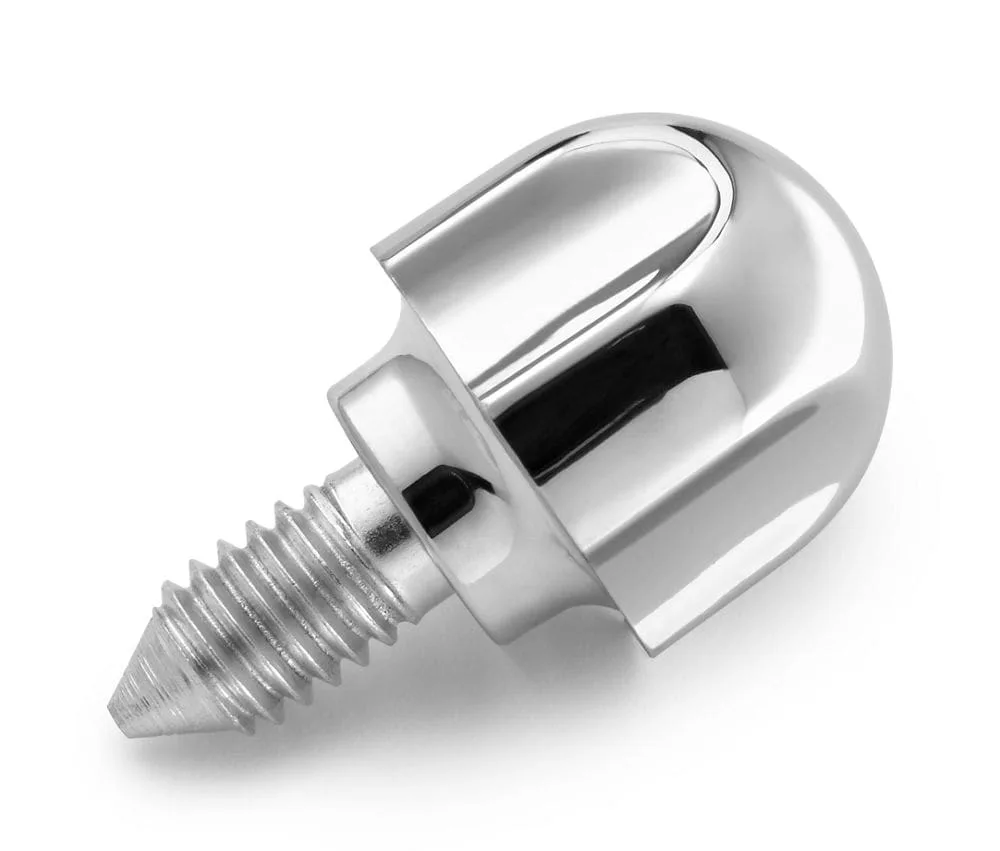
Thumb Screw for Tilt Head Stand Mixer (Fits model KSM6573)