The core difference: bandwidth and what it enables
Thunderbolt 5 and Thunderbolt 4 docks look similar, but the newer standard roughly doubles the available bandwidth. That extra headroom matters when you connect multiple high-resolution displays, fast storage, and other peripherals at the same time. For everyday tasks like web browsing and office work, both docks perform identically. The gap appears when you push data-heavy workloads or run a multi-monitor setup.
Thunderbolt 4 already handles dual 4K displays, fast file transfers, and a wide range of peripherals. Thunderbolt 5 builds on that with higher total throughput, which can support more demanding display configurations and faster external drives. The practical benefit depends on what you connect and whether your computer supports Thunderbolt 5.
When a Thunderbolt 4 dock is still the smarter choice
If your laptop has Thunderbolt 4 or USB-C (without Thunderbolt 5), a Thunderbolt 5 dock will work but won’t deliver its full bandwidth advantage. In that case, a Thunderbolt 4 dock often costs less and meets the same everyday needs. Also consider that Thunderbolt 5 docks may carry a premium for capabilities you can’t use yet. For most home offices and hybrid workers, Thunderbolt 4 remains a practical, future-proof-enough option.
Thunderbolt 5 dock benefits you can actually use today
The most tangible benefits of Thunderbolt 5 are faster external SSD speeds, support for higher-resolution displays at higher refresh rates, and the ability to daisy-chain more devices without bottlenecking. If you edit video, work with large data sets, or use a multi-display setup with high refresh rates, the extra bandwidth can translate into smoother workflows. For typical office apps and streaming, the difference is negligible.
Belkin Thunderbolt 5 Dock: what the catalog confirms
-
Thunderbolt 5 Dock: High-speed Thunderbolt 5 connectivity for fast data transfer and video output. This is the headline benefit: faster transfers and video output compared to older standards, which matters for creative professionals and power users.
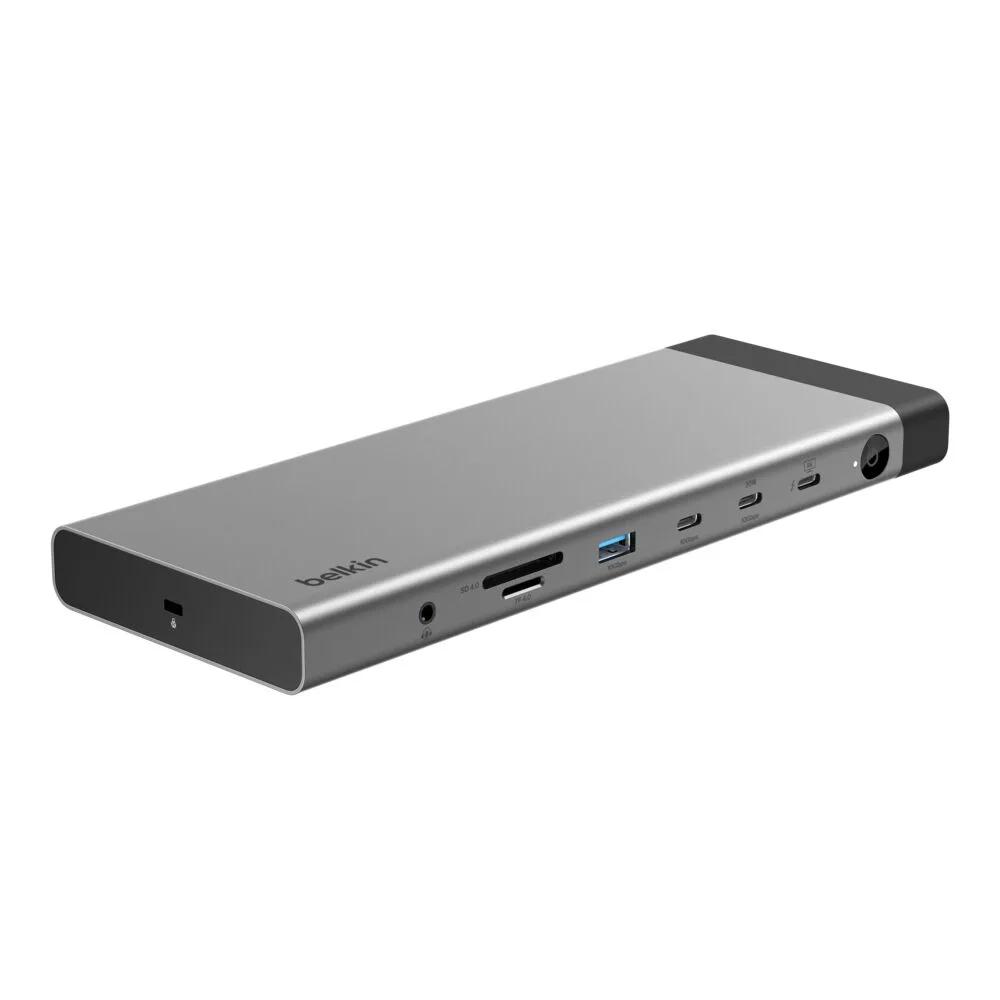
Thunderbolt 5 Dock
-
Thunderbolt 5 Dock: Multiple ports to connect your peripherals, displays, and accessories with ease. Port variety is essential for a dock, and this confirms you can attach a range of devices without needing extra adapters.
-
Thunderbolt 5 Dock: Plug-and-play setup for quick and hassle-free installation. No drivers or complex configuration means you can get working quickly, which is a key convenience for any dock.
-
Thunderbolt 5 Dock: Compact and sleek design that complements your workspace. A dock that fits neatly on your desk without adding clutter is a practical consideration for home offices.
What the Belkin Thunderbolt 5 Dock doesn’t tell you (and why it matters)
The supplied product information doesn’t list specific port types, maximum display resolutions, or power delivery wattage. That means you can’t confirm from this record alone whether it supports dual 8K monitors, how many USB-C ports it has, or whether it charges a high-power laptop at full speed. If those details are critical for your setup, check the full specifications on the product page or with Belkin support before buying. This isn’t a flaw—just a limitation of the summary data.
Thunderbolt 5 vs Thunderbolt 4 dock: side-by-side decision factors
- Bandwidth: Thunderbolt 5 offers higher total bandwidth than Thunderbolt 4, which can benefit multi-display and high-speed storage setups. Thunderbolt 4 is sufficient for most single-display and general office work.
- Device compatibility: Thunderbolt 5 docks are backward compatible with Thunderbolt 4 and USB-C computers, but you won’t get Thunderbolt 5 speeds unless your computer supports it. Thunderbolt 4 docks work with Thunderbolt 3, 4, and USB-C devices.
- Future-proofing: A Thunderbolt 5 dock may last longer if you plan to upgrade to a Thunderbolt 5 laptop later. A Thunderbolt 4 dock is often more affordable if you don’t need the extra bandwidth now.
- Price: Thunderbolt 5 docks typically cost more. The Belkin Thunderbolt 5 Dock is listed at $227.49 (compared to a catalog price of $349.99), which is a considerable investment. Thunderbolt 4 docks generally cost less, but prices vary.
Which Thunderbolt dock should you buy?
Choose a Thunderbolt 5 dock if you have a Thunderbolt 5 computer, work with high-resolution displays or fast external storage, and want maximum headroom for future devices. The Belkin Thunderbolt 5 Dock is a solid option in that category, with plug-and-play setup and a compact design. Choose a Thunderbolt 4 dock if your computer is Thunderbolt 4 or older, your workload is typical office or home use, and you prefer to save money. Either way, verify the port configuration and display support against your specific needs before purchasing, since the summary information here doesn’t cover every detail.