Quick answer
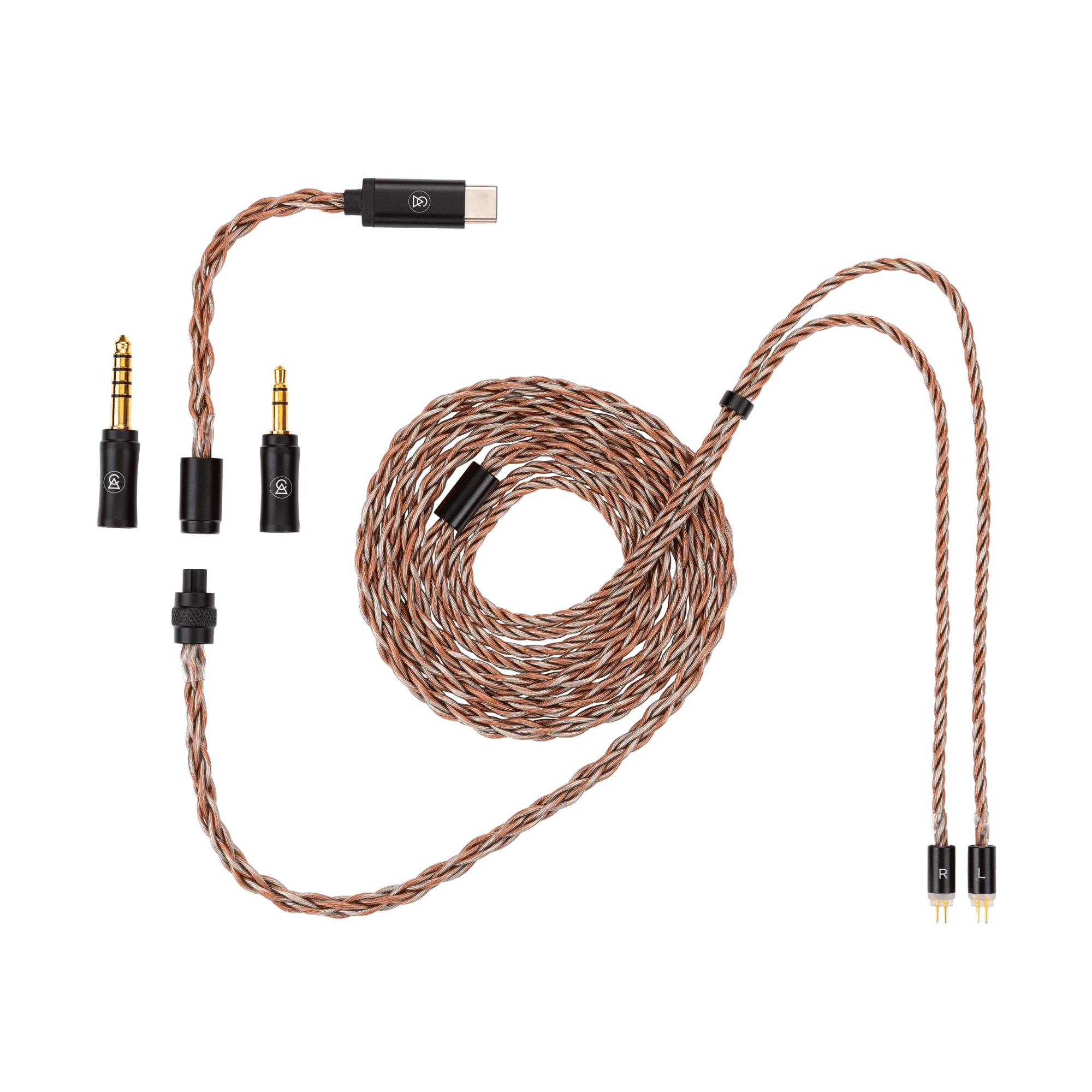
To set up your Time Link cable, attach your IEMs to the earphone connection, then click the desired termination module (3.5mm, 4.4mm, or USB-C DAC) into the modular connector until it locks.
Why a modular cable matters
The Time Link cable uses a swappable termination system, so you can switch between single-ended, balanced, and USB-C DAC outputs without buying separate cables. This is especially useful if you move between a phone, a portable DAC, and a desktop amp.
What the Time Link cable includes
The cable comes with six conductors — three high-purity copper and three silver-plated copper — and three termination modules: 3.5mm single-ended, 4.4mm balanced, and a USB-C DAC module powered by a Cirrus Logic chip. The earphone connection uses standard 0.78mm 2-pin connectors.
How to set up your Time Link cable
- 1. Identify the earphone connection side: Locate the splitter end of the cable. The two thinner wires ending in 0.78mm 2-pin connectors attach to your IEMs. The thicker wire ends in a modular connector for the termination modules. Common mistake: plugging the termination module into the earphone side. The modular connector only fits one way.
- 2. Attach the cable to your IEMs: Align the red or marked connector with the right earpiece (usually indicated by a red dot or R) and the unmarked connector with the left earpiece. Gently push the pins straight in until they seat fully. Checkpoint: If the fit feels loose or the IEM doesn't sit flush, the pins may be misaligned. Remove and reinsert carefully.
- 3. Choose and attach the termination module: Select the 3.5mm, 4.4mm, or USB-C DAC module. Line up the small alignment notch on the module with the notch on the cable's connector. Push firmly until you hear or feel a click. Common mistake: forcing the module in the wrong orientation. The notch ensures correct alignment — if it doesn't slide in easily, rotate the module 180 degrees.
- 4. Test the connection: Plug the termination module into your source device and play audio. Check that both channels work and there is no static or intermittent cutout. For the USB-C DAC module, ensure your source supports USB audio output. Checkpoint: If only one channel plays, reseat the 2-pin connectors on your IEMs. If the USB-C module isn't recognized, try a different cable or port.
Product facts
-
Time Link - IEM Cable System: Six conductors: 3x copper, 3x silver-plated copper with swappable terminations (3.5mm, 4.4mm, USB-C DAC). The hybrid conductor mix balances warmth and detail, while the swappable terminations let you adapt to nearly any source without buying extra cables.
Time Link - IEM Cable System