Timex TW14B wireless charging questions
Which devices can I charge on the Timex TW14B?
The supplied product information names iPhone, Samsung Galaxy and AirPods for the 15W wireless charging pad. It does not provide a full compatibility list, so check your own device's wireless charging support before relying on the pad.
Does the TW14B charge AirPods wirelessly?
Yes, AirPods are named among the devices the 15W pad is designed to power. The supplied information does not specify which AirPods models or case versions are supported, so confirm your case supports wireless charging.
Is the wireless charger fast enough for a bedside top-up?
The pad is rated at 15W, which is the only charging output stated in the supplied record. Actual charging speed depends on your phone or earbuds and their wireless charging capabilities; the record does not list device-specific speeds.
Can I charge a phone and AirPods at the same time?
The supplied information describes a single 15W wireless charging pad. It does not state that two devices can charge simultaneously, so plan to charge one device on the pad at a time unless you confirm otherwise.
Power, backup and setup questions
What cable does the TW14B use?
The clock operates on a USB-A to USB-C power cable, and the cable is included. You will need a compatible USB-A power source, such as a wall adapter, which is not listed as included in the supplied information.
Does the TW14B keep time during a power outage?
Yes. The battery backup system is designed to maintain clock and alarm settings during a temporary power failure. It requires 2 AAA batteries, which the supplied information does not list as included.
How do I set the alarm and adjust brightness?
The supplied instructions state that you set an alarm to wake to the buzzer and adjust display brightness with the high/low dimmer feature. The record does not provide step-by-step button sequences, so refer to the clock's own controls or manual for exact operation.
What should I check before buying the TW14B as a bedside charging station?
Confirm three things: your phone or earbuds support wireless charging, you have a USB-A power source for the included USB-A to USB-C cable, and you are willing to supply 2 AAA batteries if you want backup during outages. The space-saving design is intended to fit on a nightstand.
TW14B details that answer these questions
-
Timex Alarm Clock with Wireless Charger for iPhone, Samsung, and AirPods - Black (TW14B): 15W wireless charging pad for iPhone, Samsung Galaxy and AirPods. This is the core charging feature; it tells you which device families the pad is designed for and its stated wattage.
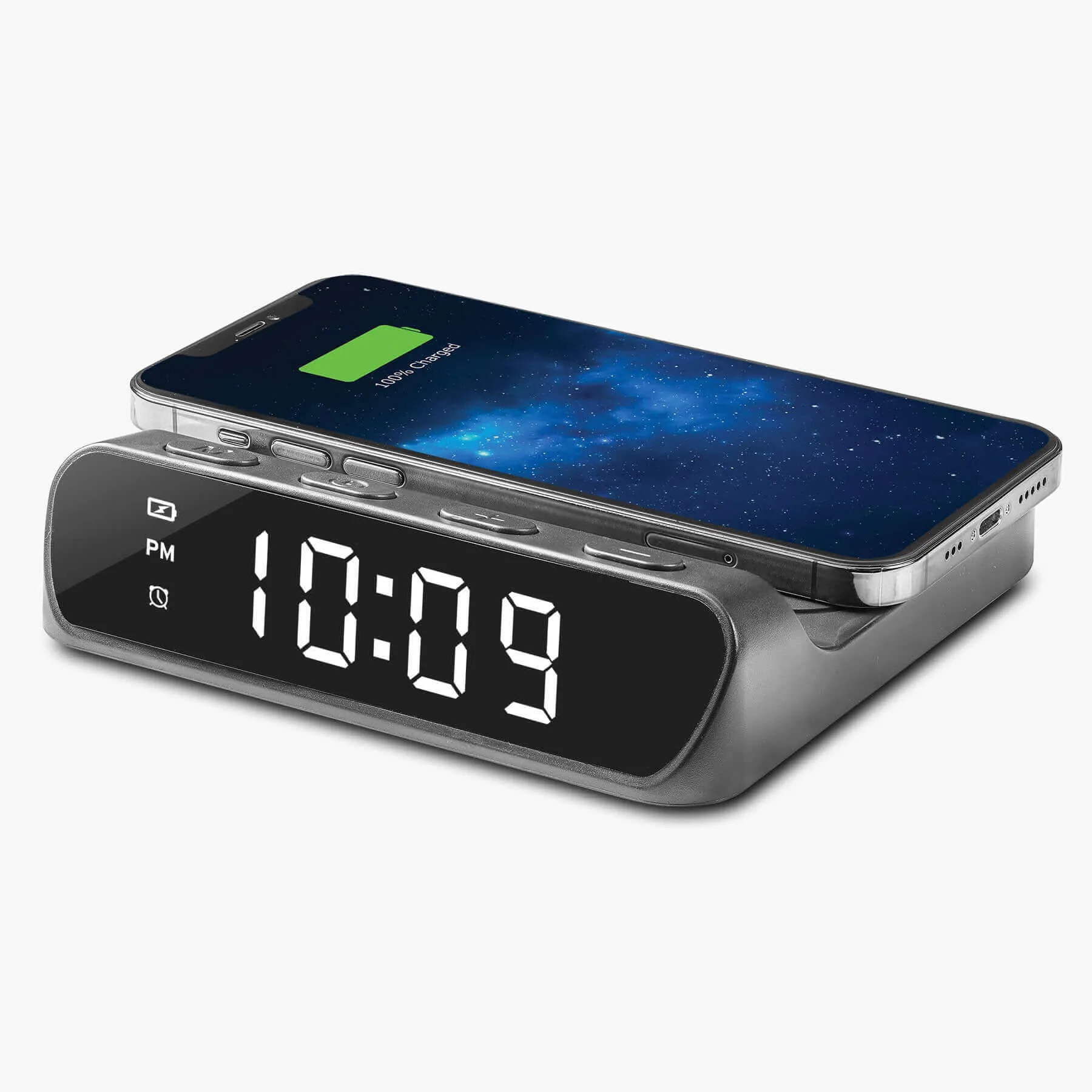
Timex Alarm Clock with Wireless Charger for iPhone, Samsung, and AirPods - Black (TW14B)
-
Timex Alarm Clock with Wireless Charger for iPhone, Samsung, and AirPods - Black (TW14B): Battery backup system requires 2 AAA batteries and maintains clock and alarm settings during temporary power failure. Explains why you may want AAA batteries on hand and what the backup does and does not promise.
-
Timex Alarm Clock with Wireless Charger for iPhone, Samsung, and AirPods - Black (TW14B): Operates on a USB-A to USB-C power cable (included). Clarifies the power connection so you can plan for a compatible USB-A adapter.
-
Timex Alarm Clock with Wireless Charger for iPhone, Samsung, and AirPods - Black (TW14B): Digital alarm clock with buzzer alarm and high/low display dimmer. Confirms the alarm sound and brightness control mentioned in setup questions.