What the ToughTested Bluetooth FM Transmitter Does
The ToughTested Bluetooth FM Transmitter lets you stream music and take calls through your car's FM radio. It also includes a built-in microphone for hands-free calling and dual USB charging ports to keep your devices powered on the road. This guide walks through the basic setup steps based on the supplied product information.
Setting Up the Transmitter
Follow these steps to connect the transmitter to your car's power and pair your phone. The exact steps assume your vehicle has a standard cigarette lighter socket.
- Plug into your car's power outlet: Insert the ToughTested Bluetooth FM Transmitter into a cigarette lighter socket. The dual USB ports become available immediately for charging devices.
- Tune your FM radio to an unused frequency: Set your car radio to a frequency that is not broadcasting a station in your area. Many users start with 88.1 or 107.9 FM, but any clear channel works.
- Pair your phone via Bluetooth: Enable Bluetooth on your phone and search for the ToughTested transmitter. Once paired, audio from your phone plays through the car speakers.
- Adjust bass and volume: Use the Enhanced Bass mode for fuller sound. Adjust the volume on both the transmitter and your car radio to avoid distortion.
Using the Built-In Microphone
The transmitter includes a built-in microphone for hands-free calling. After pairing, you can answer and make calls using the transmitter's mic and speaker. The call audio routes through your car's FM radio.
Charging Devices While Streaming
The dual USB charging ports let you charge two devices simultaneously, such as a phone and a tablet, while streaming audio. The transmitter handles both tasks at once, so you can keep your devices topped up during drives.
Key Product Details
-
ToughTested Bluetooth FM Transmitter with Bass Boost and Dual USB Charging: Bluetooth streaming for music and calls through your FM radio This is the core function – it turns any car with an FM radio into a Bluetooth-ready system.
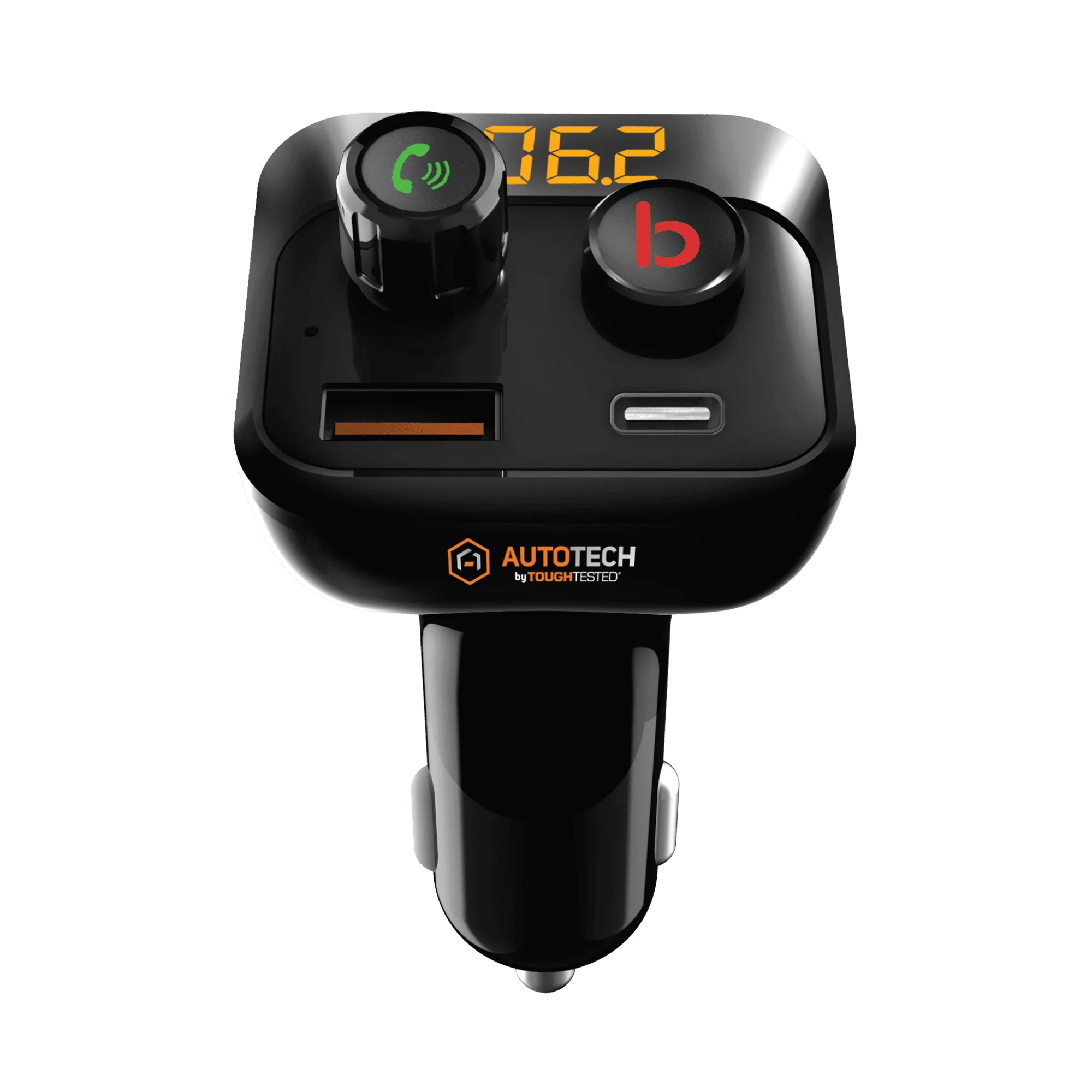
ToughTested Bluetooth FM Transmitter with Bass Boost and Dual USB Charging
-
ToughTested Bluetooth FM Transmitter with Bass Boost and Dual USB Charging: Enhanced Bass mode for fuller in-car audio If you prefer richer sound, this mode gives you more low-end without needing a separate subwoofer.
-
ToughTested Bluetooth FM Transmitter with Bass Boost and Dual USB Charging: Built-in microphone for hands-free calling Lets you take calls without holding your phone, which is safer while driving.
-
ToughTested Bluetooth FM Transmitter with Bass Boost and Dual USB Charging: Dual USB charging ports for device charging Keeps two devices powered during your trip, so you don't arrive with a dead phone.