Start with the two things Tracker relies on
If your Tracker build isn't moving, the most useful first step is to separate the build from the electronics. Tracker is designed around Bluetooth controller motors, and the build instructions are available online. That gives you two clear checkpoints: whether the motors are receiving and responding to a signal, and whether the model was assembled according to the current online instructions.
The supplied product information does not include a troubleshooting chart, error codes, or a step-by-step repair procedure. So rather than guess at a hidden cause, work through the checks below in order. Each one is based on what the catalog actually confirms about Tracker.
What the Tracker listing confirms
-
Tracker: Tracker uses Bluetooth controller motors. A Tracker that won't move may have a motor or controller connection issue rather than a build problem. Knowing the drive type tells you what to check first.
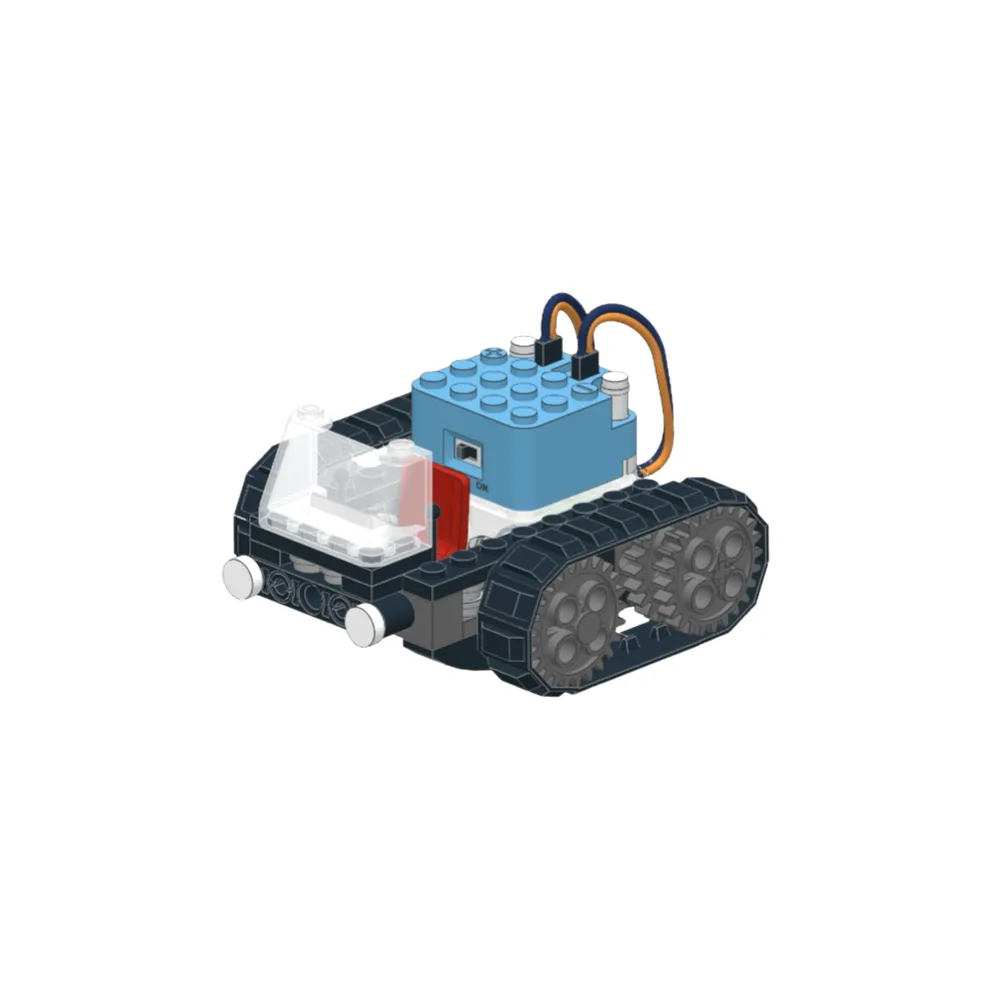
Tracker
-
Tracker: Build instructions are available online to reduce toy price and paper waste. If your build isn't moving, compare your model against the current online instructions. A missing or misplaced step is easier to spot with the official sequence in front of you.
-
Tracker: The listing invites you to email with questions. When the checks below don't resolve the issue, the listed support route is email—not a phone line or in-app chat.
A practical check order for a Tracker that won't move
These steps focus on what you can observe and compare. They do not replace the online build instructions or the manufacturer's support.
- 1. Rebuild against the online instructions: Open the current build instructions and compare your Tracker piece by piece. Pay attention to where the Bluetooth controller motors sit and how they connect. If a step was skipped or a part is in the wrong position, correct it and test again.
- 2. Confirm the controller is paired and powered: Tracker depends on Bluetooth controller motors. Check that the controller has power and is paired according to the instructions that came with your kit. If pairing is unclear, the online build instructions are the first place to look.
- 3. Test the motors outside the build: If the instructions allow it, observe whether the motors respond when triggered. A motor that doesn't respond outside the model points to the motor or controller rather than the chassis. Do not force parts or improvise wiring beyond what the instructions show.
- 4. Look for binding in the build: A motor can be working while the model still won't move. Check that wheels and moving parts turn freely by hand when the power is off. If something rubs or catches, revisit the relevant build step before assuming the motor is at fault.
- 5. Email support with specifics: If the build matches the instructions and the controller is paired but Tracker still won't move, use the email contact listed on the product page. Describe what you checked, what you observed, and include your order details so the support team can help efficiently.
What the catalog does not tell you
The supplied Tracker record does not list a battery type, charging procedure, pairing sequence, motor replacement steps, or a diagnostic flow. That is a limitation of the available information, not a sign that those details don't exist elsewhere. If you need them, check the online build instructions or email support rather than guessing.
The listing also does not state an age range or include safety warnings in the supplied evidence. Keep the build and any troubleshooting supervised where appropriate, and follow the instructions that came with your kit.
When the problem is the build, not the motor
A Tracker that hums but doesn't drive, or drives unpredictably, often points to the assembly rather than the electronics. Before you treat it as a motor fault, rebuild the drive section exactly as shown online and check that every moving joint is free. The Bluetooth controller motors are central to how Tracker moves, so their placement and connection are worth double-checking.
If a rebuild fixes the issue, note what changed. That note will save time if the same symptom returns after your next modification.
A realistic next step if checks don't solve it
If you have rebuilt Tracker against the current online instructions, confirmed the controller is paired, and the motors still don't respond, email the support contact on the product page with a clear description and your order number. Avoid opening motors or modifying wiring unless the instructions explicitly call for it—doing so can make diagnosis harder.