Quick Answer
For whole-room coverage, place the TurboPoly Fan 765S in a central spot with its MotionSync™ 3D Airflow, and use the Table Fan 714S to target stagnant corners or personal zones.
Why Placement Matters More Than Fan Power
Even the most powerful fan won't cool a room effectively if it's tucked behind furniture or pointed at a wall. Air circulation depends on creating a steady flow that reaches every corner, and that starts with where you put the fan.
The TurboPoly Fan 765S offers 150° horizontal and 100° vertical oscillation, so it can sweep a wide area. But if you place it in a cramped corner, that range is wasted. The Table Fan 714S, a compact 11-inch circulator, is better for directing air exactly where you need it—like a desk or a reading nook.
Combining the Two Fans for Different Room Sizes
In a large living room, the 765S can handle the main airflow, while the 714S can boost circulation in a far corner or behind a sofa. In a bedroom, the 714S can sit on a nightstand for personal cooling, and the 765S can run on a low speed to keep the whole room moving.
The 765S's 2-in-1 tabletop and pedestal design gives you flexibility—use it as a pedestal fan in open areas or as a tabletop fan on a shelf. The 714S is more portable, so it's easy to move between rooms as needed.
Trade-Offs to Keep in Mind
The 765S is larger and may take up more floor space, even in tabletop mode. The 714S is quieter but has a smaller airflow footprint, so it's not ideal for cooling an entire room on its own.
If you're using both fans together, consider noise levels. The 765S has 12 speeds and 6 modes, so you can dial it down for background circulation. The 714S is a good companion for close-up cooling without overwhelming noise.
Step-by-Step Placement Guide
- Map your room's airflow path: Identify the room's main seating or working areas and note any large obstacles like sofas or bookshelves. Plan a path that lets air move from the fan to the far wall and back. Check that the fan's oscillation range covers the entire path, not just one spot.
- Position the 765S for whole-room coverage: Place the TurboPoly Fan 765S in a central location, at least 1-2 feet away from walls and furniture. Use the 2-in-1 design: set it on a table for mid-height airflow, or use the pedestal for floor-level circulation. Enable MotionSync™ 3D Airflow to spread air in multiple directions. Avoid corners—they block oscillation and reduce coverage.
- Use the 714S for targeted spots: Place the Table Fan 714S on a desk, nightstand, or near a stagnant corner. Angle it toward the area that needs extra airflow, such as a reading chair or a stuffy hallway. Don't rely on the 714S to cool an entire room—it's best for focused spots.
- Adjust speeds and modes for comfort: Start with the 765S on a medium speed and the 714S on low. Use the 12 speeds and 6 modes on the 765S to fine-tune airflow, and adjust the 714S's speed based on how close you are to it. If the room feels drafty, lower the 765S speed rather than turning off the 714S.
- Test and reposition: After 15-20 minutes, check for hot spots or areas with little airflow. Move the 714S to a different corner or change the 765S's oscillation range to cover the missed zone. Small adjustments can make a big difference—don't be afraid to experiment.
Product Facts
-
TurboPoly™ Fan 765S & TurboPoly™ Table Fan 714S: TurboPoly™ Fan 765S offers MotionSync™ 3D Airflow with 150° horizontal and 100° vertical oscillation, plus a 2-in-1 tabletop & pedestal design and 12 speeds and 6 modes. This wide oscillation range lets you cover a large room from a single central position, and the adjustable height makes it easy to switch between floor and tabletop use.
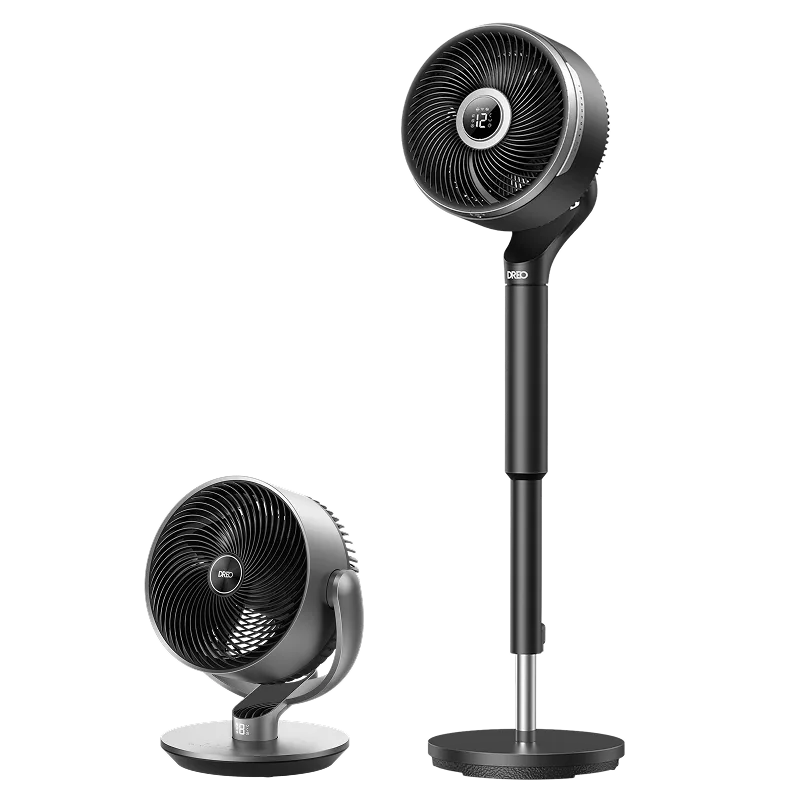
TurboPoly™ Fan 765S & TurboPoly™ Table Fan 714S
-
TurboPoly™ Fan 765S & TurboPoly™ Table Fan 714S: TurboPoly™ Table Fan 714S is a Dreo Falcon S 11" Smart air circulator with 110ft airflow reach. Its compact size and long reach make it ideal for targeting specific spots or boosting circulation in corners that the main fan might miss.