Quick answer
The UGREEN Nexode 65W GaN Wall Charger can charge a laptop, phone, and earbuds simultaneously by distributing its 65W total output across three ports. Prioritize your laptop on the highest-power port for efficient charging.
Understanding the three ports
The UGREEN Nexode 65W GaN Wall Charger has two USB-C ports and one USB-A port. The USB-C ports support Power Delivery (PD) for fast charging laptops and phones, while the USB-A port is ideal for lower-power devices like earbuds or older accessories.
When all three ports are in use, the charger dynamically allocates power. The USB-C ports typically share the bulk of the 65W, so plugging your laptop into either USB-C port ensures it gets priority power.
Trade-off: power distribution limits
With three devices connected, the total output is capped at 65W. This means a power-hungry laptop (e.g., 60W) will charge slower than when using a single port. For fastest laptop charging, use only one USB-C port and leave the others free.
The USB-A port delivers less power (up to 22.5W), so it's best for small devices like earbuds or smartwatches. Avoid plugging a second laptop or high-power tablet into the USB-A port—it won't charge effectively.
How to charge three devices at once
- Plug in the charger: Connect the UGREEN Nexode 65W GaN Wall Charger directly to a wall outlet. Ensure the outlet is not controlled by a switch that could cut power. If the charger feels loose in the outlet, try a different wall socket to maintain a stable connection.
- Connect your laptop to a USB-C port: Use a USB-C to USB-C cable (preferably rated for 60W or higher) to plug your laptop into either USB-C port. This ensures your laptop gets the highest available power allocation. Do not use a USB-A to USB-C cable for your laptop—it will not support Power Delivery and will charge very slowly.
- Connect your phone to the other USB-C port: Plug your phone into the remaining USB-C port using a USB-C cable. The charger will automatically negotiate the best charging speed for your phone. If your phone supports fast charging (e.g., USB PD or Qualcomm Quick Charge), use a cable that supports that standard to get the full speed.
- Connect low-power devices to the USB-A port: Plug your earbuds, smartwatch, or other small accessory into the USB-A port. These devices draw less power and won't compete with your laptop and phone. Avoid connecting a tablet or second laptop to the USB-A port—it may not charge at all or charge very slowly due to limited power output.
- Check device charging status: Look for charging indicators on your devices (e.g., battery icon, LED light). If a device isn't charging, unplug and reconnect, or try a different cable. If your laptop shows 'Charging slowly' or 'Not charging', disconnect one of the other devices to free up more power for the laptop.
Product facts
-
UGREEN Nexode 65W GaN Wall Charger 3-Ports: 65W total output for fast and reliable charging of compatible devices. This means you can charge a typical 13-inch laptop alongside a phone and earbuds without needing a separate charger for each.
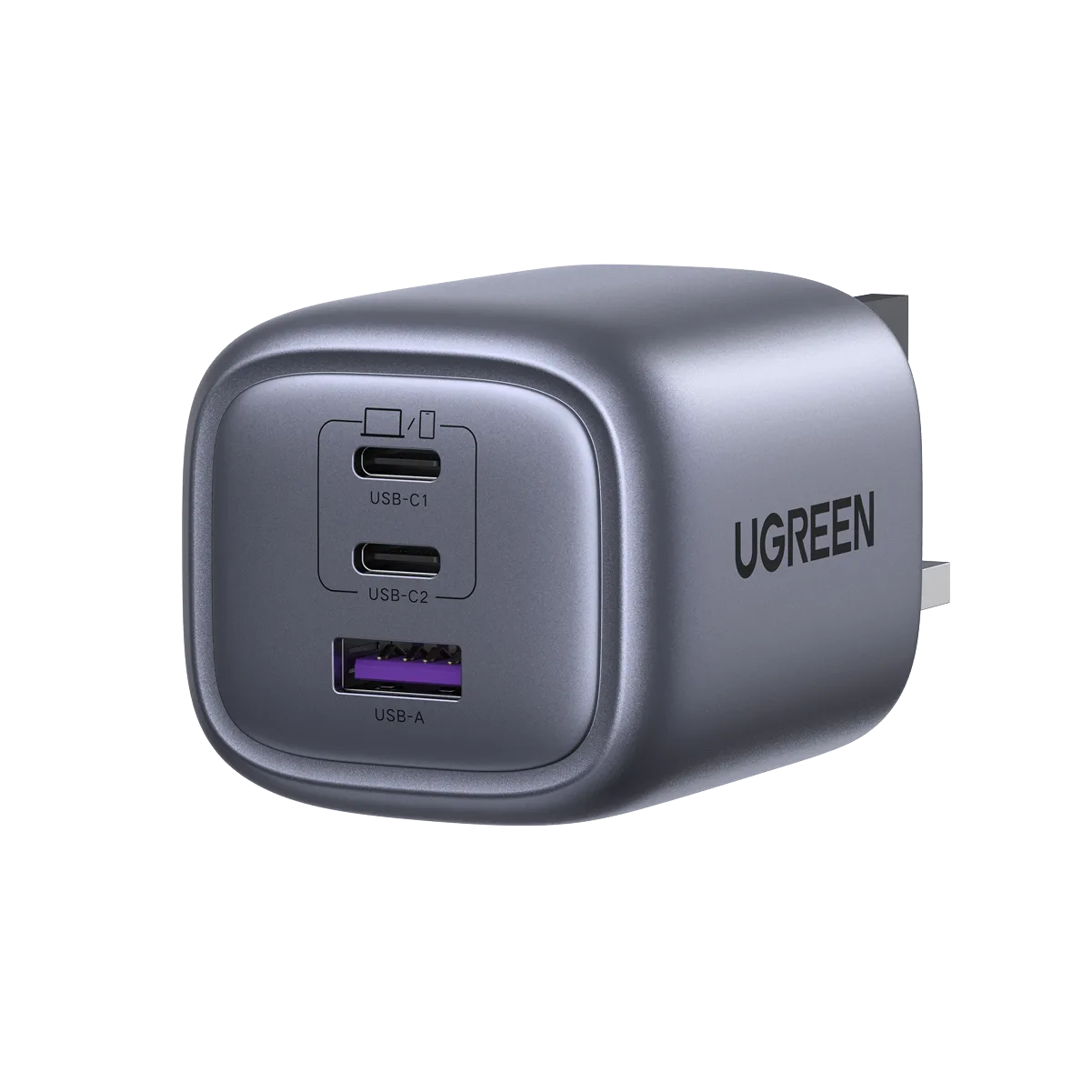
UGREEN Nexode 65W GaN Wall Charger 3-Ports
-
UGREEN Nexode 65W GaN Wall Charger 3-Ports: Three ports allow you to charge multiple devices at once. You can keep your laptop, phone, and wireless earbuds powered from a single wall outlet—ideal for travel or a cluttered desk.
-
UGREEN Nexode 65W GaN Wall Charger 3-Ports: GaN technology enables a smaller, more compact design. The charger is light and portable, so it slips easily into a laptop bag or pocket without adding bulk.