Quick answer
The Iris under desk dual universal controller mount lets you store two gamepads out of the way, freeing up desk space. Installation takes about 10 minutes with the included hardware.
Why mount controllers under your desk?
Keeping controllers on your desk clutters your gaming area and risks accidental drops. An under desk mount like the Iris holds two controllers securely underneath, giving you more room for your keyboard, mouse, or monitor. It also keeps your gamepads within easy reach without taking up surface space.
The Iris works with most major controllers including Xbox One, Xbox 360, PS4, PS3, Nintendo Switch, and Steam Controller, making it a versatile choice for multi-platform gamers.
What you need before starting
Check that your desk edge has enough clearance underneath for the mount and controllers. The Iris requires a flat surface at least 1 inch thick for the clamp to grip securely. If your desk has a metal frame or thick crossbar, verify the clamp can attach without interference.
You'll need a Phillips head screwdriver and about 10 minutes. The mount comes with all necessary hardware, including screws and adhesive pads for a non-slip grip.
Step-by-step installation guide
- Choose the mounting location: Slide your hand under the desk to find a spot where the mount won't hit your legs or chair armrests. The Iris should be placed near the front edge but far enough back that controllers hang freely without touching your knees. Common mistake: mounting too far back, making controllers hard to reach. Aim for 2-3 inches from the front edge.
- Attach the clamp to the desk: Open the clamp wide and position it under the desk at your chosen spot. Tighten the screw clockwise until the clamp feels snug. Do not overtighten—stop as soon as the mount no longer slides when you push it gently. Checkpoint: if the desk surface is uneven, use the included adhesive pad to prevent slipping before tightening.
- Secure the controller hanger arms: The Iris comes with two hanger arms. Slide each arm into the main bracket until it clicks. Make sure both arms are level and point away from each other so controllers don't bump. Common mistake: inserting arms upside down. The curved lip should face upward to cradle the controller grip.
- Test with your controllers: Place one controller on each hanger with the grip resting on the curved lip. Gently tug downward to confirm the mount holds. If the mount shifts, tighten the clamp screw a quarter turn more. Checkpoint: if your controller feels loose, the hanger arms may not be fully seated. Remove and reinsert until you hear a click.
Product details
-
The Iris - Under Desk Dual Universal Controller Mount: Universal under desk game controller holder wall mount works with Xbox One, 360, PlayStation PS4, PS3, Nintendo Switch, Steam Controller, and most third-party gamepads. Dual hanger holds two controllers at once. You can store both your primary and backup controller in one spot, reducing clutter and keeping them ready for multiplayer sessions.
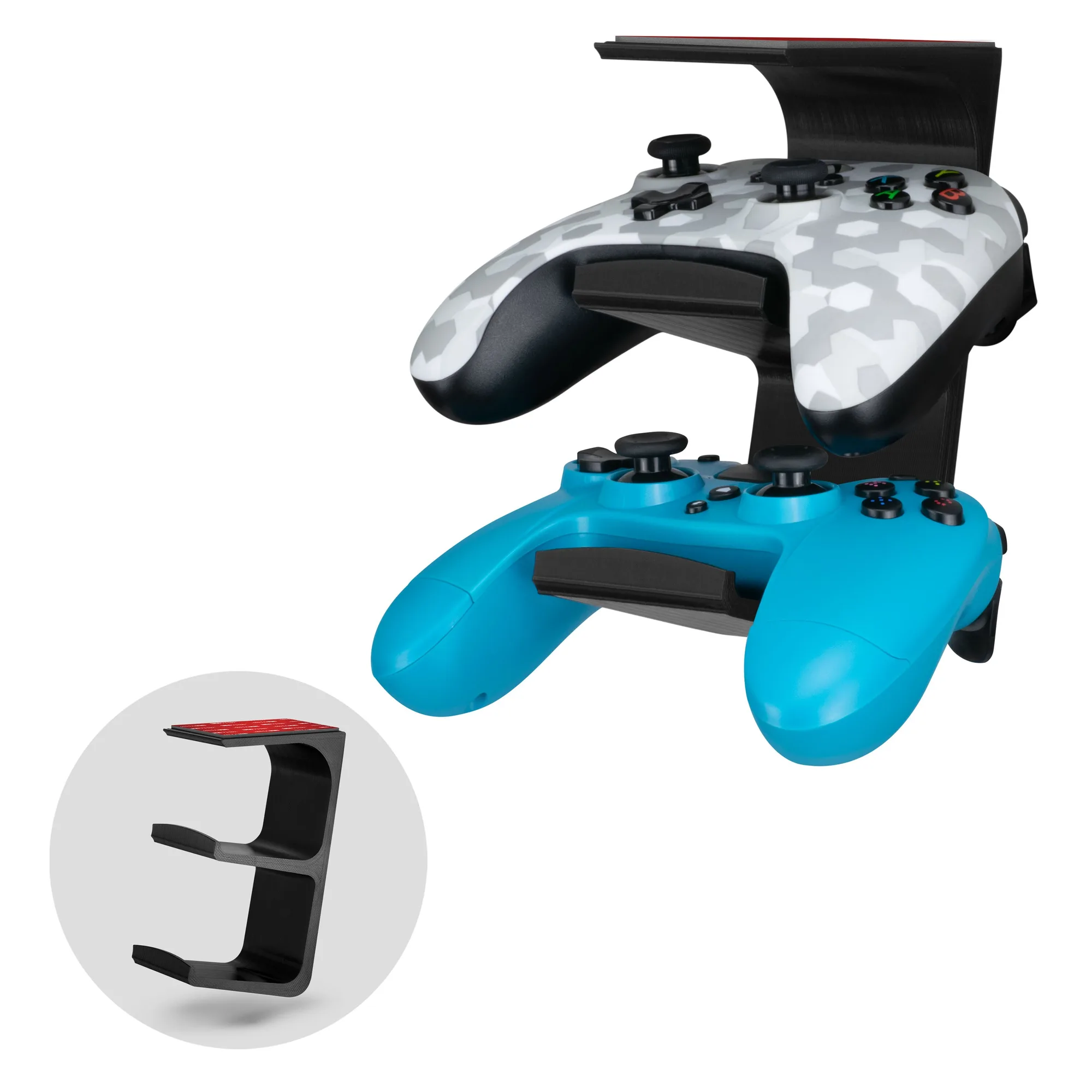
The Iris - Under Desk Dual Universal Controller Mount