Quick answer
Mounting your power strip under the desk with a universal bracket like the Brainwavz Under Desk Power Strip Mount Holder instantly clears cable clutter and keeps your workspace safe. Choose adhesive for rental-friendly installation or screws for a permanent hold.
Why mount under the desk instead of on top
A power strip sitting on your desk eats up surface space and turns every cable into a tangled mess. Moving it underneath hides the strip and routes cords out of sight, which makes cleaning and reorganizing much easier. It also protects the strip from accidental spills or bumps.
The trade-off is access: once mounted, you won't see the reset button or individual outlets as easily. If you frequently plug and unplug devices, make sure the strip stays within arm's reach under the desk edge.
Adhesive vs screw mounting: which fits your desk
Adhesive mounting works best on smooth, clean surfaces like laminate or metal desks. It takes seconds to install and leaves no holes, making it ideal for rented spaces or temporary setups. However, adhesive may lose grip over time in humid environments or if the strip is heavy.
Screw mounting provides a permanent, rock-solid hold on wood or composite desks. It handles heavier strips and won't budge even with frequent cable tugging. The downside is you need a drill and the holes are permanent.
The Brainwavz mount comes as two separate brackets, so you can space them exactly to fit your strip's length. It supports both adhesive and screw installation, giving you the flexibility to choose based on your desk material and how long you plan to stay.
How to diagnose your under-desk mount setup
- Symptom: Cables are spread across your desk, the power strip sits in the middle of your workspace, and you keep knocking plugs loose.
- Likely cause: The power strip has no dedicated home — it's floating on the desk surface where cables get tangled and pulled.
- Corrective action: Clean the underside of your desk with rubbing alcohol. If the surface is smooth and you can't drill, apply the adhesive pads to the Brainwavz brackets and press firmly for 30 seconds. If the desk is wood or you want a permanent fix, mark screw positions, pre-drill pilot holes, and screw the brackets in. Slide your power strip into the brackets. Test that the strip is secure and that all plugs fit without forcing the bracket arms apart.
- Stop or choose another option: If your power strip is a cube, tower, or unusually shaped (not a long bar), this bracket won't hold it securely. Look for a cage-style or tray mount instead. Also stop if your desk underside is textured or soft — adhesive won't stick, and screws may not grip.
Product facts
-
Under Desk Power Strip Mount Holder, Adhesive & Screw In, Compatible with Belkin, GE and Other Powerbars, Leads, Adapters: Suitable for most long bar style strips from brands such as GE, Belkin, KMC, Masterplug & many more. You don't need to buy a new power strip — this mount works with the one you already own, as long as it's a long bar style.
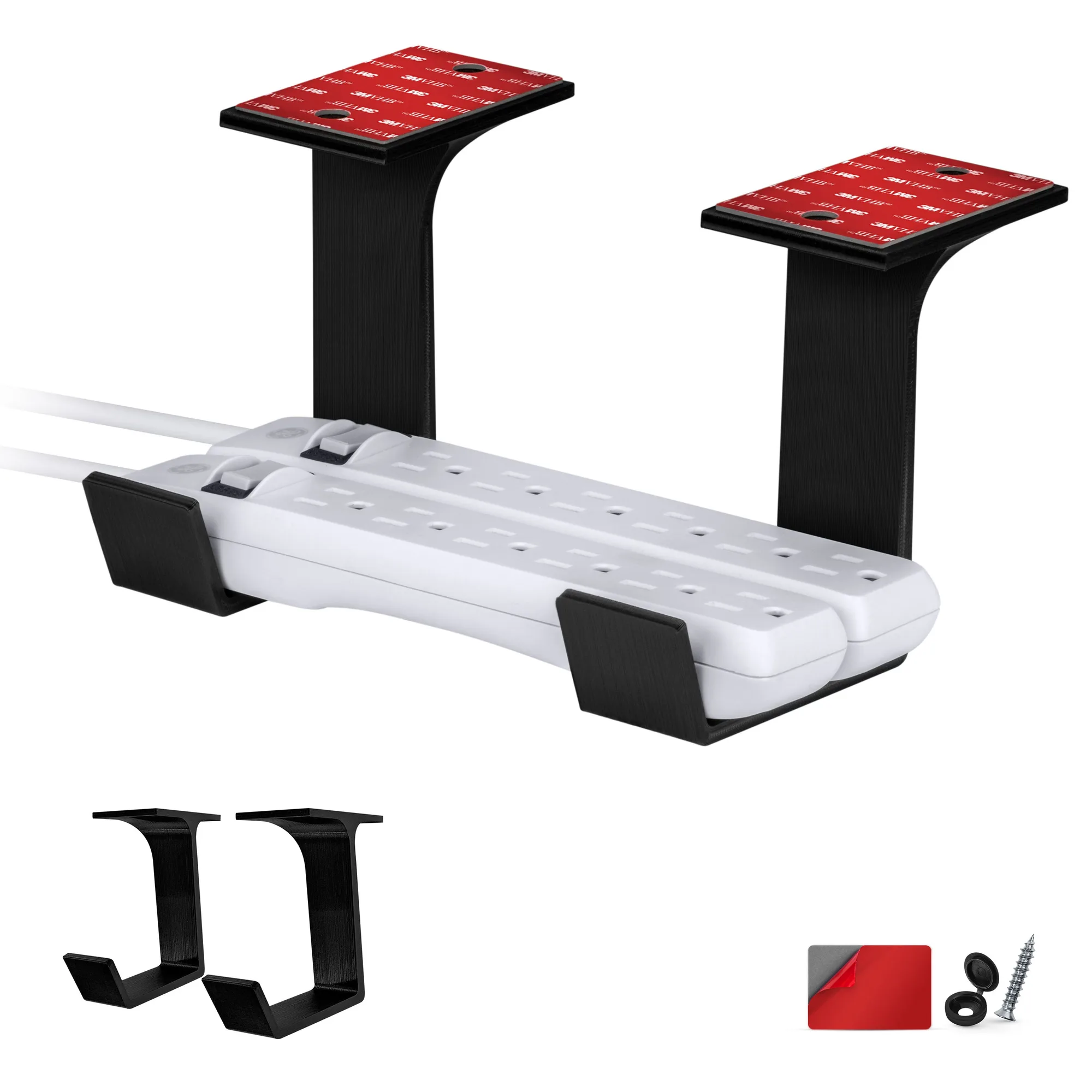
Under Desk Power Strip Mount Holder, Adhesive & Screw In, Compatible with Belkin, GE and Other Powerbars, Leads, Adapters
-
Under Desk Power Strip Mount Holder, Adhesive & Screw In, Compatible with Belkin, GE and Other Powerbars, Leads, Adapters: Comes as two separate brackets so you can mount them at the exact width needed for your strip. The adjustable width means a single mount fits different strip lengths, so you aren't locked into one size.