Which Compact USB-C Hub Fits Your Workflow?
When you need extra ports from a single USB-C connection, the choice often comes down to a simple data hub or a multiport adapter that also handles video and charging. Both are compact and portable, but they serve different primary needs. This comparison looks at the Plugable USB-C 4-Port Hub and the Plugable 4-in-1 USB-C Hub to help you decide which one matches your laptop and daily tasks.
Ports and Capabilities at a Glance
- Plugable USB-C 4-Port Hub (USBC-HUB4A): Adds four USB 3.0 ports (5Gbps each) through a single USB-C port. Designed for data-only devices: flash drives, keyboards, mice, external drives. No HDMI, no power delivery, no Ethernet. Works with USB-C, Thunderbolt 3/4, and USB4 ports. Compatible with Windows, macOS, ChromeOS, and Linux.
- Plugable 4-in-1 USB-C Hub (USBC-HUB4A variant with HDMI and 100W): Includes a USB-C combo port that can provide up to 100W Power Delivery input or 10Gbps USB-C data. Adds 4K 60Hz HDMI with HDR support, one 10Gbps USB port, and one USB 2.0 port. Works with Windows 10+, macOS 11+, and ChromeOS.
Key Specifications from the Catalog
-
Plugable USB-C 4-Port Hub: The Plugable USBC-HUB4A adds four USB 3.0 ports through a single USB-C connection. Each port transfers data at up to 5Gbps. No drivers, no configuration. This hub is pure data expansion. If you only need to connect USB peripherals and don't need video output or laptop charging, this is the simpler, lower-cost option.
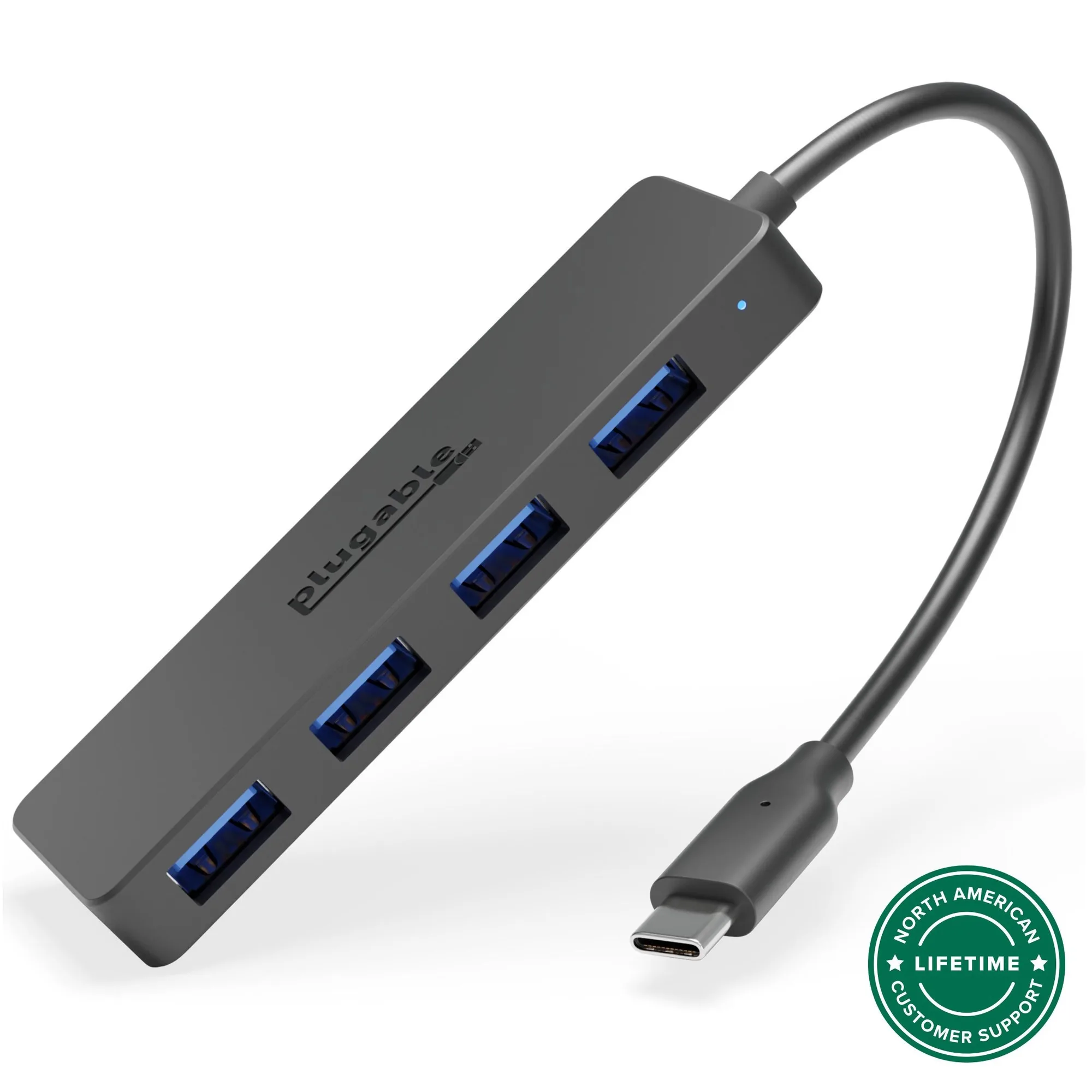
Plugable USB-C 4-Port Hub
-
Plugable 4-in-1 USB-C Hub with 4K HDMI, 100W Charging: The Plugable 4 in 1 USB-C hub includes a versatile USB-C combo port that can be used for either up to 100W Power Delivery input or 10 Gbps USB-C data. It supports 4K 60Hz HDMI with HDR. This adapter adds display output and fast charging to your USB-C port, making it suitable for connecting to a monitor or projector while keeping your laptop powered through a single cable.
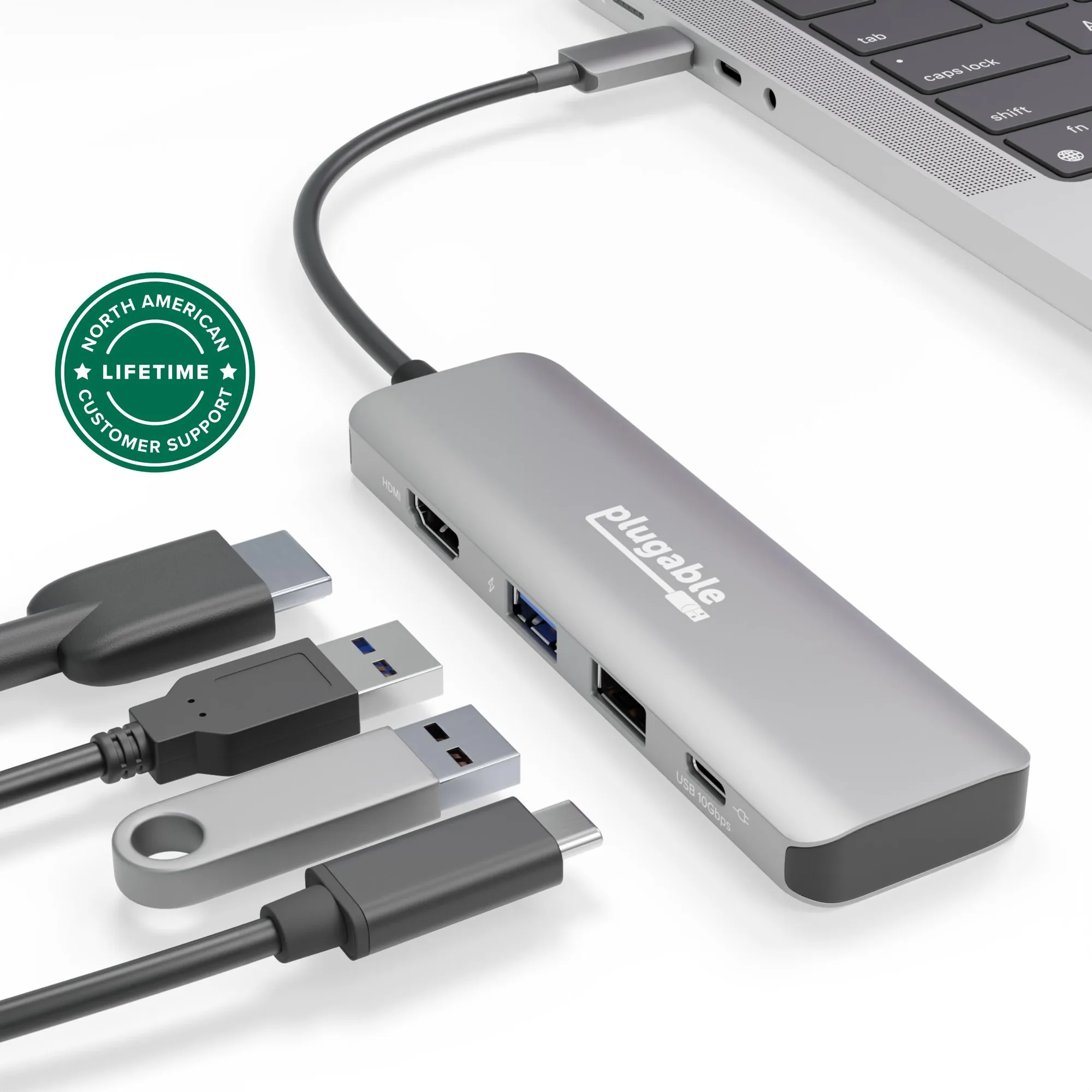
Plugable 4-in-1 USB-C Hub with 4K HDMI, 100W Charging
Data-Only vs. Video and Charging
The core difference is what each device adds to your laptop. The 4-Port Hub is strictly a data expander: it gives you four USB-A ports at 5Gbps each, letting you run a flash drive, keyboard, mouse, and external drive simultaneously without sharing bandwidth. It is driverless and works with virtually any USB-C device, including MacBook Air, Dell XPS, and Chromebook.
The 4-in-1 Hub goes further. Its USB-C combo port can either accept up to 100W Power Delivery from your laptop charger (pass-through charging) or provide 10Gbps USB-C data. It also includes an HDMI port that supports 4K at 60Hz with HDR, plus a 10Gbps USB port and a USB 2.0 port. This makes it a better fit if you need to connect an external monitor or keep your laptop charged through the hub.
Compatibility and Limitations
Both devices work with Windows, macOS, ChromeOS, and Linux, and are compatible with USB-C, Thunderbolt 3/4, and USB4 ports. The 4-Port Hub is noted as data-only and will not charge connected devices. The 4-in-1 Hub's charging capability depends on your laptop's USB-C charger and whether the combo port is used for power or data—it cannot do both simultaneously.
Neither product includes Ethernet, SD card slots, or audio jacks. If those are essential, you would need a larger dock or a different multiport adapter. The supplied information does not confirm whether the 4-in-1 Hub supports daisy-chaining or specific power delivery profiles beyond 100W.
Which One Should You Choose?
Choose the Plugable USB-C 4-Port Hub if your primary need is adding multiple USB-A ports for peripherals like a mouse, keyboard, flash drives, or an external drive—and you do not need video output or laptop charging through the hub. It is the simpler, more affordable option at around $11.
Choose the Plugable 4-in-1 USB-C Hub if you need to connect an external monitor (up to 4K 60Hz HDR) or want to charge your laptop through the hub while using a single USB-C port. It costs more (around $26) but adds video and power pass-through capabilities that the 4-port hub lacks.