Two Compact USB-C Adapters, Different Priorities
If you need to connect a monitor, peripherals, and charging through a single USB-C port, both the Plugable USB-C Hub 7-in-1 and the Plugable USB-C Multiport Adapter (USBC-MD101) get the job done. The key difference is how many extra ports you get and the maximum display resolution each supports. Here’s how they compare.
Ports and Display Resolution
- Plugable USB-C Hub 7-in-1: Provides three USB 3.0 Type-A ports (5 Gbps each), plus SD and microSD card slots. Its HDMI 1.4 port supports up to 3840x2160 @ 60 Hz.
- Plugable USB-C Multiport Adapter (USBC-MD101): Offers a single USB 3.0 Type-A port (5 Gbps) and no card reader. Its HDMI 1.4 port supports up to 3840x2160 @ 30 Hz, or 1080p @ 60 Hz.
Pass-Through Charging and Power Delivery
-
Plugable USB-C Hub 7-in-1 with 4K 60Hz HDMI, 100W Pass-Through Charging: The hub provides up to 100W pass-through charging to the host via its USB-C Power Delivery input. If you need to keep a high-power laptop like a MacBook Pro charged through a single cable, this hub can deliver the full 100W.
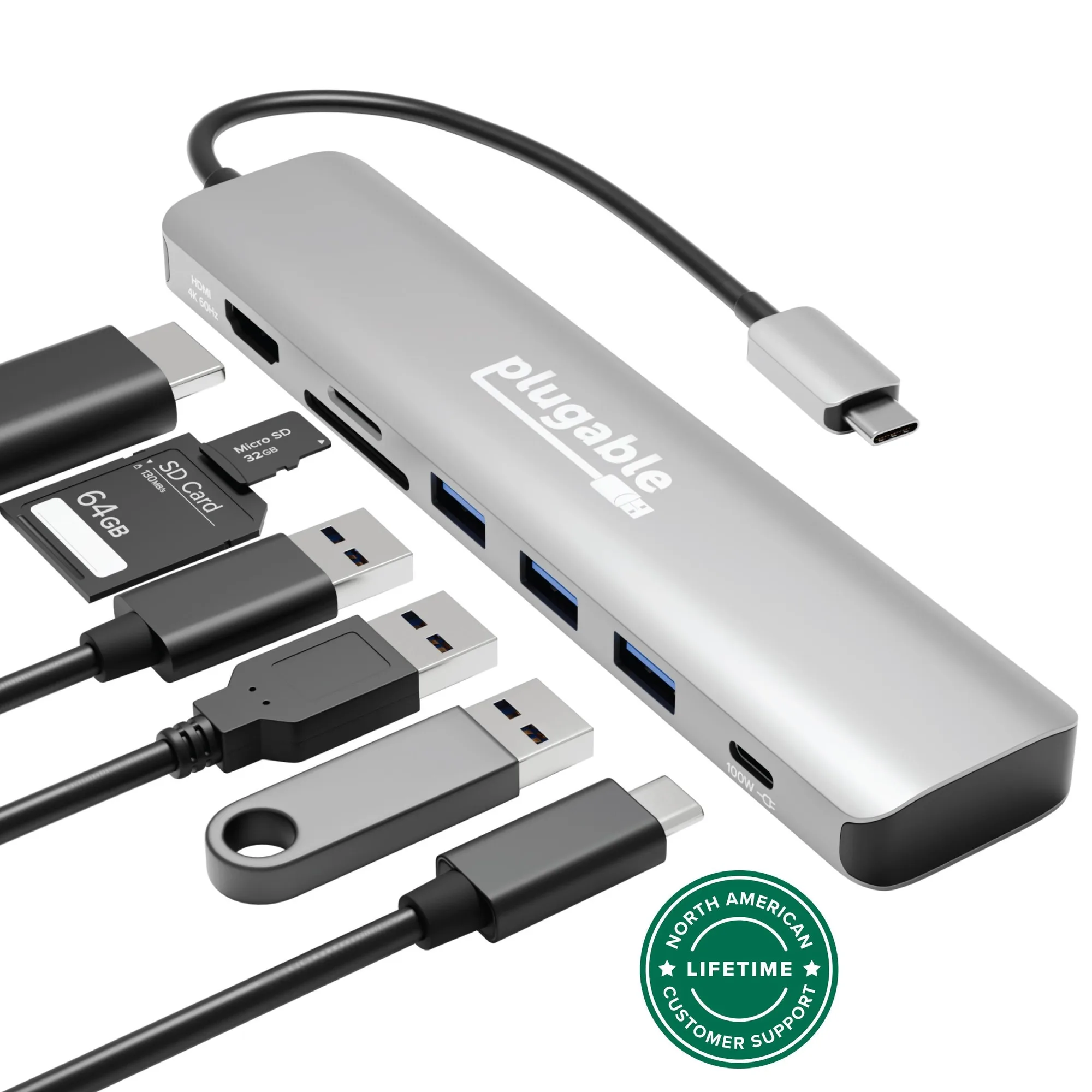
Plugable USB-C Hub 7-in-1 with 4K 60Hz HDMI, 100W Pass-Through Charging
-
Plugable USB-C Multiport Adapter (USBC-MD101): The multiport adapter supports 5-20V @ 3A pass-through charging. This is sufficient for many ultrabooks and Chromebooks, but not for laptops that require more than that. Follow the supplied product instructions for power requirements.
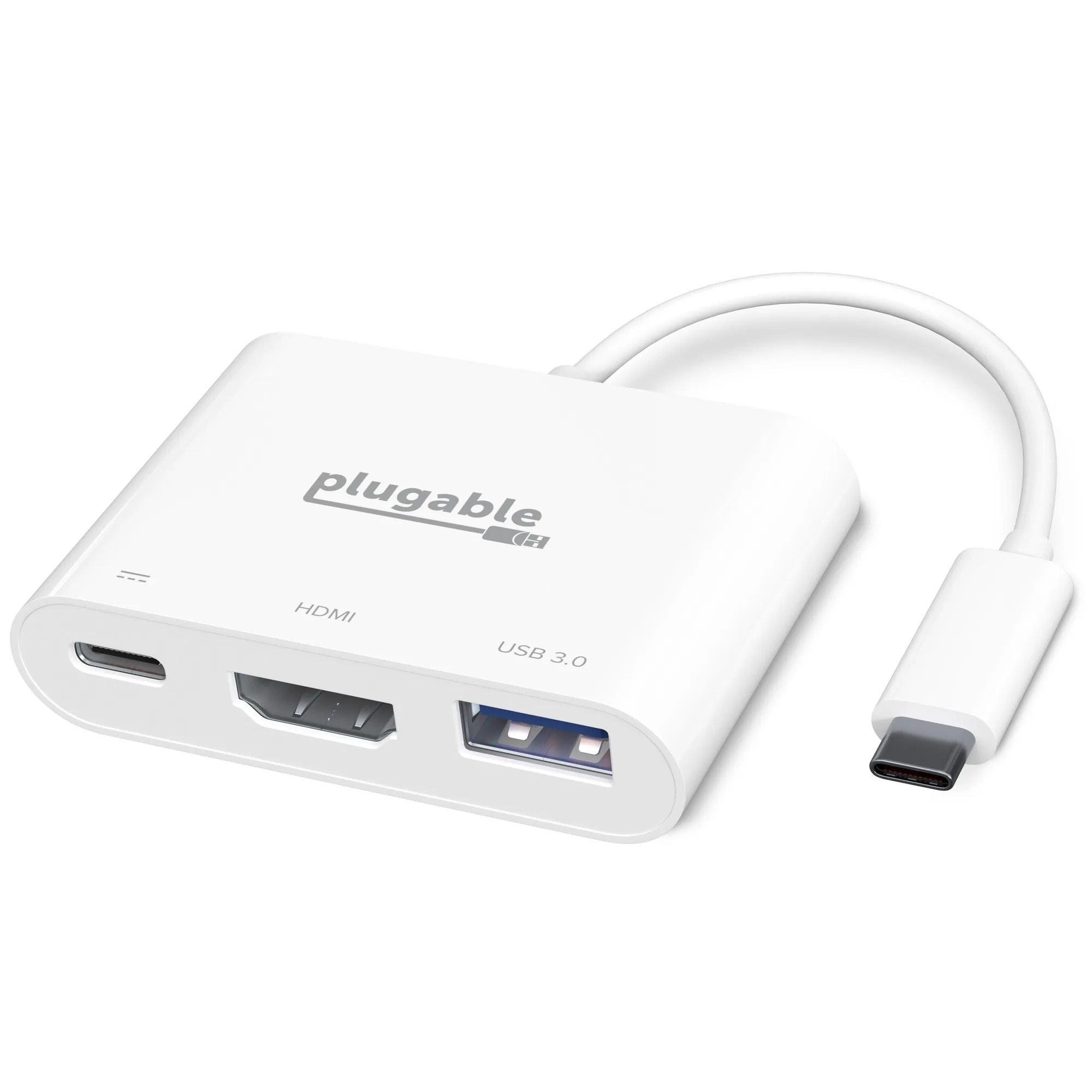
Plugable USB-C Multiport Adapter (USBC-MD101)
Compatibility and Power Source
Both adapters are entirely USB bus-powered — no external power supply needed for the hub functions themselves. They work with Windows, macOS, and Chromebook systems that have a USB-C port supporting DisplayPort Alternate Mode, USB Power Delivery, or Thunderbolt 3. Neither works with USB Type-A systems, even with an adapter.
Keep in mind that the host system and monitor must both support the desired resolution. If your laptop’s USB-C port doesn’t support DisplayPort Alt Mode, the HDMI output won’t function.
Which One Should You Choose?
Choose the Plugable USB-C Hub 7-in-1 if you need 4K at 60 Hz, multiple USB-A ports, and SD/microSD card access — plus full 100W charging for power-hungry laptops. It’s the better all-around companion for a modern laptop.
Choose the Plugable USB-C Multiport Adapter (USBC-MD101) if your priority is a compact, travel-friendly adapter for a single USB device and you’re comfortable with 4K at 30 Hz or 1080p at 60 Hz. It’s lighter on ports but still handles essential monitor and charging duties.