Quick answer
Choose a USB-C hub when you need to connect several devices or a monitor at once. Choose a USB-C to USB-A adapter when you only need to plug one older USB-A accessory into a USB-C laptop. The Belkin USB-C 7-in-1 Multiport Hub Adapter covers multi-device setups, while the Belkin 3.0 USB-C to USB-A Adapter handles a single legacy connection at up to 5 Gbps.
What each option actually does
A USB-C hub splits one USB-C port into several ports so you can connect peripherals, displays, and power together. The Belkin USB-C 7-in-1 Multiport Hub Adapter is a compact adapter designed to add multiple ports to your device, making it easier to connect peripherals, displays, and more. It is built for on-the-go use and charging accessory needs.
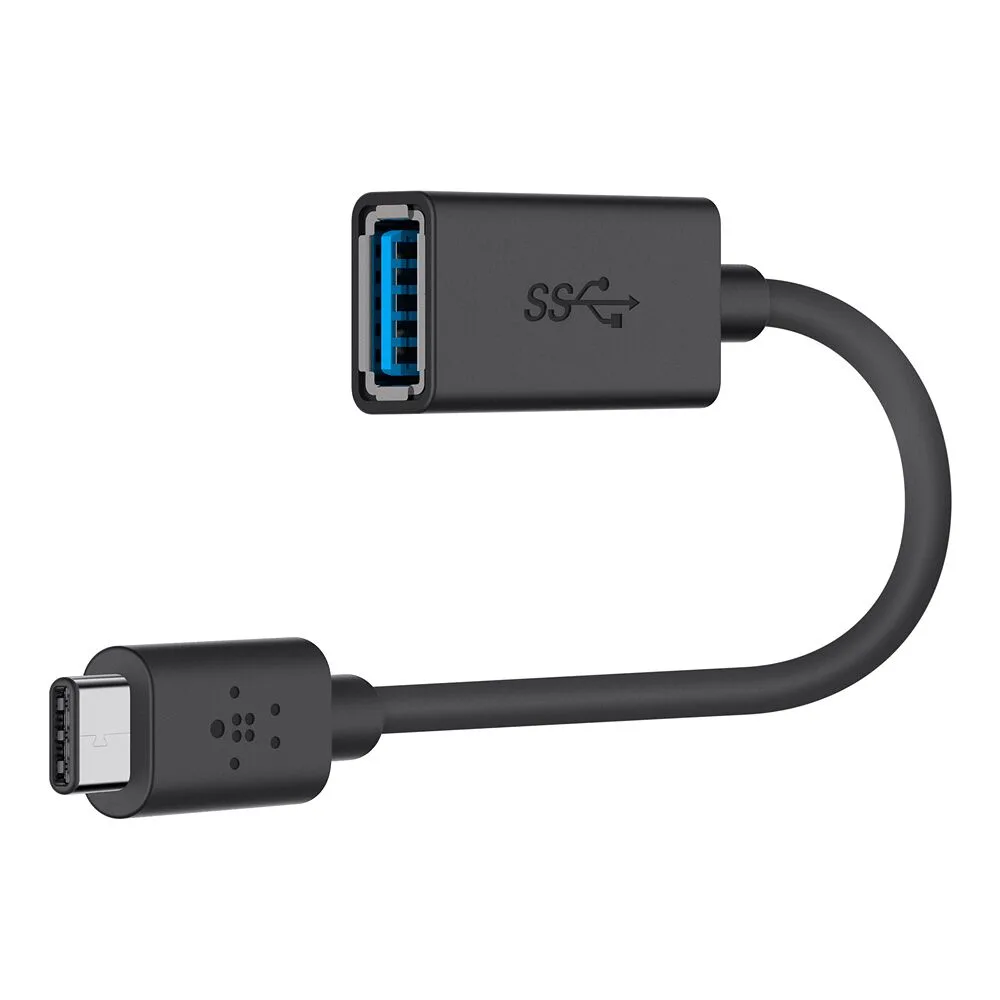
A USB-C to USB-A adapter changes one connector type into another. The Belkin 3.0 USB-C to USB-A Adapter lets you connect USB-C devices to USB-A ports. It supports USB 3.0 data transfer speeds up to 5 Gbps and delivers up to 1.5A for charging and syncing. It does not add ports or display outputs; it solves a single compatibility problem.
When a USB-C hub is the better fit
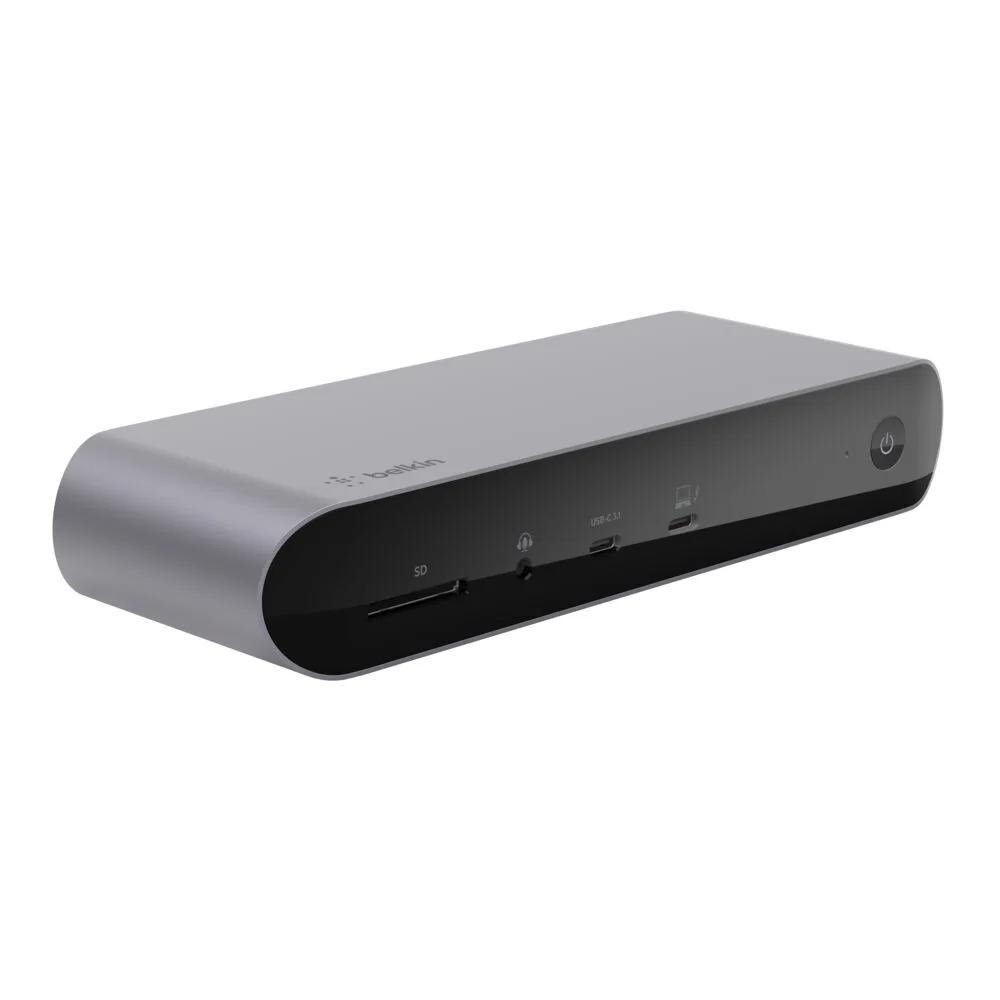
Use a hub when your laptop has few USB-C ports and you regularly connect a mix of devices, such as a mouse, keyboard, external drive, and monitor. The 7-in-1 hub gives you multiple ports from one connection, so you are not constantly swapping cables. For a desk setup with many peripherals and triple displays, the Belkin Universal 16-Port Triple Display USB-C Dock offers 16 ports and 140W power delivery, but it is a larger investment and better suited to a fixed workspace.
When a USB-A adapter is enough
Use a USB-C to USB-A adapter when you have one USB-A device, such as an older flash drive, mouse, or printer cable, and you want to connect it to a USB-C port. The Belkin adapter is compact and portable, so it can live in a cable kit. It supports up to 5 Gbps data transfer and up to 1.5A charging, which is fine for syncing files or powering low-draw accessories. It will not expand your port count or drive a display.
Power and charging considerations
If you need to charge a laptop through the same connection, check the hub's power delivery. The Belkin 7-in-1 hub is described for charging and accessory needs, but the catalog does not list a wattage for pass-through charging, so confirm your laptop's requirement before relying on it as your only charger. The 16-port dock lists 140W power delivery, which is enough for many power-hungry laptops. The USB-A adapter delivers up to 1.5A, which is suitable for small accessories, not for charging a laptop.
A simple way to decide
Count the devices you need to connect at the same time. If the answer is more than one, or includes a monitor, buy a hub. If the answer is exactly one USB-A accessory and you do not need extra ports, buy the adapter. If you work at a desk with multiple displays and many peripherals, consider a full dock instead of either.
Trade-offs at a glance
- Ports vs simplicity: The 7-in-1 hub adds multiple ports but is larger than a single adapter. The USB-A adapter is tiny but adds only one connection. Choose based on how many devices you connect at once.
- Speed and power: The USB-A adapter supports up to 5 Gbps and 1.5A. The hub is designed for charging and accessories, but its exact power output is not listed in the catalog. For laptop charging, check the hub's power rating or use the 16-port dock with 140W.
- Portability vs desk setup: The hub and adapter are compact for travel. The 16-port dock is better left on a desk with multiple displays. Match the device to where you will use it most.
Product facts
- USB-C 7-in-1 Multiport Hub Adapter: 7-in-1 multiport hub adapter for versatile connectivity; compact and portable design for on-the-go use. Adds several ports from one USB-C connection, so you can connect peripherals and displays without carrying multiple adapters.
- 3.0 USB-C to USB-A Adapter (USB-C Adapter): USB 3.0 speed: up to 5 Gbps data transfer; supports up to 1.5A power delivery; compact and portable. Enough for fast file transfers and charging small accessories, but not a substitute for a hub or laptop charger.
- Universal 16-Port Triple Display USB-C Dock: 16 ports for versatile connectivity, including USB, video, and power options; triple display support; 140W power delivery. A better fit for a fixed desk with multiple monitors and high power needs than a portable hub or adapter.
Which should you buy?
Best for
- Laptop owners who need to connect several peripherals or a display from one USB-C port
- People who want a portable hub for travel or hot-desking
Not for
- Anyone who only needs to connect one USB-A accessory; a USB-C to USB-A adapter is cheaper and smaller
- Desk setups with multiple monitors and high power needs; a full dock like the 16-port model is more appropriate