Quick answer
If you need built-in SSD storage plus video output and charging in one device, choose the USB-C Hybrid Multiport Adapter. If you prioritize a lighter, more compact travel hub, a slim hub is the better fit.
Storage vs. portability trade-off
The biggest difference is how each device handles storage. The USB-C Hybrid Multiport Adapter includes a built-in SSD storage compartment, so you can add extra capacity without carrying a separate external drive. A slim hub, by contrast, offers no storage—it only expands your ports.
That storage convenience comes at a cost: the hybrid adapter is bulkier and heavier than a typical slim hub. If you travel light and rarely need extra files on the go, the slim hub's smaller footprint may be more appealing.
Ports and video output
Both options expand your laptop's connectivity, but the hybrid adapter goes further. It includes 4K HDMI output, USB-C PD charging, and two USB-A 3.1 data ports—all through a single USB-C port. Slim hubs often offer similar port selections, but they typically lack the built-in drive bay.
For presentations or connecting to an external monitor, the 4K HDMI port on the hybrid adapter is a clear advantage. If you only need extra USB ports and don't require video, a slim hub may be sufficient.
How to decide: hybrid adapter vs. slim hub
- Need extra storage?: If you frequently need more space for files, photos, or videos, the USB-C Hybrid Multiport Adapter's built-in SSD compartment is a compact all-in-one solution. Check if the adapter supports the SSD size you plan to use.
- Travel light?: If you prioritize minimal weight and size in your bag, a slim hub is easier to slip into a pocket and carry daily. Consider how often you actually need on-the-go storage.
- Need video output?: If you connect to projectors or external monitors, the hybrid adapter's 4K HDMI port is essential. A slim hub without video output won't work for presentations. Verify your hub's video capabilities before buying.
Product facts
-
USB-C Hybrid Multiport Adapter: The USB-C Hybrid Multiport Adapter features a built-in SSD storage compartment, 4K HDMI display output, USB-C PD charging, and two USB-A 3.1 data ports—all using a single USB-C port. This means you can add storage, connect a monitor, charge your laptop, and use USB accessories without needing multiple dongles.
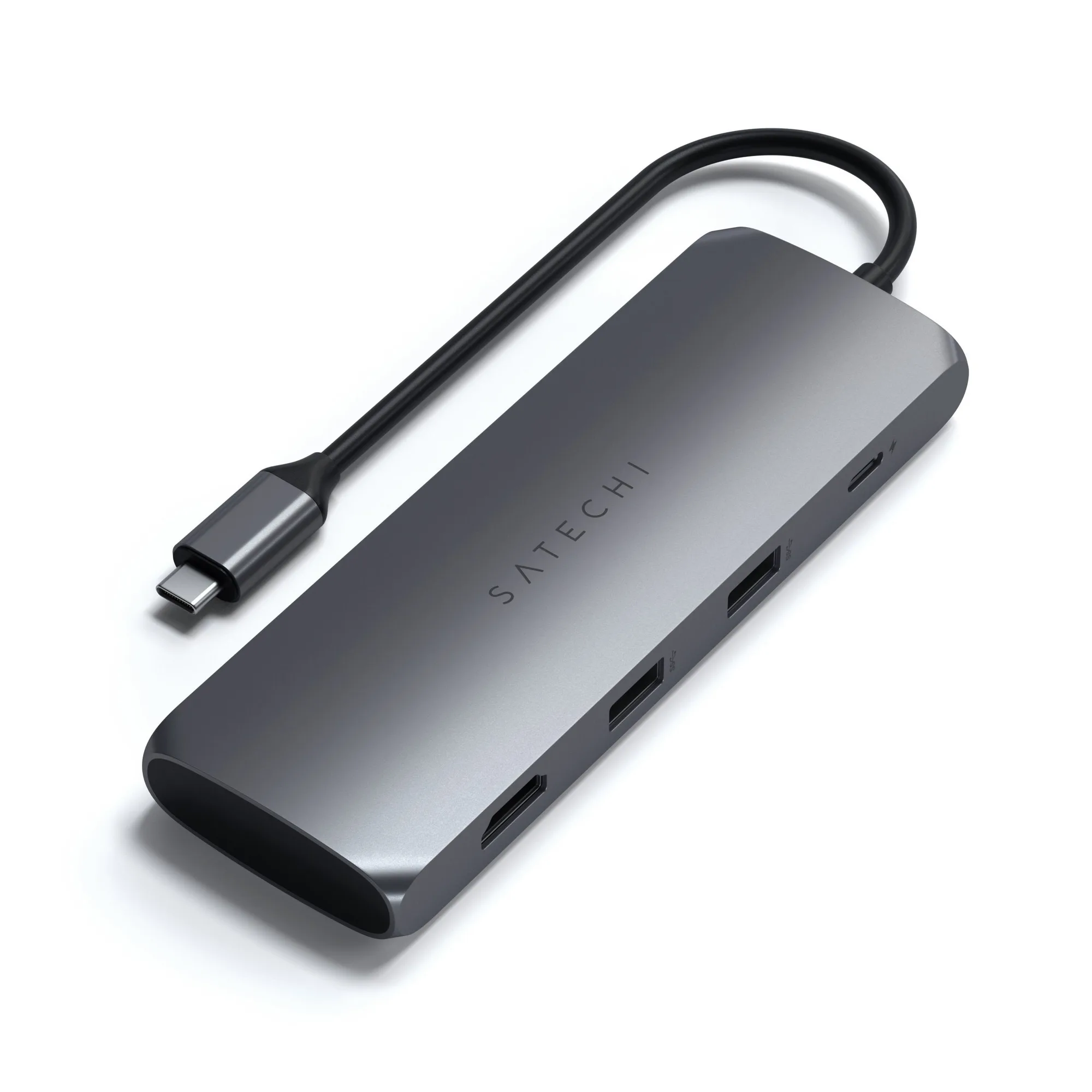
USB-C Hybrid Multiport Adapter
Who should choose which?
Best for
- Professionals who need extra SSD storage and video output in one device
- Travelers who want to carry fewer accessories
Not for
- Minimalists who only need extra USB ports and prefer the lightest possible hub
- Users who already own a separate external drive and don't need built-in storage