Quick answer
For most outdoor, vehicle, or wash-down installations, choose an IP65 waterproof USB-C panel mount cable with a protective cover. For indoor kiosks, desks, or enclosures where you need a secure, frequently used port, a standard panel mount USB-C extension with screws is simpler and costs less.
Match the mount to your panel and environment
Start with where the cable will live. A panel mount USB-C extension passes through a cutout in your enclosure and presents a female socket on the outside. If the panel is metal, plastic, or wood, check the mounting method: screw-mount flanges are the most secure and are ideal for frequent plugging and unplugging. If the panel is thin or you cannot drill screw holes, look for a flush mount USB-C adapter that uses a nut or snap-in retention. For wet, dusty, or outdoor locations, only an IP65 or similarly rated waterproof USB-C panel mount cable will keep moisture out when the cover is closed.
Choose the right cable length and connector orientation
Panel mount cables come in short lengths like 0.3m, 0.5m, and 1m. Measure from the panel cutout to your device or internal header, then add a little slack for strain relief. A 0.5m cable suits most PC cases and small enclosures, while 1m gives you room in larger cabinets or vehicles. Also decide whether you need a male connector inside (to plug into a device) or a motherboard header (for internal front-panel ports). USB-C is reversible, so orientation matters less than with USB-A, but the panel side must be a female socket that you can reach easily.
Check power and data ratings before you buy
Not all USB-C panel mount cables support fast charging. If you plan to charge laptops, tablets, or phones, look for explicit ratings like 20V 5A (100W) and USB 3.0 or higher for data. A cable rated only for USB 2.0 will still work for keyboards and mice but will slow down file transfers. For USB-C bulkhead cable installations, confirm the cable supports the power delivery profile your device needs. If a product listing does not state a wattage or data speed, treat it as a limitation and ask the seller before relying on it for high-power devices.
Decision rules for USB-C panel mount cables
- If the installation is outdoors or gets wet: Choose an IP65 waterproof USB-C panel mount cable with a flip cover. The cover protects the socket when not in use, and the rating prevents water ingress. Do not use a standard indoor cable in a wet location, even if it fits.
- If you need to plug and unplug daily: Pick a panel mount cable with screws or a locking nut. Screw-mount flanges distribute the force of repeated insertions and prevent the cable from pulling on internal connections. Panel mount cable with screws is worth the extra installation time for high-traffic ports.
- If you are adding ports to a PC case or kiosk: Use a motherboard header cable if you have a free 19/20-pin USB 3.0 header. It is cleaner than routing a standard extension cable through a slot. Check your motherboard manual for header compatibility before ordering.
- If you need fast charging for laptops or tablets: Verify the cable is rated for at least 20V 5A (100W) and USB 3.0 data. Lower-rated cables may charge slowly or not at all. When in doubt, ask the seller for the power and data specifications.
Product facts
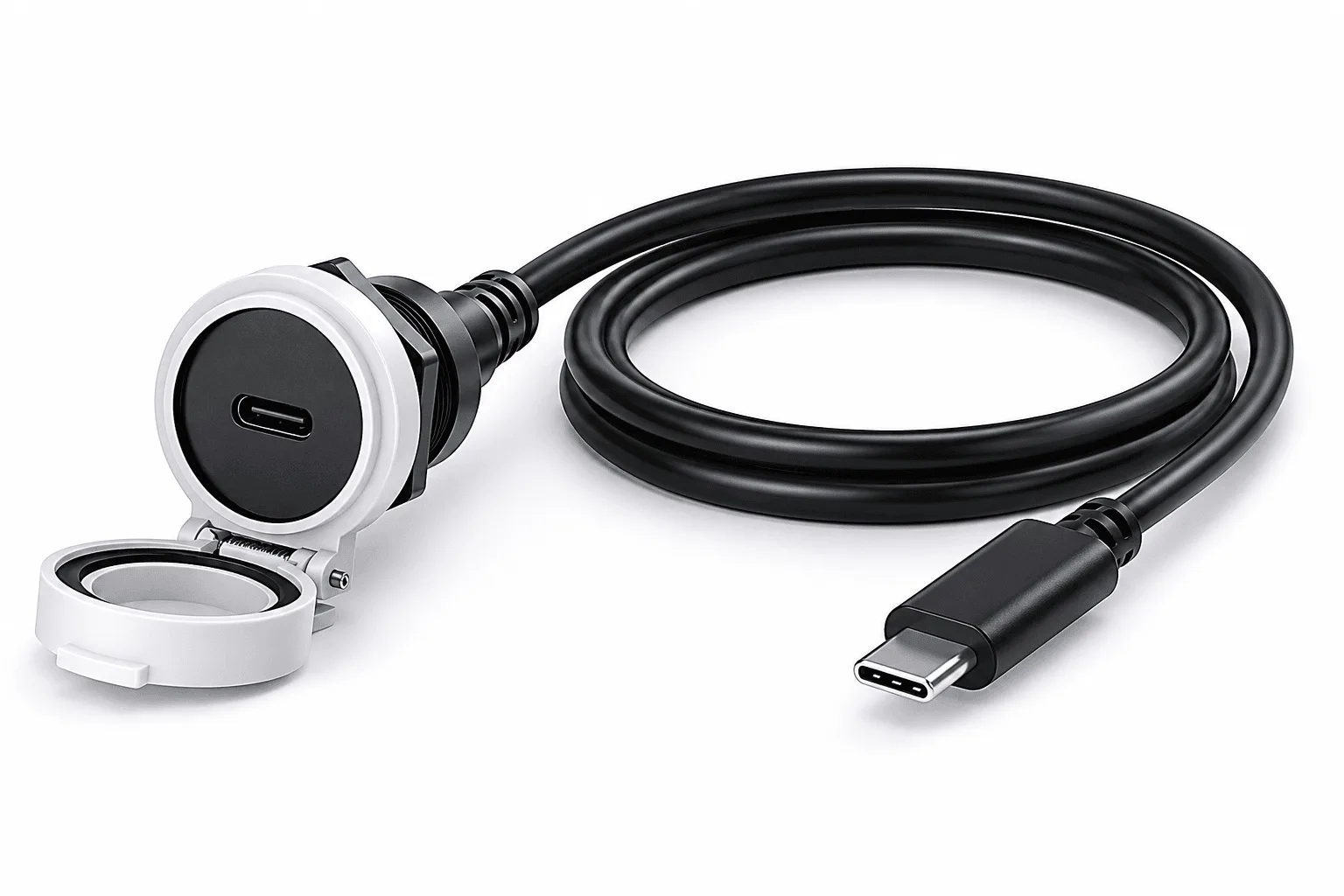
- IP65 Waterproof USB-C Panel Mount Extension Cable 1m 20V 5A Fast Charge: IP65 waterproof USB Type-C panel mount extension cable, 1m, supports 20V 5A fast charging, with waterproof female panel socket and protective flip cover. This is the right choice for automotive, marine, industrial, or outdoor installations where moisture and dust are a concern, and it can charge power-hungry devices at full speed.
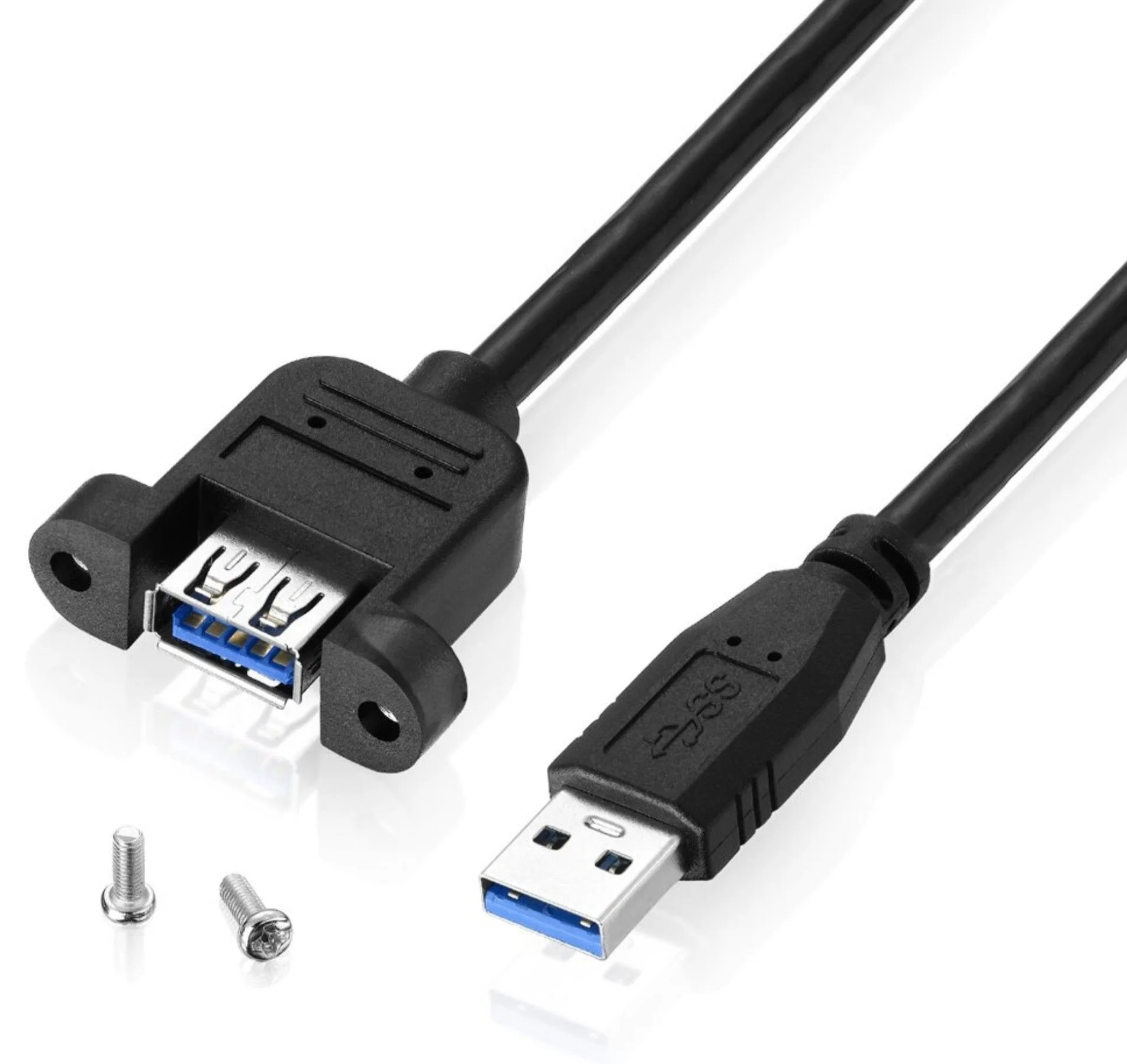
- USB 3.0 Type A Male to Type A Female Panel Mount Extension Cable 0.5m (With Screws): USB 3.0 Type-A male to Type-A female panel mount extension cable, 0.5m, with flange-mounted female socket and included screws. If your device uses USB-A rather than USB-C, this cable provides a secure, screw-fixed port for frequent use without stressing the internal connection.
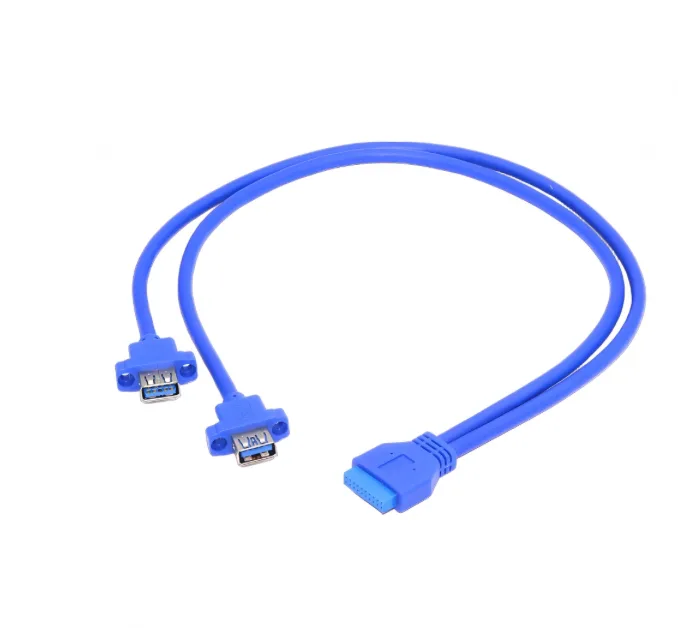
- Dual USB 3.0 Type-A Female Panel Mount to 19/20-Pin Motherboard Header Cable – Internal Front Panel Extension Lead: Dual USB 3.0 Type-A female panel mount to 19/20-pin motherboard header cable, with screw lugs for secure mounting. This is ideal for PC builds or kiosks that need two front-panel USB-A ports connected directly to a motherboard header, avoiding PCI slot cards.
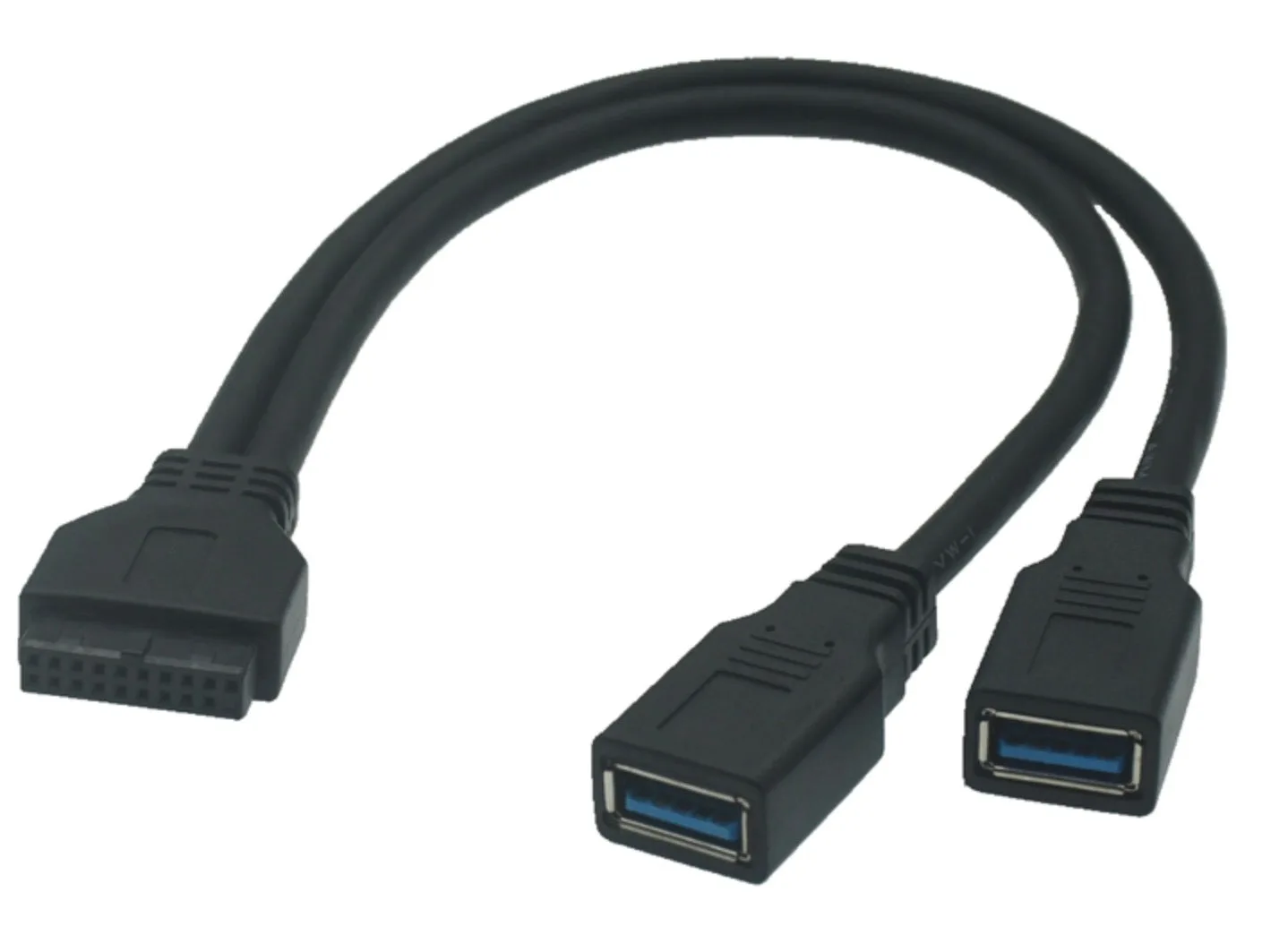
- Motherboard 20pin to Dual USB 3.0 Ports Female Cable 0.3m: Motherboard 20pin to dual USB 3.0 female ports cable, 0.3m, connects to a 20-pin motherboard header. A compact way to add two external USB 3.0 ports to a PC without using PCI slots, useful when you need extra ports at the rear or in a custom panel.
Is a USB-C panel mount cable right for you?
Best for
- Kiosks, POS terminals, and industrial control panels that need a secure, accessible USB-C port
- Vehicles, boats, and outdoor enclosures where moisture and dust protection is required
- PC builds and case mods that need front-panel USB-C or USB-A ports connected to a motherboard header
Not for
- Temporary desk setups where a standard USB-C extension cable is cheaper and easier
- Applications that require a specific military or aerospace connector standard not met by IP65
- Situations where you cannot drill or cut a mounting hole in the panel